Pytest Testing
Unit and integration testing is done using the pytest framework. Since parts of improv require asynchronous processing, the pytest-asyncio package is used in order to support tests that deal with asynchronous elements of the codebase. To measure testing coverage, we use the pytest-cov package. As of 10/27/2022, the versions of pytest, pytest-asyncio, and pytest-cov being used are versions 7.1.2, 0.19.0, and 3.0.0 respectively, running on python 3.9.0. Currently, there are 120 tests, 105 of which are fully written. For further reference regarding pytest, please visit their website.
To install pytest, run the following in the command line while in the environment you wish to use for testing: pip install -U pytest. Similarly, to install pytest-asyncio and pytest-cov, run pip install pytest-asyncio and pip install pytest-cov, respectively.
Once pytest and all its related packages are installed, open the command line and navigate to the improv/pytest directory. Then, type pytest and enter to begin running the tests. You should see an output that looks like this:

To run the tests without warnings, use pytest --disable-warnings.
To run the tests with more information, use pytest -vv. The output should look something like this:
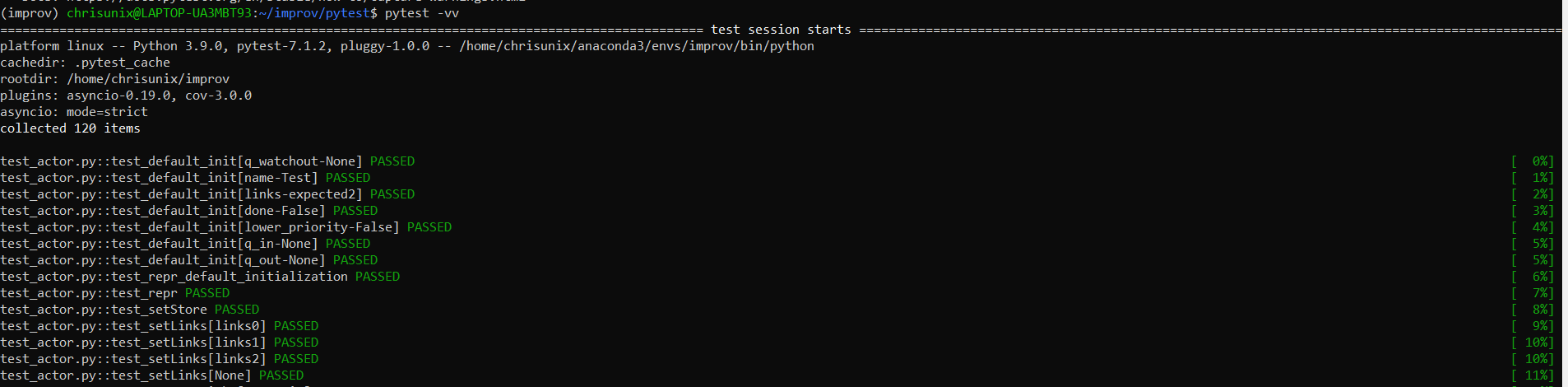
To run a specific test, use pytest -k <test_name>.
To examine test coverage, type the following command: pytest --cov. You should see something like this:
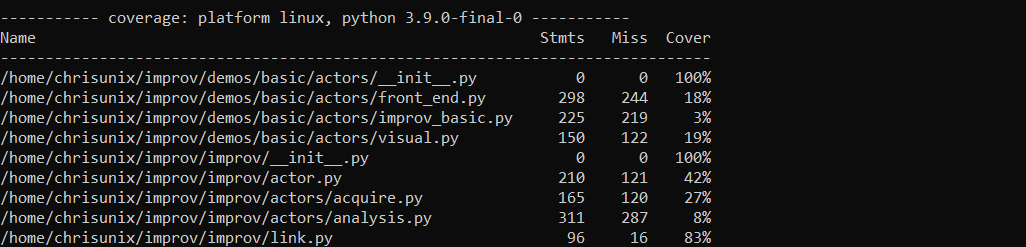
To get the duration of the first n tests, run the following: pytest --duration=n; e.g to get how long it takes for the 3 slowest tests to run, type the command pytest --duration=3.
Tests are currently written for the following python classes: Actor.py, Link.py, Nexus.py, Store.py, and Tweak.py.