Home

Welcome to the 8311 HA Bridge wiki - documentation for monitoring your XGS-PON ONU running 8311 community firmware with Home Assistant.
- KPI-Reference - NEW! Understanding each metric and what to look for
- UCG-Fiber-Setup - UniFi gateway configuration
- Troubleshooting - Common issues and solutions
- Alternative-Deployments - systemd, Proxmox, Synology, etc.
- Dashboard-Examples - Home Assistant dashboard configs
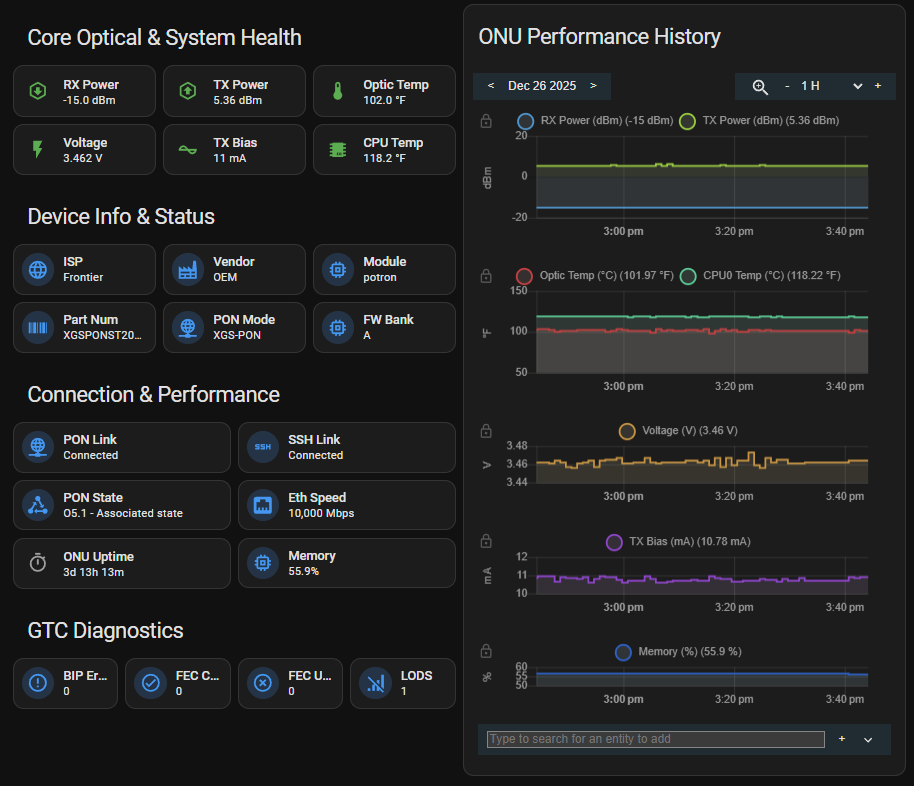
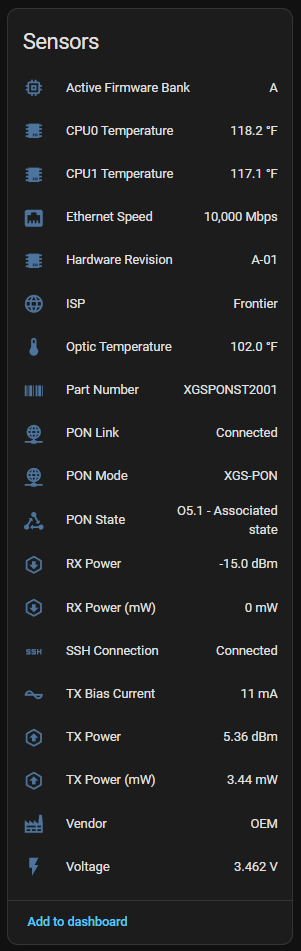
8311 HA Bridge monitors your XGS-PON ONU in Home Assistant:
Optical Metrics:
- RX/TX Power (dBm and mW)
- Voltage and TX Bias Current
- Optic Temperature
System Health:
- CPU Temperatures (CPU0, CPU1)
- Memory Usage (% and KB)
- ONU Uptime
Network Status:
- PON Link Status with state codes
- PON State (O5.1 Associated, etc.)
- Ethernet Speed (10Gbps)
- SSH Connection Health
Device Info:
- ISP Detection (AT&T, Frontier, Bell Canada, etc.)
- Vendor, Part Number, Hardware Revision
- Module Type (potron, bfw)
- PON Mode (XGS-PON)
- Active Firmware Bank
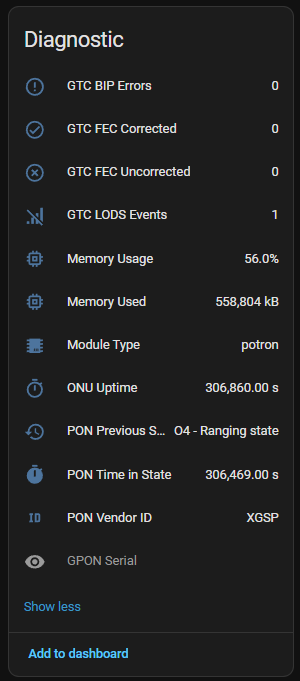
Diagnostics (v2.0.0+):
- GTC BIP Errors
- GTC FEC Corrected/Uncorrected
- LODS Events
- GPON Serial, PON Vendor ID
Works with any ONU running 8311 community firmware:
- BFW Solutions WAS-110
- Potron Technology GP7001X
- Other 8311-compatible devices
Native Home Assistant integration with UI configuration:
- Open HACS → Custom repositories
- Add
https://github.com/pentafive/8311-ha-bridgeas Integration - Install "8311 ONU Monitor"
- Restart Home Assistant
- Add integration via Settings → Devices & Services
Container deployment with MQTT auto-discovery:
- Clone repo and configure
.env - Run
docker-compose up -d - Sensors auto-discover in Home Assistant
See README for detailed instructions.
- Install 8311 community firmware on your ONU
- Configure network routing (see UCG-Fiber-Setup for UniFi)
- Choose HACS or Docker deployment
- Sensors appear automatically in Home Assistant
Found a solution? Add it to the wiki! Common contributions:
- Router/gateway setup guides
- Dashboard configurations
- Troubleshooting tips
- Alternative deployment methods