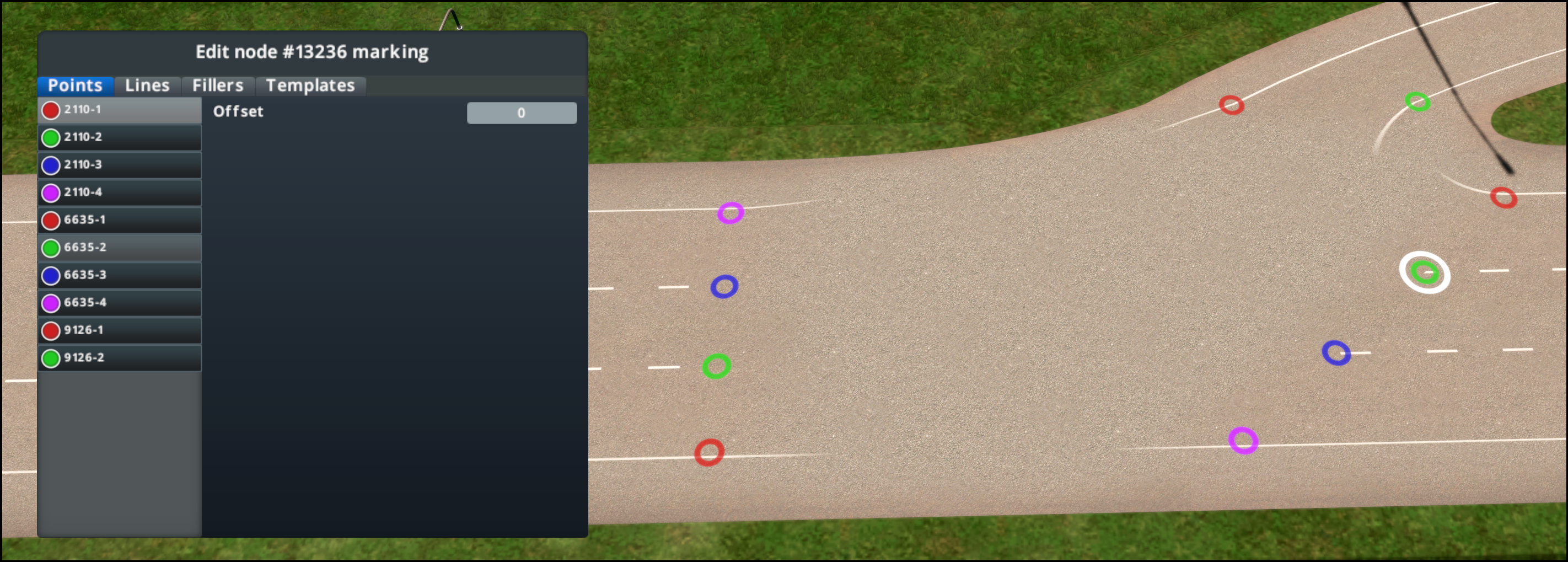
Points
This tab is a list of all available To and From points that can be selected. These are automatically determined by the lanes and cannot be added or removed.
The points can be moved or adjusted for marking purposes only by using the Change Offset option.
- The keyboard shortcut for selecting a point: Shift + Click on the desired point (automatically takes you to Points tab and selects the point selected
The offset can be adjusted by any of following the means:
- Ctrl + Click and dragging point to desired location
- Typing in numbers in points tab on selected point
- Using the mouse scroll option on selected point
- Mouse Scroll only: + or - increments of 1
- Mouse scroll + holding Ctrl: + or - increments of 0.1
- Mouse scroll + holding Shift: + or - increments of 10
[Click for Video Tutorial]