
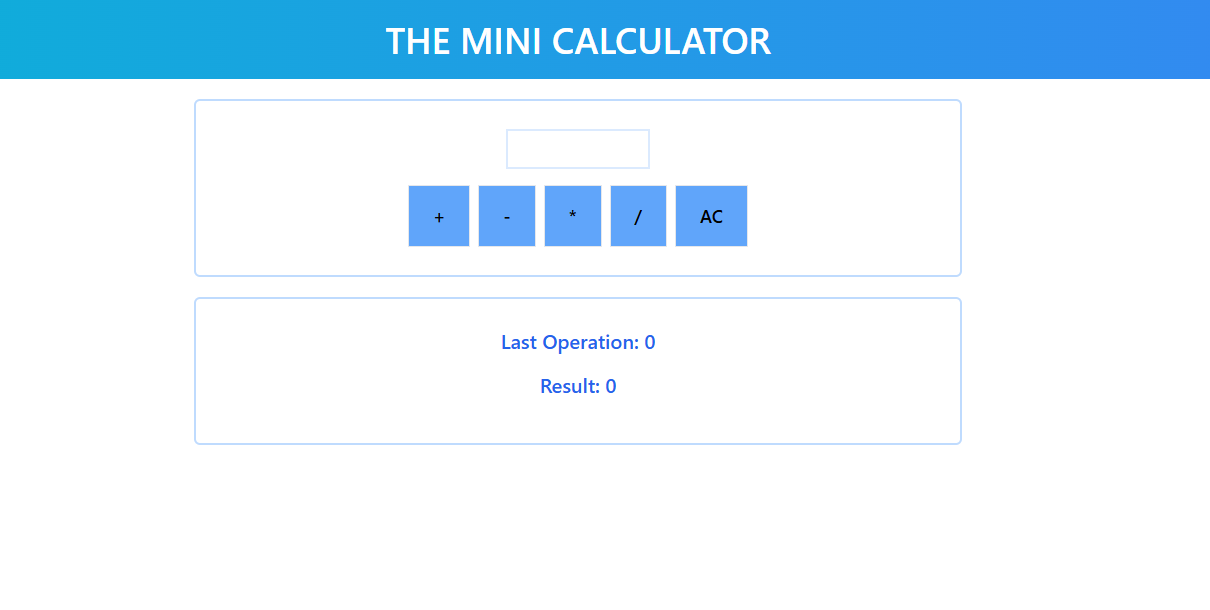
A simple and intuitive web-based calculator built using HTML, CSS, and JavaScript. This mini calculator can perform basic arithmetic operations including addition, subtraction, multiplication, and division, with live updates to show the current operation and result.
- Basic Arithmetic Operations: Add, subtract, multiply, and divide numbers.
- Live Updates: Displays the current operation being performed and the result dynamically.
- Clear Function: Resets the result to
0and clears the current operation. - Responsive: Fully functional on desktop and mobile devices.
- Handles Division by Zero: Alerts the user when attempting to divide by zero.
You can view the demo of the calculator in action by visiting the Live Demo
Here are a couple of screenshots of how the calculator looks:
To run this project locally on your machine, follow these steps:
- A web browser (Chrome, Firefox, Safari, etc.) to run the HTML file.
- A code editor (VS Code, Sublime Text, etc.) to modify the code if needed.
-
Clone the repository to your local machine:
git clone https://github.com/yourusername/mini-calculator.git
-
Navigate to the project folder:
cd mini-calculator -
Open the index.html file in your web browser to start using the calculator.
- HTML: For structuring the page.
- CSS: For styling the layout and buttons.
- JavaScript: For implementing the functionality of the calculator.
- Basic Operations: When you input a number and press an operation button (add, subtract, multiply, divide), the current operation is displayed along with the result.
- Live Calculation: After each operation, the result is updated instantly on the screen.
- Clear Button: Clicking the clear button resets the calculator to its initial state, clearing all values and operations.
- Division by Zero: If the user attempts to divide by zero, an alert is shown to inform them that division by zero is not allowed.