Use Docker Model Runner to perform basic sentiment analysis with a local Large Language Model (LLM).
Docker can be used to pull and run LLMs alongside normal containerized applications. This greatly reduces the complexity around model operations and management.
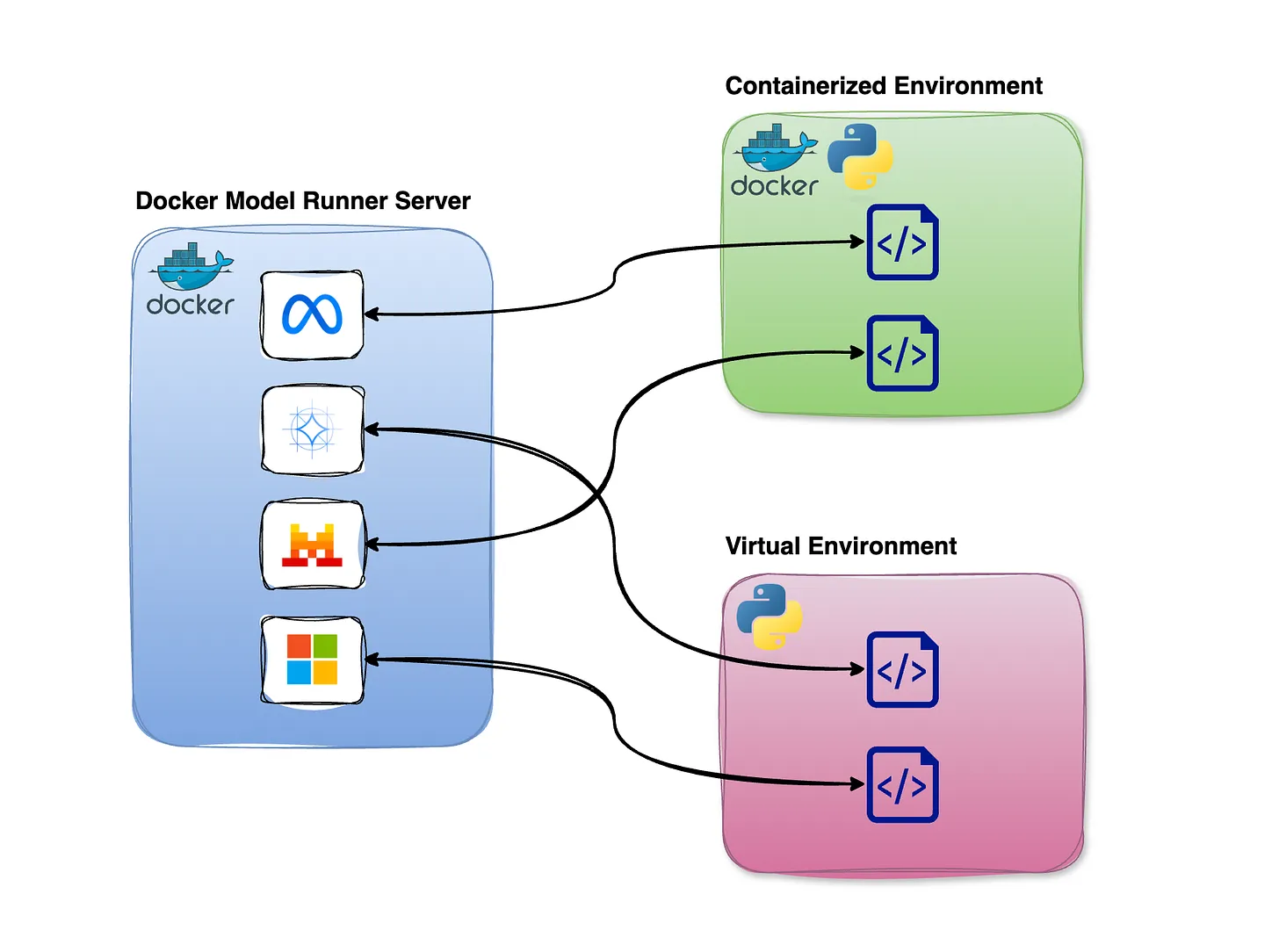
Docker Model Runner executes models directly on the host machine rather than inside containers, preserving direct access to the hardware resources LLMs require. Models are exposed to other services via the Docker socket or an internal URL endpoint.
- Create your own fork of this repo to work with.
- Open Docker Desktop on your local computer and go to Settings.
- Find the AI panel and enable Docker Model Runner.
- You may need to restart Docker for these changes to take effect.
- On Linux with Docker Engine (Docker CE), install the Docker Model Runner plugin/extension by following the official instructions: Get started with Docker Model Runner on Linux.
From the terminal, pull a model:
docker model pull llama3.2
This model is approximately 1.9GB in size and may take a few minutes to download.
To test the model directly:
docker model run llama3.2
This starts a CLI-based chat prompt. From here you can ask a simple question to verify the model is working:
> Which is scarier: snakes or scorpions?

Both snakes and scorpions can be intimidating and pose a threat to humans, but . . .
Type /exit to leave the chat.
Search across models in Docker Hub or HuggingFace with
docker model search llama
Then pull a specific one:
docker model pull ai/llama3.2
You can pull multiple models to your workstation, and then specify which one you want to use for a given solution. Read more.
To see what models are available locally, list them:
$ docker model ls
MODEL NAME  PARAMETERS  QUANTIZATION    ARCHITECTURE  MODEL ID      CREATED        CONTEXT  SIZE
llama3.2    3.21 B      IQ2_XXS/Q4_K_M  llama         436bb282b419  11 months ago           1.87 GiB
To pull any model from 🤗 HuggingFace, use the hf.co host:
docker model pull hf.co/zai-org/GLM-OCR
Just like container images, you can delete local models using rm:
docker model rm llama3.2
This repository contains a simple containerized solution that takes a single text file, submits it to the LLM wrapped within a prompt, and generates a single-word sentiment label: Positive, Negative, or Neutral.
Take special note that interacting with Docker Model Runner works just like calling a typical web API. This code uses the requests library, assembles a data payload, and sends an HTTP POST to an internal model URI. The payload includes both a verbal prompt and the contents of the text file for which you want to determine the sentiment.
The data payload on lines 17-22 follows an OpenAI-style schema. In this case tokens does not matter. temperature is a value from 0–1 that controls complexity and nuance: the lower the number, the less nuanced and more decisive the model will be.
Notice the environment variables required for the application to run.
See how the container image is built for the code. Note that the only Python package is installed directly, not via a requirements.txt file.
Observe that two services and one model will be run via Docker Compose. Since Docker Model Runner models are not automatically pulled by Compose, the first service is used to pull the specified model, before the real application container takes over to consume the model.
Edit input_text.txt and insert content that has a strongly positive review or comment on something:
The bagels at Bodo's were simply amazing. I couldn't eat enough of them. They were made so well, and all my friends were glad we went there to eat.
Save the file. You are now ready to run the application against the model to determine its sentiment.
To build and run:
docker compose up
After some setup and installation log entries, the application should output its evaluation:
sentiment-app-1 | Sentiment: The sentiment of the text is: Positive
Now try updating the text file to produce a negative or neutral review.
You have now built a simple POC (proof of concept) that evaluates text data using Generative AI. It should be obvious how this could extend to far more complex scenarios.
Reflect on the options below, select one, and sketch out for yourself how you would update this application for that scenario.
Q: How would you extend this solution so that it receives an ENV variable containing an S3 URI to a data file? Imagine pushing this file against the LLM and requesting simple ETL or formatting be performed.
Q: How could you adapt this pipeline to batch-score many reviews at once and write the results to a CSV or database table for downstream analytics?
Q: How might you plug this container into a larger ETL workflow (e.g., Airflow or Prefect) so that raw text from a data lake is enriched with sentiment labels before being loaded into a warehouse?
Q: How could you modify the prompt and output format so that, in addition to sentiment, the model extracts key entities or topics from each document for use in feature engineering?
