This project is a Python script that displays the album art of the currently playing track on Spotify using a Raspberry Pi and an RGB LED matrix. The script fetches the album art from the Spotify API, caches it locally, and displays it on the LED matrix in real-time.
- Displays the album art of the currently playing track on Spotify
- Fetches album art using the Spotify API
- Caches album art locally for improved performance
- Supports RGB LED matrix display connected to a Raspberry Pi
- Automatically starts the script on system boot using a systemd service
- Raspberry Pi with an RGB LED matrix connected
- Python 3.x installed on the Raspberry Pi
- Spotify API credentials (Client ID and Client Secret)
- RGB Matrix Bonnet and LED Matrix Panel properly set up and configured
- For detailed instructions on setting up the RGB Matrix Bonnet and LED Matrix Panel, refer to the Adafruit guide: Driving Matrices
- Raspberry Pi Zero 2 W
- WAVESHARERGB Full-Colour LED Matrix Panel - 2mm Pitch, 64x64 Pixels
- Adafruit RGB Matrix Bonnet for Raspberry Pi
- 5V 10A Power Supply
-
Clone the repository to your Raspberry Pi:
git clone https://github.com/tommyothen/spotify-matrix-display.git -
Navigate to the project directory:
cd spotify-matrix-display -
Install the required Python dependencies:
pip3 install -r requirements.txt -
Set up your Spotify API credentials:
- Create a Spotify Developer account and create a new application.
- Obtain the Client ID and Client Secret for your application.
- Don't forget to add the appropriate redirect URIs for your application.
- Create a
.envfile in the project directory and add your credentials:SPOTIPY_CLIENT_ID=your-client-id SPOTIPY_CLIENT_SECRET=your-client-secret HOST_IP=your-host-ip
-
Configure the RGB LED matrix:
- Update the
matrix.pyfile with the appropriate configuration for your RGB LED matrix, such as the number of rows, columns, chain length, and parallel count.
- Update the
-
Set up the systemd service:
- Copy the
matrix.servicefile to/etc/systemd/system/:sudo cp matrix.service /etc/systemd/system/ - Reload the systemd configuration:
sudo systemctl daemon-reload - Enable the service to start on boot:
sudo systemctl enable matrix.service
- Copy the
-
Start the script manually:
sudo python3 main.pyOr start the systemd service:
sudo systemctl start matrix.service -
The script will authenticate with the Spotify API and display the album art of the currently playing track on the RGB LED matrix.
-
The album art will update in real-time as the track changes on Spotify.
Check out the video demonstration of the matrix display in action: (Clicking the image will take you to the YouTube video)
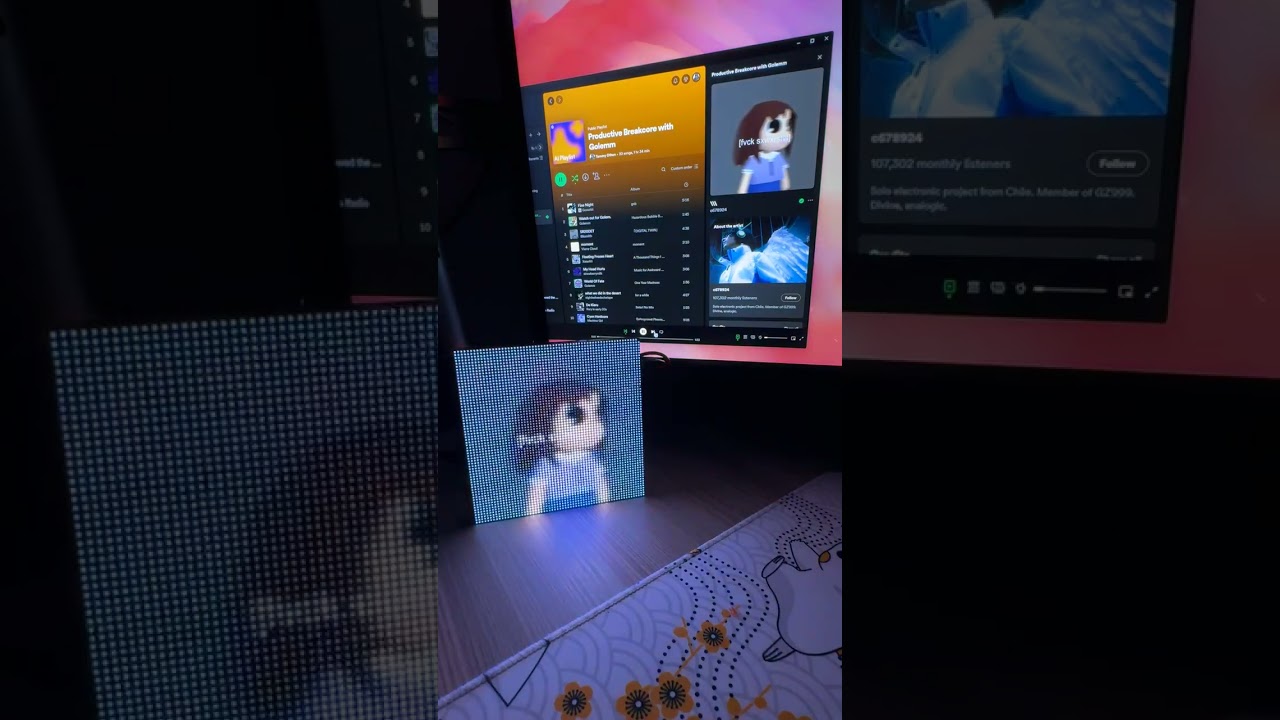
- Adjust the RGB LED matrix configuration in
matrix.pyto match your hardware setup. - Modify the cache directory path in
album_art.pyif needed. - Customize the logging settings in
logger.pyto suit your preferences.
- If the script fails to start or encounters issues, check the log files in the
logsdirectory for detailed error messages. - Ensure that your Spotify API credentials are valid and have the necessary permissions.
- Verify that your RGB LED matrix is properly connected and configured.
This project is licensed under the MIT License.