| title | Pozify | |||||||||||||||||
|---|---|---|---|---|---|---|---|---|---|---|---|---|---|---|---|---|---|---|
| emoji | 🏋️ | |||||||||||||||||
| colorFrom | green | |||||||||||||||||
| colorTo | blue | |||||||||||||||||
| sdk | gradio | |||||||||||||||||
| sdk_version | 6.17.3 | |||||||||||||||||
| python_version | 3.10 | |||||||||||||||||
| app_file | app.py | |||||||||||||||||
| fullWidth | true | |||||||||||||||||
| short_description | Small-model workout form review from short videos. | |||||||||||||||||
| tags |
|
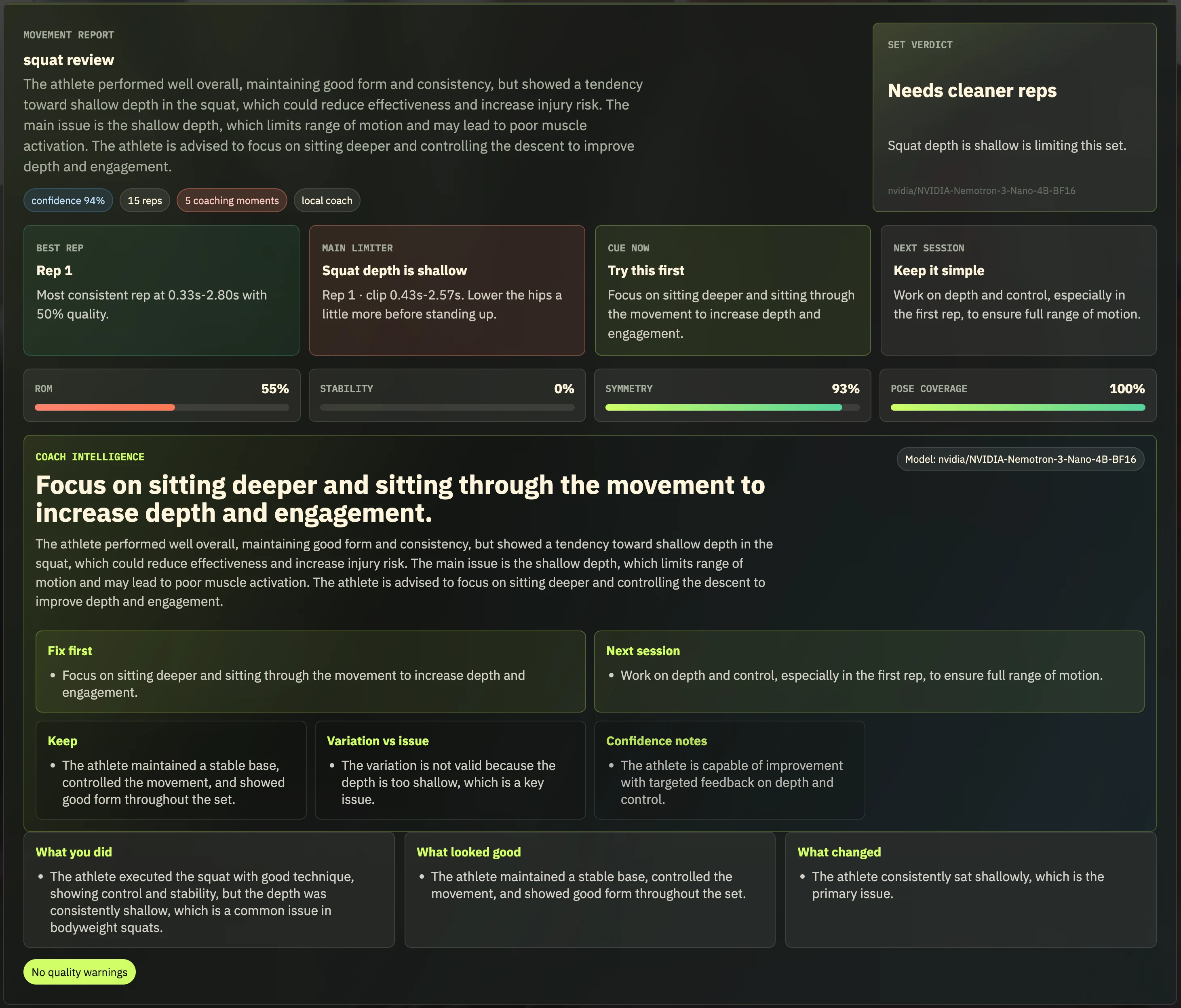
Pozify is a small-model workout form coach for people who want to train at home but still need clear, trustworthy feedback. A user uploads a short exercise video, adds basic training context, and gets a structured form-review report with rep counts, movement notes, annotated video, and a grounded coach summary.
Pozify is built for users who avoid gyms because they are far away, too crowded, intimidating, or too expensive to replace with a private trainer. It gives them a second set of eyes without pretending to be a clinician or a full personal coach.
Pozify is not a medical device. It does not diagnose injuries, claim injury prevention, or replace a qualified trainer, clinician, or physical therapist.
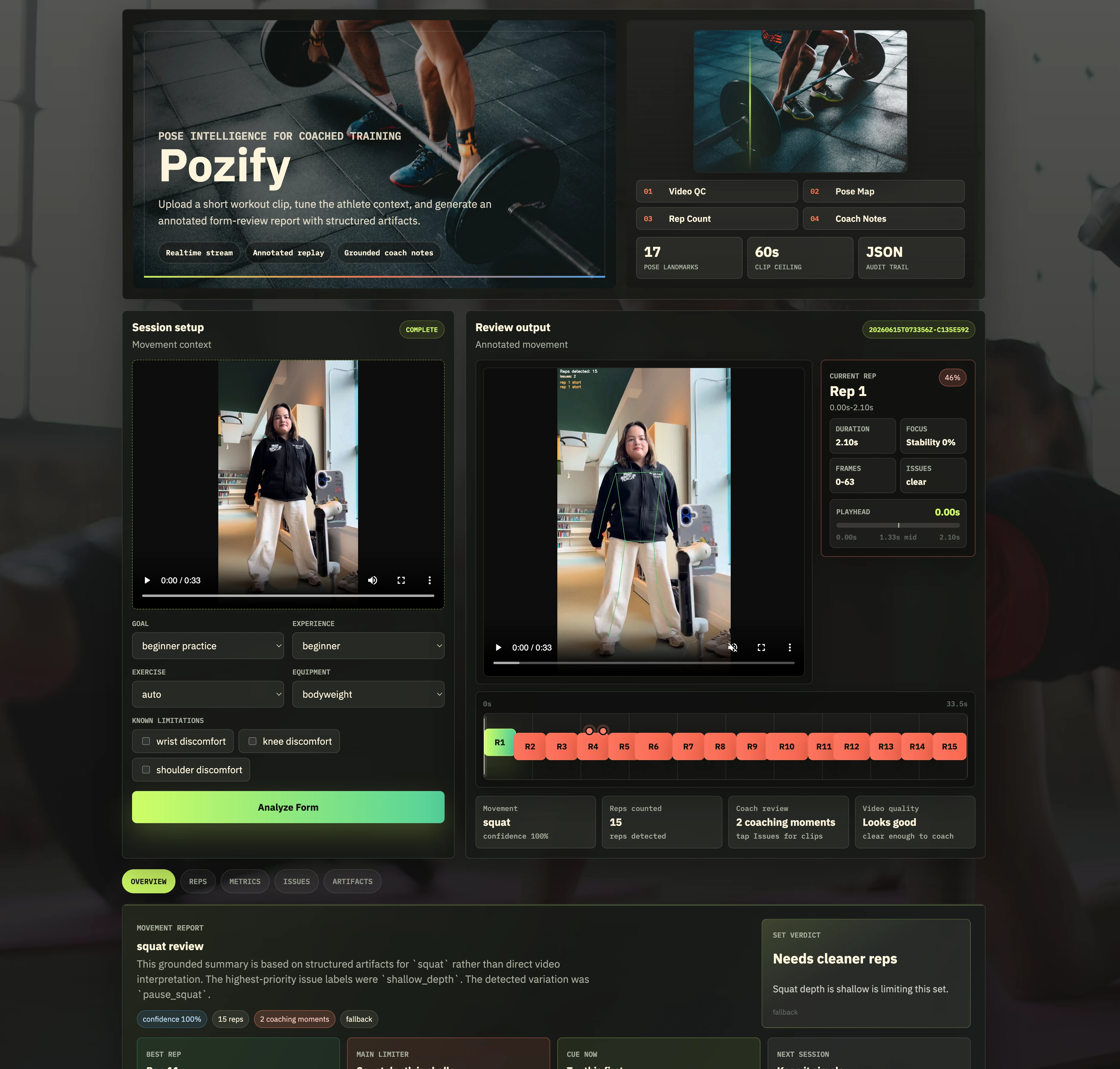
For each uploaded workout clip, Pozify produces:
- detected exercise and confidence
- rep-by-rep analysis
- valid variation markers versus real form issues
- annotated output video and issue clips
- grounded coach summary with fixes and a next-session plan
- verifier-backed confidence and safety notes
The supported exercise labels are squat, push_up, shoulder_press, and unknown. The unknown
label is intentional: Pozify should reject unsupported or unclear clips instead of forcing every
video into one of the supported movements.
Pozify is not a generic chatbot and not a vague video captioner. It is a grounded movement-analysis pipeline:
flowchart TD
    A["video + user profile"] --> B["video QC"]
    B --> C["pose extraction"]
    C --> D["pose cleaning"]
    D --> E["exercise router"]
    E --> F["exercise-specific rep counter"]
    F --> G["per-rep analysis"]
    G --> H["variation detection"]
    H --> I["issue markers"]
    I --> J["annotated video renderer"]
    J --> K["grounded coach summary"]
    K --> L["verifier"]
    L --> M["final report"]

    classDef vision fill:#1e3a5f,stroke:#60a5fa,color:#fff
    classDef movement fill:#1e3f2e,stroke:#4ade80,color:#fff
    classDef output fill:#3b2f1e,stroke:#fbbf24,color:#fff

    class B,C,D vision
    class E,F,G,H,I movement
    class J,K,L,M output
The main product decision is simple: structured evidence first, language second. The language model does not inspect the raw video directly and invent advice. It explains the structured findings that the pipeline has already produced.
Pozify is built around the belief that small, task-specific models can be the right default for many real products. A small model does not need to act like a large general assistant if the product gives it a narrow job, clean inputs, and a verifier.
That is the strategy here:
- use pose and deterministic logic to extract evidence before generation
- train small models on the exact task they must perform
- keep each model boundary inspectable
- retrieve exercise-specific knowledge cards instead of relying on generic memory
- evaluate outputs against product contracts, not only fluency
- fall back conservatively when model output is unavailable or ungrounded
For narrow tasks such as exercise routing or structured JSON-to-coaching-summary generation, a fine-tuned small model can match or beat a much larger generic model on the product's actual quality bar. The advantage comes from being optimized for the exact schema, vocabulary, examples, and failure modes Pozify cares about.
Every runtime model used by Pozify fits under the Build Small 32B parameter cap.
| Component | Model or method | Role |
|---|---|---|
| Pose extraction | MediaPipe Pose Landmarker Lite | Extracts body landmarks from video frames. |
| Exercise router | Custom PyTorch BiLSTM over 30-frame pose windows | Classifies squat, push_up, shoulder_press, or unknown. |
| Router baseline | scikit-learn HistGradientBoostingClassifier |
Reference and fallback artifact for router experiments. |
| Rep counting | Exercise-specific state machines | Counts reps from movement signals without an LLM. |
| Issue markers | Transparent rules over per-rep metrics | Separates valid variations from likely form issues. |
| Coach-summary base | nvidia/NVIDIA-Nemotron-3-Nano-4B-BF16 |
Base model for coach-summary LoRA SFT. |
| Coach summary | build-small-hackathon/pozify-coach-summary1 |
Fine-tuned model for grounded structured coaching output. |
| Local/off-grid summary path | Nemotron GGUF through llama.cpp |
Optional local runtime path for small-model inference. |
| Verifier | Deterministic grounding and safety checks | Blocks unsupported issues, diagnosis language, and ungrounded claims. |
The trained exercise router is intentionally tiny:
| Artifact | Count |
|---|---|
| BiLSTM router trainable params | 182,796 |
| Router input features per frame | 237 |
| Window length | 30 frames |
| Output classes | 4 |
Pozify matches Backyard AI because it solves an everyday problem with a personal, practical tool:
affordable at-home workout feedback without needing a gym or private coach.
It also matches the broader Build Small philosophy:
- local-first and modular architecture
- transparent model boundaries instead of one giant opaque model
- per-component models under the
32Blimit - task-specific fine-tuning instead of relying only on a large general model
- useful day-to-day workflow, not only a technical demo
- Track:
Backyard AI - Submission format:
Gradio Space - Core user impact: affordable at-home workout feedback from short videos
- Hugging Face Space: build-small-hackathon/Pozify
- Team repo: tihado/Pozify
- Router model repo: build-small-hackathon/pozify-exercise-router
- Default coach-summary model: build-small-hackathon/pozify-coach-summary-nemotron
- Demo video: Posify at build-small-hackathon 2026
- Social post: Posify on Linkedin
- Blog post: Pozify: Small-Model Workout Form Review from Short Videos
Primary sponsor tools used in this build:
Hugging Face Spacesfor the app surfaceHugging Face Inferenceand local runtimes for small-model inferenceModalfor training, evaluation, merging, and publishing workflowsOpenAI Codexfor implementation support and iteration speed
We used OpenAI Codex as a repo-aware coding agent during the build. The useful pattern was not to ask for generic code, but to ask Codex to inspect the current project, propose the smallest useful change, edit the right files, run relevant checks, and summarize what changed.
Codex was most helpful for:
- turning product ideas into scoped engineering tasks
- moving across Python pipeline code, web UI files, scripts, configs, tests, and docs
- researching changing platform constraints and connecting them back to this repo
- reviewing diffs for regressions, missing tests, grounding problems, and unsafe wording
- keeping hackathon notes, training reports, and handoff docs in sync with implementation
The detailed team note is in docs/50-codex-development-workflow.md. For the official product docs, start with OpenAI Codex docs, Codex quickstart, and Codex prompting.
The README is intentionally product-focused. Command-heavy setup, runtime, training, environment, and verification details live in the technical docs:
- Technical setup and runtime
- Hackathon overview report
- Router training report
- Router Hugging Face release guide
- Coach summary Modal training
- Coach training report
- Data collection guide
- Docs index
- 🚀 @nvti
- 🌿 @honghanhh
- 🔧 @NLag
- ✨ pnhneee