
Adds context-aware autocomplete, diagnostics, hover documentation, and syntax highlighting for Datastar to Visual Studio Code.
- Datastar attribute, modifier, and native event completion
- Datastar action completion and signature help
- Attribute key and value validation
- Hover documentation and links to the Datastar reference
- Signal completion and hover information
- Go to definition for signals
- Find references and rename signals
- Syntax highlighting in HTML, common template languages, and Rocket
htmltagged templates in JavaScript, TypeScript, and HTML module scripts - Rocket conditional and loop rendering completion for
data-if,data-else-if,data-else, anddata-for
Signals declared with attributes such as data-signals, data-computed, data-bind, data-ref, and data-indicator are suggested after typing $ in a Datastar expression. Nested properties are suggested after typing a signal path followed by ..
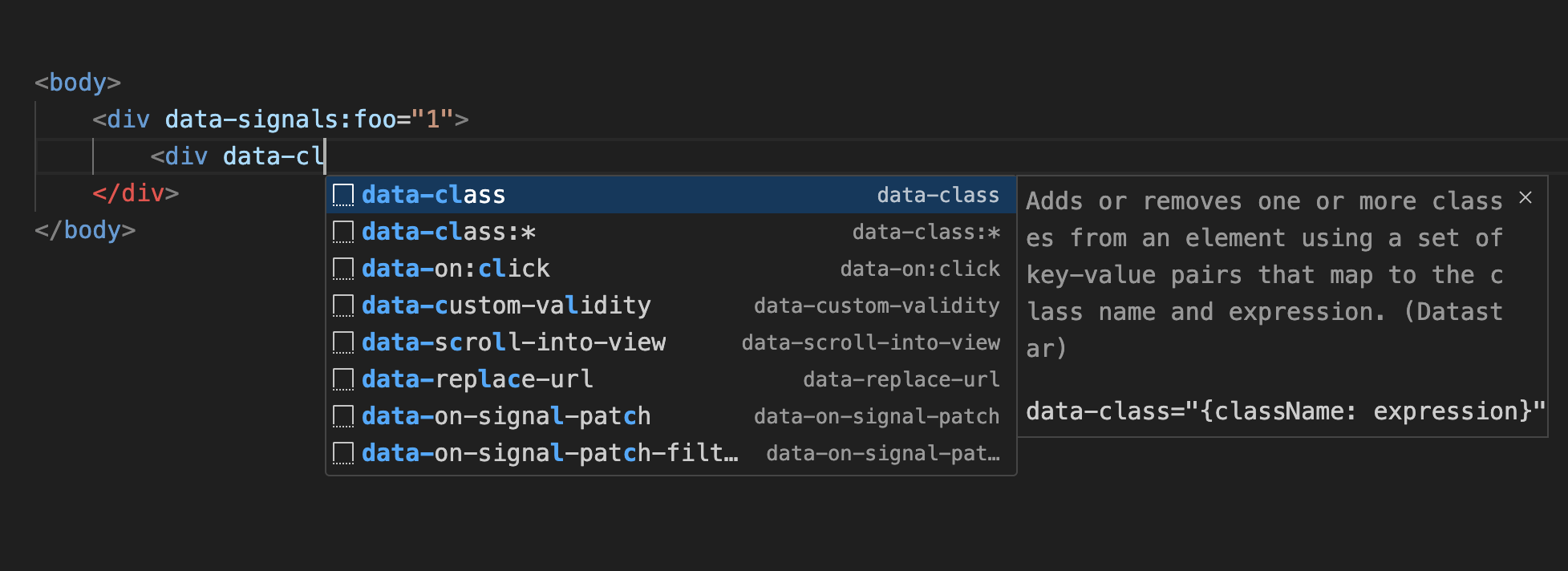
Install the extension from the Visual Studio Code Marketplace or search for “Datastar” in the Extensions panel.
Visual Studio Code 1.63.0 or later is required.
Datastar language support is enabled by default for HTML, common template languages, and Rocket html tagged templates in JavaScript and TypeScript. Use datastar.enabledLanguages to customize the supported language IDs and file extensions:
{
  "datastar.enabledLanguages": [
    "html",
    "javascript",
    "typescript",
    "php",
    "twig",
    ".edge",
    ".custom"
  ]
}Use datastar.customAttributes to add completion and syntax highlighting for custom Datastar plugins. Specify plugin names without the data- prefix:
{
  "datastar.customAttributes": [
    "my-plugin"
  ]
}
After adding custom attributes, reload VS Code to apply the changes.
This extension is licensed under the MIT License.