This tool generate network indicators by performing actions from a host that can be launched by users on a workstation. The idea is to set up websites in a remote location and then configure indictatorsaremagic to perform DNS requests, HTTP GETS, POSTS, etc. This tools is designed on Windows. If you just want to run the application and aren't interested in building it, you can download the .exe here: https://github.com/sealingtech/indicatorsaremagic/tree/master/IndicatorMagic2/bin/Release
Current capabilities are: HTTP/S Gets HTTP/S Posts of files HTTP/S Posts of fields DNS requests
Users can change fields like user agents and language. Users can also configure tools to run requests at regular intervals.
Configurations are done in XML and then used in the tools see the samples here:
https://github.com/sealingtech/indicatorsaremagic/blob/master/IndicatorMagic2/Xml
This tool can be useful for: Training of network defenders Testing of network tools
This was designed to be done in an operational environment.
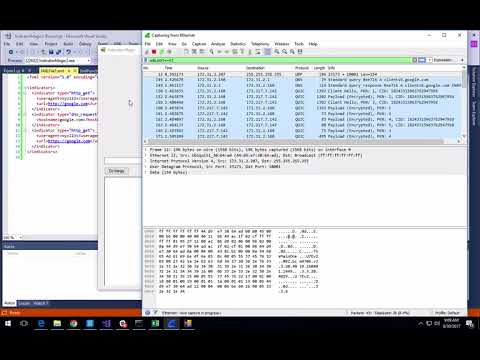
XML files tell the tool what to indicators to generate. A single XML file can contain one or more indicators. An example XML file is below showing a DNS request and an HTTP get.
<indicators>
  <indicator type="dns_request">
    <hostname>test.com</hostname>
  </indicator>
  <indicator type="http_get">
    <language>en-US</language>
    <useragent>Vicious pony 5.32</useragent>
    <url>http://test.com/scenario1/insert.php</url>
  </indicator>
</indicators>
DNS requests are simple and will request a hostname only at this point. Indicators are Magic prevents caching of DNS requests on the host so if multiple requests are made then the network will see multiple requests. This doesn't prevent caching on the hosts DNS server though.
  <indicator type="dns_request">
    <hostname>test.com</hostname>
  </indicator>
Creates a get request and downloads the file over the network then promptly discards it. You can set both the language of the browser and the user anent string to look like various web browsers. This will work with HTTP and HTTPS depending on the desired effects.
  <indicator type="http_get">
    <language>en-US</language>
    <useragent>Vicious pony 5.32</useragent>
    <url>http://104.154.30.195/scenario1/check.php</url>
  </indicator>
HTTP Post will upload a file to a website. The file must live in the same directory as the Indicators Are Magic application and will then be uploaded to the website.
  <indicator type="http_post_file">
    <url>http://test.com/fileupload/upload.php</url>
    <param_name>fileToUpload</param_name>
    <file>test.txt</file>
    <file_type>text/plain</file_type>
    <fields>
      <field>
        <key>submit</key>
        <value>Upload File</value>
      </field>
    </fields>
  </indicator>
</indicators>
This will post values into a web form and submit the form.
  <indicator type="http_post_fields">
    <useragent>xyz123</useragent>
    <language>en-US</language>
    <url>http://test.com/login/process.php</url>
    <fields>
      <field>
        <key>username</key>
        <value>joe</value>
      </field>
      <field>
        <key>password</key>
        <value>blow</value>
      </field>
    </fields>
  </indicator>