General Info
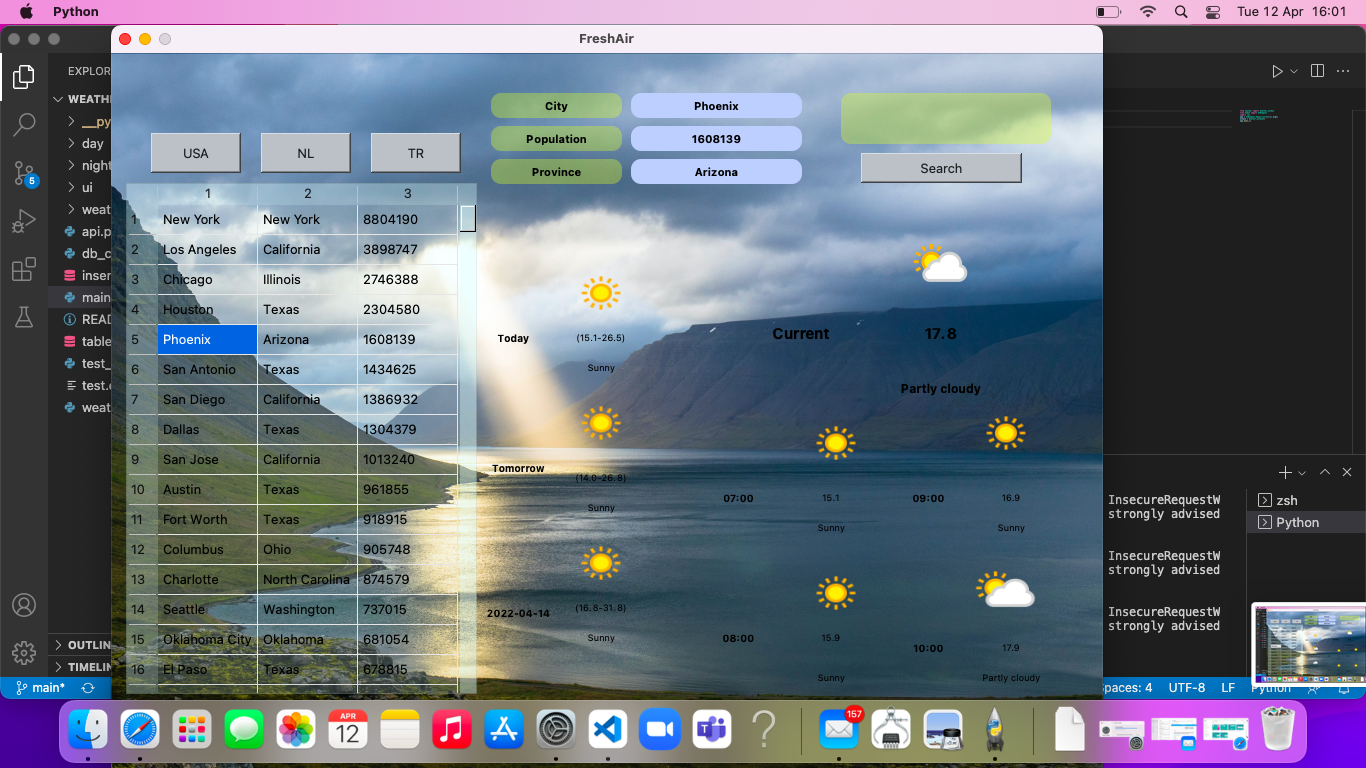
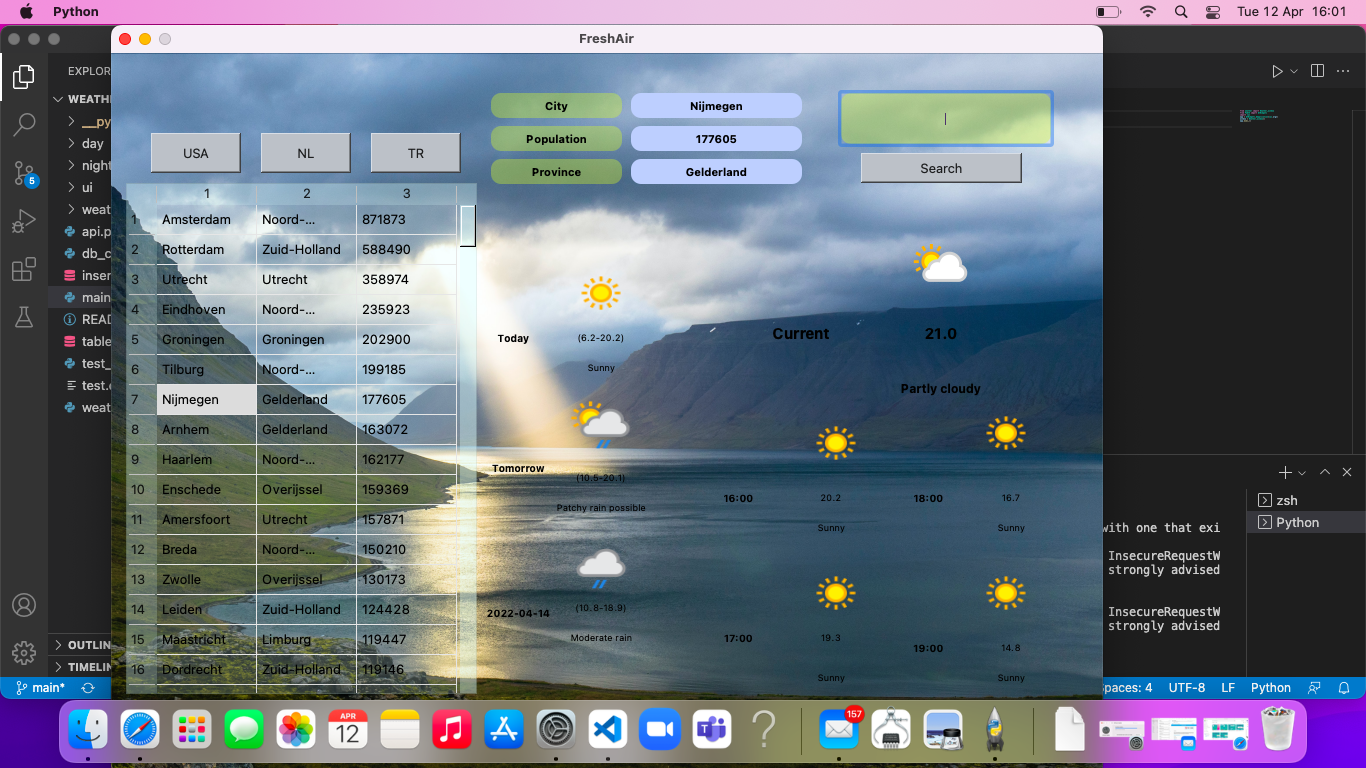
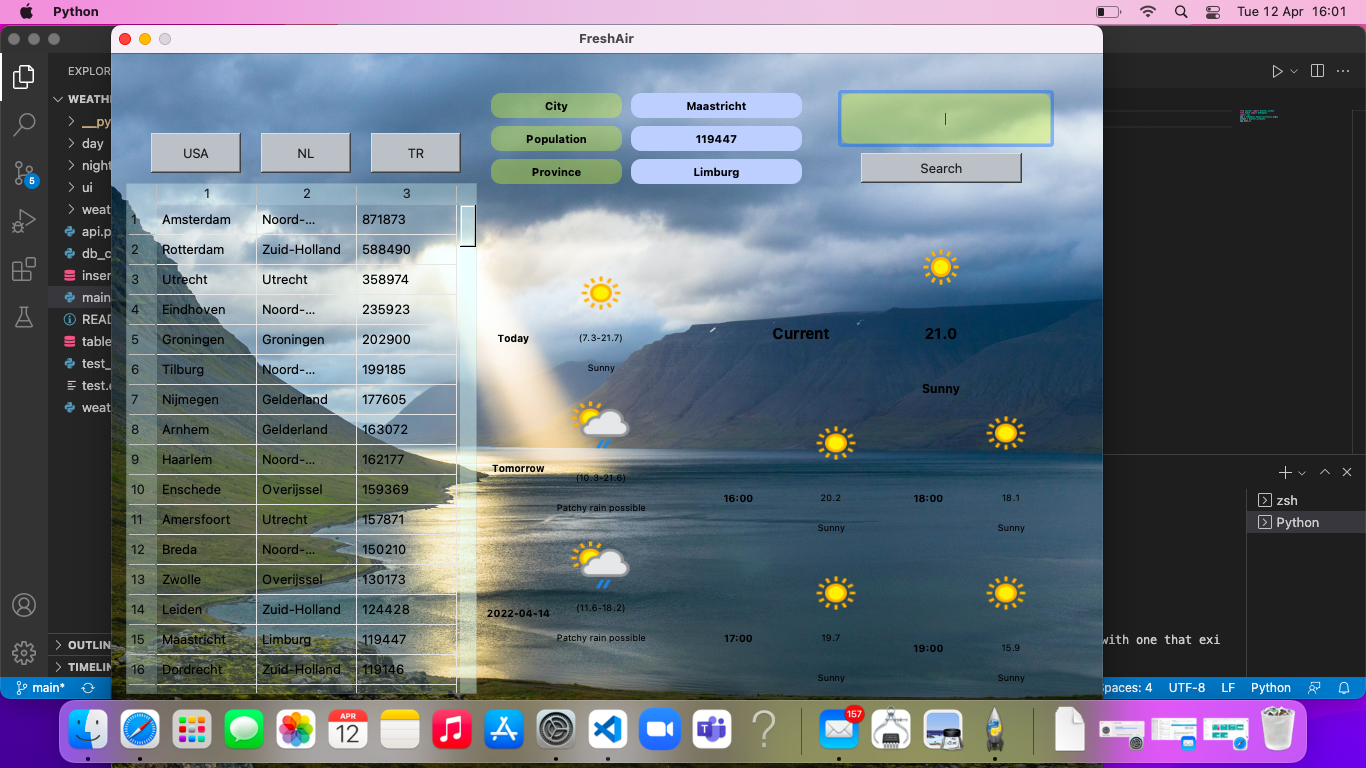
- This project will be a Weather Application with a graphical User interface.When the program starts, it should ask to select the country (Netherlands, Turkey or USA). According to the selected country, the provinces should be listed based on the population. User will be able to see the name of the province they chose, the state they are in, the population, weather (as an icon), temperature. With the City search option in the program, it should be able to show the city information and weather conditions.
- Object Oriented Programming (OOP) and Graphical User Interface (GUI) will be used in the project.
- PyQT5 will be used as GUI
- Scrapy will be used as Web Scrapping Tool.
- HTTP-Request and API will be used.
- PostgreSQL will be used as DBMS.
-
Step 1:
-
Design GUI for Weather App
-
Consider Web Scrapping Data Visualisation
-
Consider Web API Data Visualisation
-
UML Design (Making Plan)
-
Step 2:
-
Scrapy will be used extracting the data you need from Wikipedia web site. https://nl.wikipedia.org/wiki/Lijst_van_Nederlandse_plaatsen_met_stadsrechten https://en.wikipedia.org/wiki/List_of_United_States_cities_by_population https://tr.wikipedia.org/wiki/T%C3%BCrkiye%27deki_illerin_n%C3%BCfuslar%C4%B1_(2020)
-
City, state and population information is drawn from the website addresses with Scrapy.
-
The name of the selected City will be displayed in the program.
-
The region or state of the selected City will be shown in the program.
-
The population of the selected City will be displayed in the program.
-
All information should be ordered and stored in DB
-
Step 3:
-
HTTP-Request and API will be used to pull real-time weather information from the website.
-
Weather information of the selected cities is taken from https://openweathermap.org/api site.(You can choose other web sites)
-
The Temperature of the selected City will be displayed in the Program.
-
The Weather of the selected City will be displayed in the program with Icons.
-
The icons and how to use the icons are explained in detail on the site given below, https://openweathermap.org/weather-conditions .
-
All information should be ordered and stored in DB
-
Step 4:
-
Program Main page will contain the following components.
-
Countries
-
Selected Country, Cities, Regions, Populations ordered By Population
-
City Search Bar
-
Selected City Name,
-
Selected City Region,
-
Selected City Population
-
Selected City Temperature (Celsius)
-
Selected City Weather Condition Icon
-
Step 5:
-
Final presentation
-
GitHub Usage Requirements
-
Each team will have a GitHub repository and each team member will be added as a collaborator.
-
All tasks should be created as an issue on the issues page.
-
Each team member will get assigned issues.
-
Master will be protected. Branches and pull requests will be used for development.