The topic of out of source builds is often not explained simply and examples tend to get overly complex quickly. I have tried to create the most minimal out of source CMake 'hello world' example in my BasicOutOfSourceCMake.
This version expands that work by compiling sub-directories in the source into subprojects. Those subprojects load into Visual Stuidio as seperate solutions. It also sets up dependencies between sub-solutions and the main build project. It does this by compiling the sub-projects into static libs. This gives several benefits such as being able to compile just that sub-project independent of all the other code. This is much more like what a real development environment would work like.
This example works with in both Visual Studio 2022 on Windows and Linux (tested with latest CMAKE on Ubuntu 24.04) - but it should work on many other configurations and versions as well. I've tried to keep the code to the most simple and portable as possible.
In case you're not familiar with out of source builds, traditional build systems tend to compile their intermediate binary files (obj files, libs, executables, dlls, etc) right next to their source files. This means binary and source files are mixed all over in the source tree. Out of source builds, however, put all binary and intermediate files in their own directory (often a bin/ directory) and keep them all out of the source (often src/) directory.
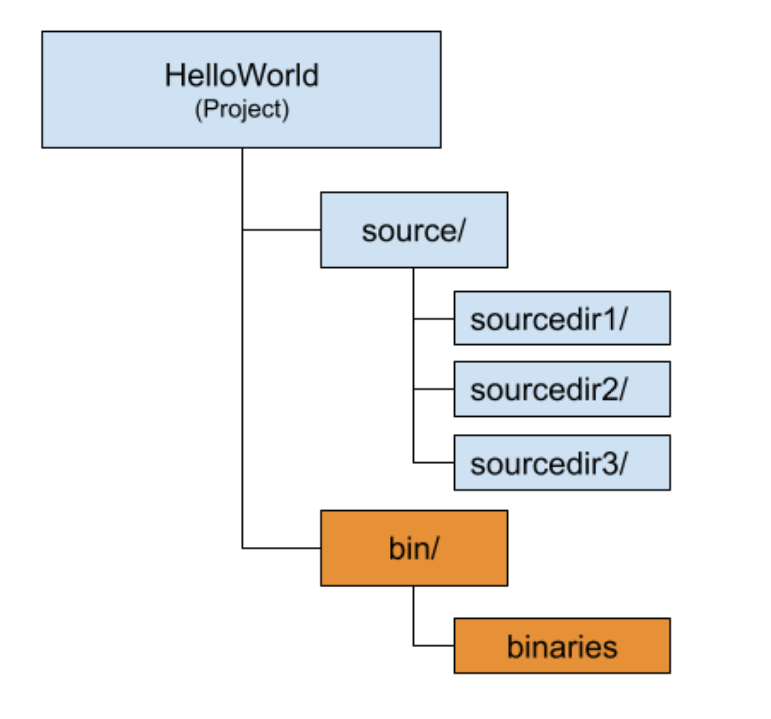
As builds become complex, out of source builds have serious advantages. Some of them are:
- Source control is made easier - especially for git. No need for complex .gitignore rules to avoid intermediate files and accidently miss key resource/source files.
- It is very easy to clean up intermediate files and track down build issues by simply deleting the binary output directory and starting over.
- Text and binary searches in the source tree go faster because they are only searching the source files and don't have false hits on binary files.
- Creating different builds (cross-compiling, 64/32 bit, debug/release, etc) is cleaner and less error prone.
- Easier to generate output packages that don't accidently include sources.
- Incremental builds become faster.
There are many other more subtle benefits. Due to all these, out of source builds have become industry standard and the benefits really pay off as your project grows.
-
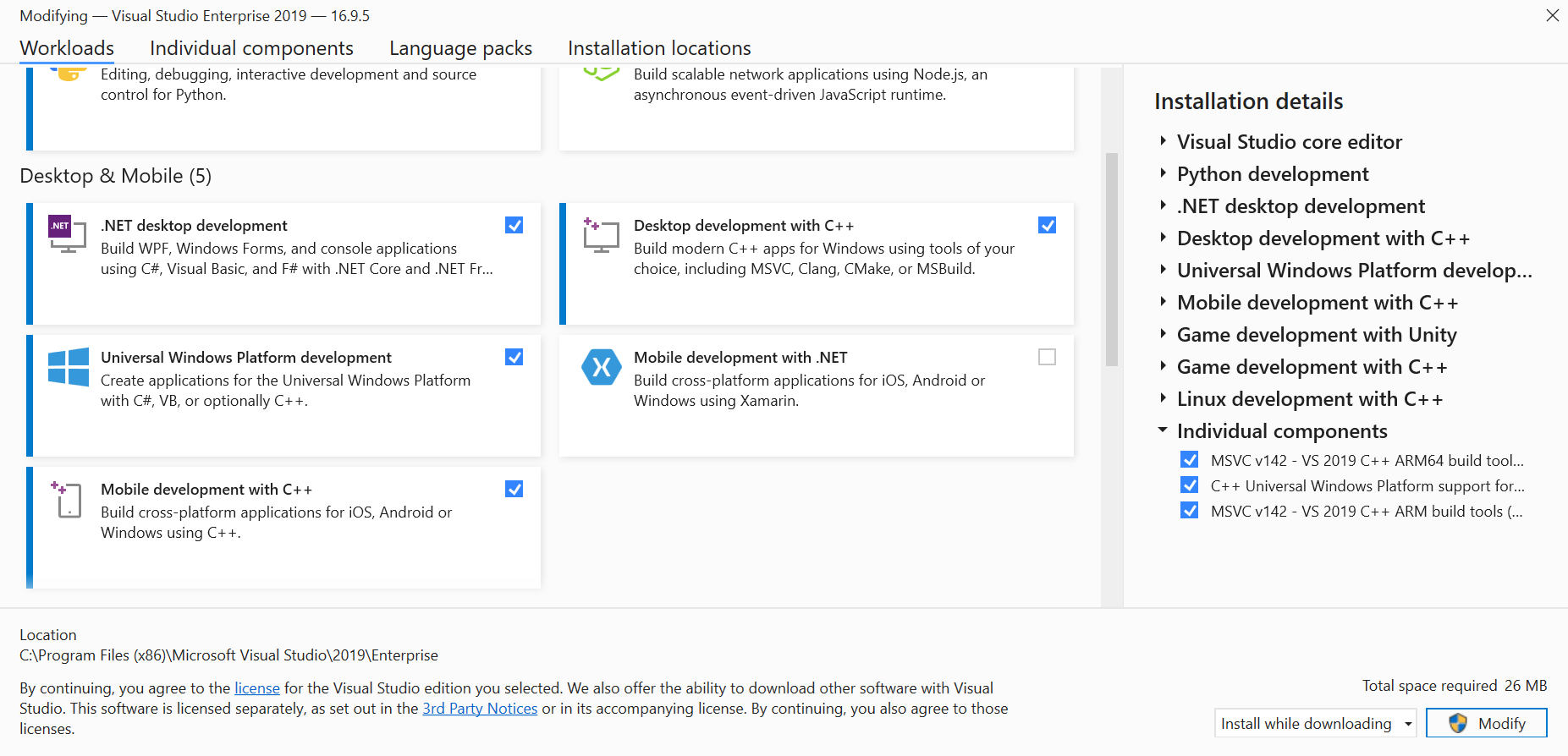
Ensure you have Visual Studio 2022 along with the "Desktop development with C++" package installed. You can install that in the Visual Studio Installer and ensure the package is selected:
-
From the start menu, open the Developer Command Prompt for VS2022
-
Download this source to a convenient local directory and cd into that directory
-
You can either run
build-debug.bat/build-release.bat(or use the command linecmake -H. -Bbinif you are using Cmake 3.13 or later). If you opt for
 cmake -H. -Bbin,-H.tells cmake where to find CMakeLists.txt (current directory in this case) and-Bbin' tells it to put the generated files in.\bin`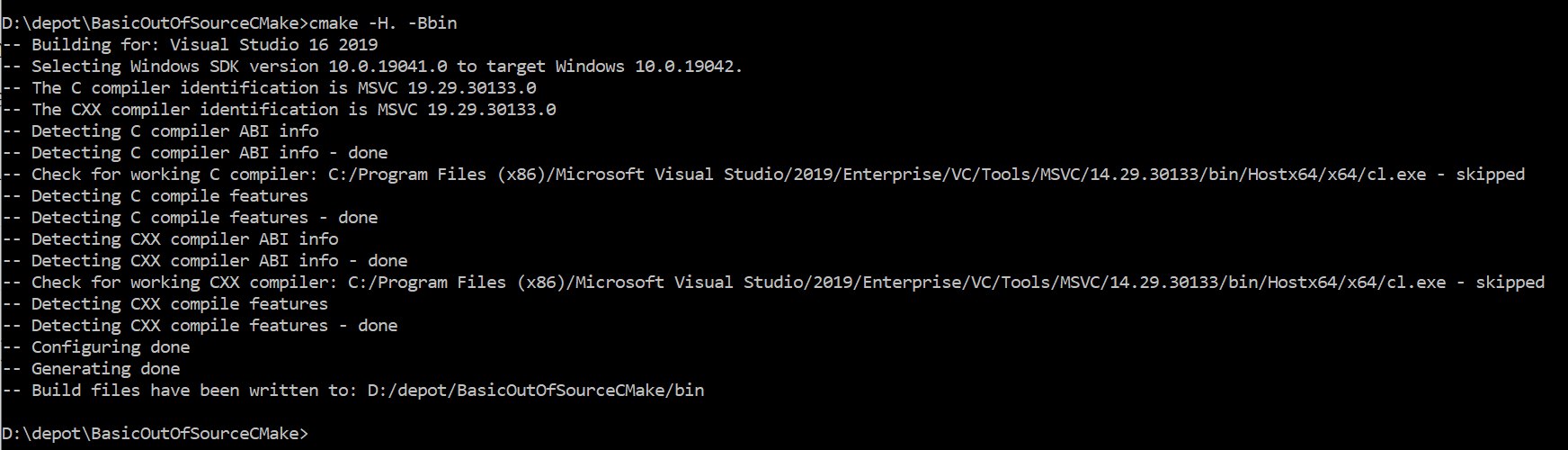
-
This builds the project executables in
...\bin\and make files in...\build\. To build the actual project/binaries, you have 3 options:
- After the projects are created in ...\build, you can run this command from the ...\build\ directory where the project files were created from step 4 to rebuild
cmake --build . --target ALL_BUILD --config Release -- /nologo /verbosity:minimal /maxcpucount
- In the Developer Command Prompt for VS2022 window, in the ...\build\ directory, run:
msbuild helloworld.sln - msbuild will build the debug version of helloworld.exe in
...\bin\Debug\ - Read up on msbuild command line options for building different configurations (debug/release, x64/x32, etc)

- Open Visual Studio 2022
- Open the newly created helloworld.sln found in the build/ directory.
- Build from the top menu like normal
- Windows CMake automatically makes 2 additional projects in your solution: ALL_BUILD and ZERO_CHECK.
- ALL_BUILD will build all projects in the solution (except itself and ZERO_CHECK)
- ZERO_CHECK will re-run CMAKE and generate all new vproj and sln files. This is handy if you change your CMakeFiles and need to re-run CMake.
- CMAKE cannot generate a solution without an ALL_BUILD project, but you can prevent CMake from adding the ZERO_CHECK project by adding this line to your top-level CMakeLists.txt:
set(CMAKE_SUPPRESS_REGENERATION true)
- Ensure that you have CMake, git, gcc, and other build tools you'd like. Installing the build-essential package contains most key build tools.
- Open a terminal and download the source to a convinient local directory.
- run
./build-debug.shin the source directory or mkdir bin/cd bin/../build/make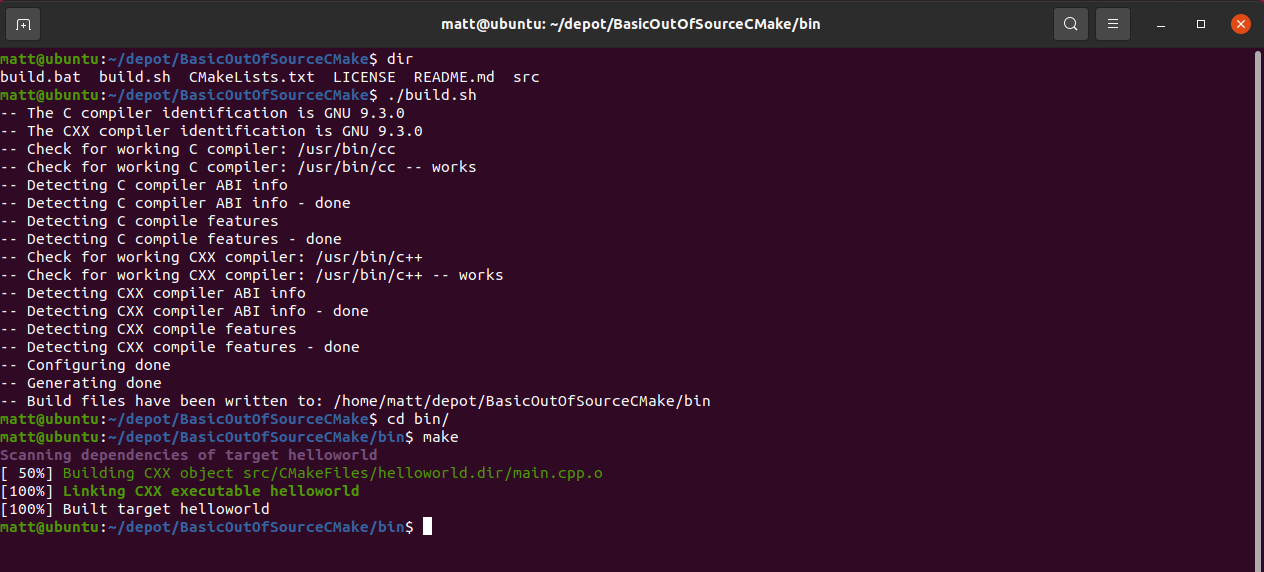
- Versions of CMake past 3.13 support parameters that can help you make out-of-source builds more directly (without using the build script) by using the flags:
cmake -H. -Bbuild
- Subprojects in CMAKE
- Change the startup project in CMAKE: https://stackoverflow.com/questions/7304625/how-do-i-change-the-startup-project-of-a-visual-studio-solution-via-cmake
- Specifying files in the include/ directories of CMAKE projects: https://stackoverflow.com/questions/13703647/how-to-properly-add-include-directories-with-cmake
- ALL_BUILD and ZERO_CHECK project: https://stackoverflow.com/questions/27175754/what-are-all-build-and-zero-check-and-do-i-need-them
- Debug and release build specifications with CMAKE: https://stackoverflow.com/questions/1629779/msbuild-builds-defaults-to-debug-configuration