Home
Welcome to the PicoGL project wiki!
PicoGL is a lightweight, Pythonic wrapper around Modern (and some Legacy) OpenGL — designed to make GPU programming simple, readable, and fun without sacrificing low-level control.
 Peacock + goggles… geddit?
PicoGL offers:
- Modern OpenGL focus – shader-based pipelines, VAOs, VBOs.
- Pythonic design – less boilerplate, clear abstractions.
- Low-level access preserved – call raw GL functions whenever needed.
- Automatic resource cleanup – manage buffers, shaders, and textures safely.
- Cross-platform – works anywhere Python + OpenGL run.
Use it for:
- Interactive visualisation
- Scientific simulation
- Game prototypes
- Teaching GPU programming
git clone https://github.com/markxbrooks/PicoGL.git
cd PicoGL
pip install .
For live editing during development:
pip install -e .A PyPI release is planned.
Choose the format that fits your workflow:
- HTML (Online): https://markxbrooks.github.io/PicoGL/
- PDF (Offline): picogl.pdf
-
Local Source: browse the
docs/directory inside the repo
from pathlib import Path
from examples.data.cube_data import g_vertex_buffer_data, g_color_buffer_data
from picogl.renderer import MeshData
from picogl.ui.backend.glut.window.object import RenderWindow

GLSL_DIR = Path(__file__).parent / "glsl" / "cube"

def main():
    mesh = MeshData.from_raw(vertices=g_vertex_buffer_data, colors=g_color_buffer_data)
    window = RenderWindow(width=800, height=600, title="Cube", data=mesh, glsl_dir=GLSL_DIR)
    window.initialize()
    window.run()

if __name__ == "__main__":
    main()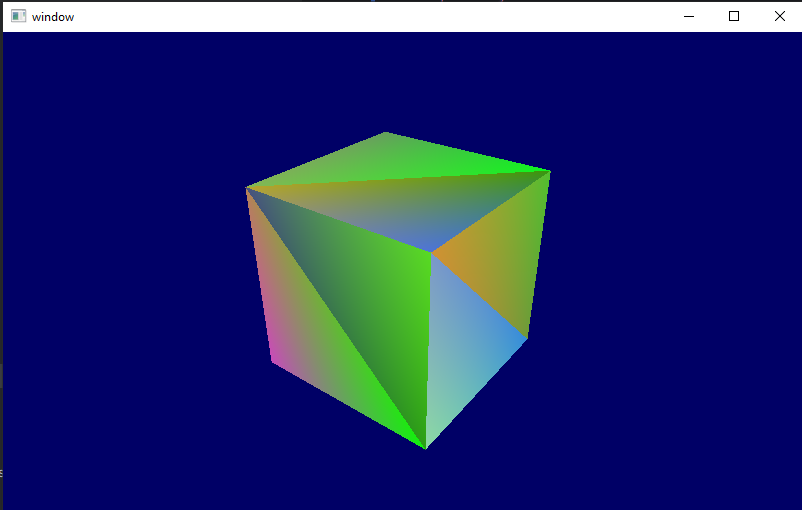
from pathlib import Path
from examples import g_vertex_buffer_data, g_uv_buffer_data
from picogl.renderer import MeshData
from picogl.ui.backend.glut.window.texture import TextureWindow

BASE_DIR = Path(__file__).resolve().parent
GLSL_DIR = BASE_DIR / "glsl" / "texture"

def main():
    data = MeshData.from_raw(vertices=g_vertex_buffer_data, uvs=g_uv_buffer_data)
    window = TextureWindow(width=800, height=600, title="Texture Demo",
                           data=data, base_dir=BASE_DIR, glsl_dir=GLSL_DIR)
    window.initialize()
    window.run()

if __name__ == "__main__":
    main()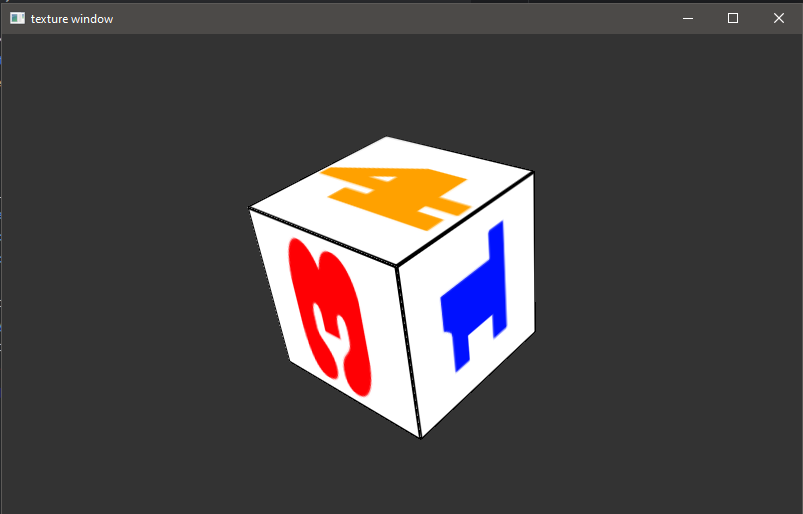
from pathlib import Path
from picogl.renderer import MeshData
from picogl.ui.backend.glut.window.object import RenderWindow
from picogl.utils.loader.object import ObjectLoader

GLSL_DIR = Path(__file__).parent / "glsl" / "teapot"

def main():
    obj = ObjectLoader("data/teapot.obj").to_array_style()
    mesh = MeshData.from_raw(vertices=obj.vertices, normals=obj.normals,
                             colors=[[1, 0, 0]] * (len(obj.vertices)//3))
    window = RenderWindow(width=800, height=600, title="Teapot",
                          glsl_dir=GLSL_DIR, data=mesh)
    window.initialize()
    window.run()

if __name__ == "__main__":
    main()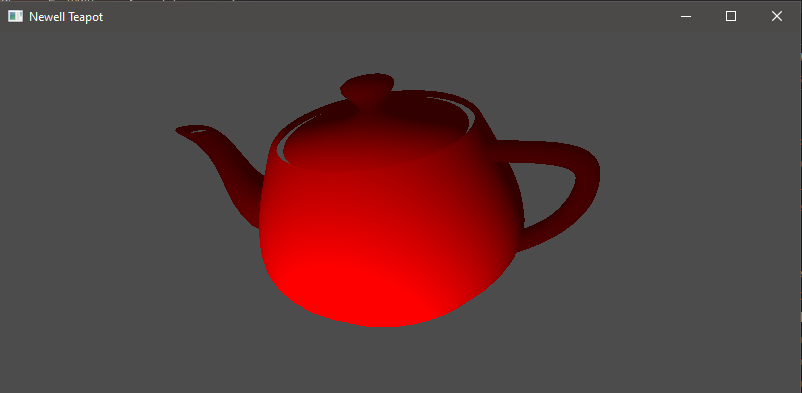
macOS deprecates core OpenGL shaders. PicoGL includes LegacyGLMesh and Vertex Buffer Groups so you can still build respectable applications without modern shader stages. See the Legacy-Mode page for tips.
- Check out the Getting-Started guide.
- Browse the Examples for ready-to-run demos.
- Dive into the API Reference for class-by-class details.