[:us: | English | 영어] [:kr: | Korean | 한국어]



Assist in developing blockchain core efficiently.
2018 OSS Grand Developers Challenge Award
2019 OSS Grand Developers Challenge Award
Inspired by lhartikk/naivechain.

Run onechain on Ainize! You can access the live onechain with the endpoint provided by Ainize, a serverless platform for open-source projects.
For example, you can see all blocks in blockchain with a /blocks GET request (i.e. HERE) .

Click on the above image to go to the
onechain-explorerrepo.
A onechain explorer is the front-end used to visualize the state of the blockchain. This blockchain explorer allows users to see the latest blocks and details about a particular block. onechain already has multiple functions with HTTP (RESTful API) endpoints. So the web page calls those endpoints and visualizes the results.
The full UI code is located in lukepark327/onechain-explorer repo. Vue.js and Vuetify are used.

As Blockchain-based services grew, so open-source that assists in developing blockchain core was needed. There are open-source projects like Bitcoin and Ethereum, but those are too hard to learn and to use.
We solve the above problems with a
onechain, simple implementation of blockchain core.
The onechain adopts modular design: Dividing layers into blockchain, network, APIs, and wallet for clarity. Also, detailed comments and documents are provided to facilitate learning and reusing. Both front-end and back-end of onechain is written in Javascript (Node.js and Vue.js) but written in simple (without async, et al.) so that other language developers can understand them.

Click on the above image to go to the bookstore.
docker run -it -p 3001:3001 -p 6001:6001 lukepark327/onechain- Node.js v8.11.3
- cURL 7.55.1 or Postman v6.4.4
npm installnpm start-
Set
HTTP_PORTfor HTTP communication$env:HTTP_PORT=3002orexport HTTP_PORT=3002 -
Set
P2P_PORTfor P2P communication among peers$env:P2P_PORT=6002orexport P2P_PORT=6002 -
(option) Set pre-connected
PEERSbefore running$env:PEERS="ws://127.0.0.1:6001[, ws://127.0.0.1:6003, ...]"orexport PEERS="ws://127.0.0.1:6001[, ws://127.0.0.1:6003, ...]" -
(option) Set
PRIVATE_KEYwhere private_key is located$env:PRIVATE_KEY="second"orexport PRIVATE_KEY="second"Now private_key is located in
./wallet/second/instead of default location./wallet/default/.
npm start
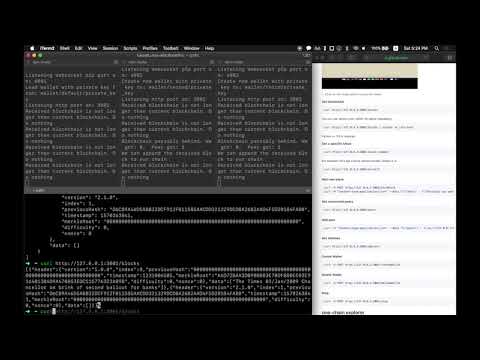
Click on the above image to play the video.
curl http://127.0.0.1:3001/blocksUse 'pretty-print JSON' for better readability:
curl http://127.0.0.1:3001/blocks | python -m json.toolPython >= 2.6 is required.
curl http://127.0.0.1:3001/block/:numberFor example, let us get a block whose number (index) is 3:
curl http://127.0.0.1:3001/block/3curl -X POST http://127.0.0.1:3001/mineBlock
curl -H "Content-type:application/json" --data "{\"data\" : [\"Anything you want\", \"Anything you need\"]}" http://127.0.0.1:3001/mineBlockcurl http://127.0.0.1:3001/versioncurl http://127.0.0.1:3001/blockVersion/:numberFor example, let's get a version of a block whose number (index) is 3:
curl http://127.0.0.1:3001/blockVersion/3curl http://127.0.0.1:3001/peerscurl -H "Content-type:application/json" --data "{\"peers\" : [\"ws://127.0.0.1:6002\", \"ws://127.0.0.1:6003\"]}" http://127.0.0.1:3001/addPeerscurl http://127.0.0.1:3001/addresscurl -X POST http://127.0.0.1:3001/stopThe onechain project is licensed under the Apache License, Version 2.0, also included in our repository in the LICENSE file.