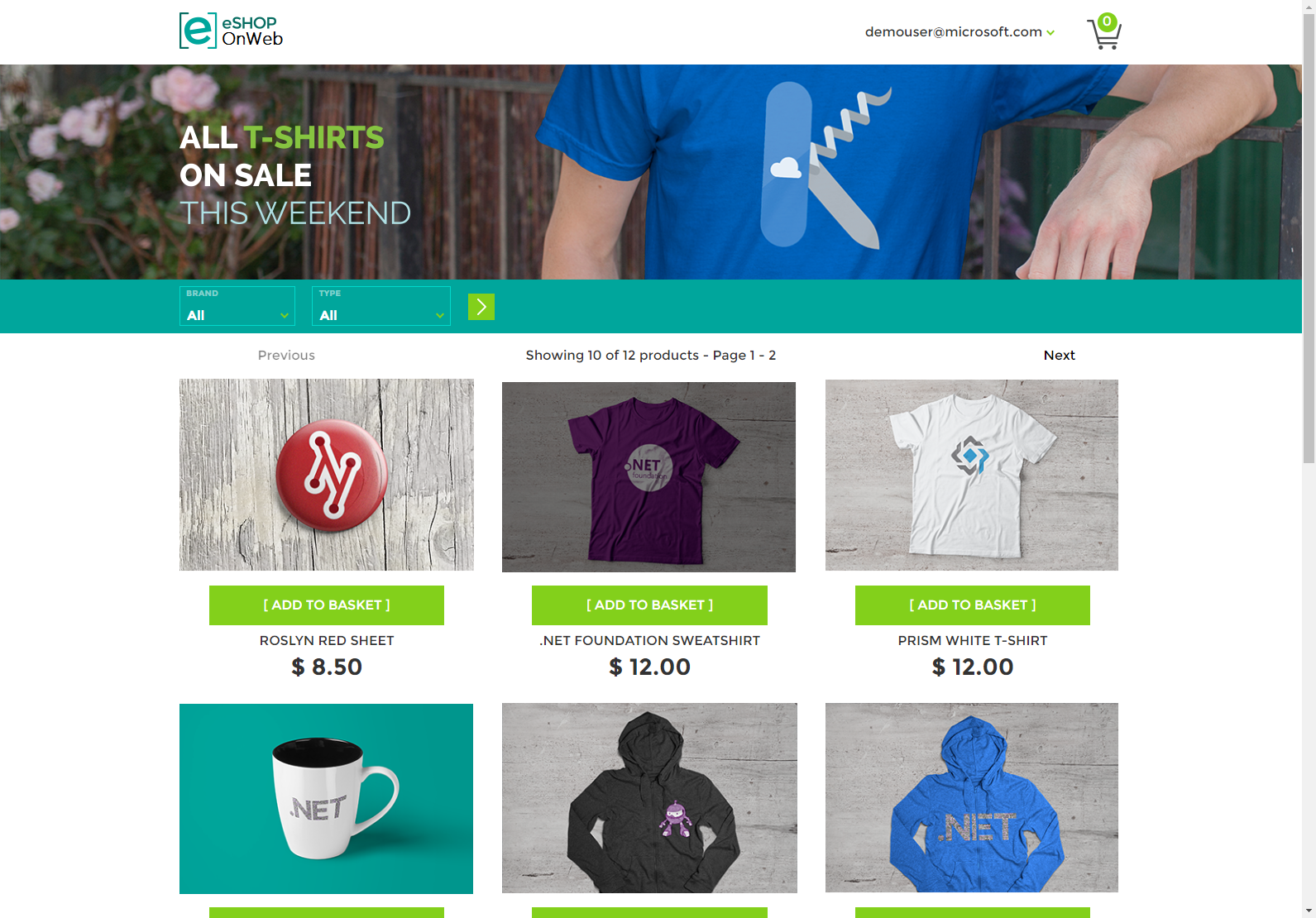
Purpose: Reference application demonstrating monolithic application architecture with ASP.NET Core. Created to support the free eBook Architecting Modern Web Applications with ASP.NET Core and Azure.
What it demonstrates:
- Clean Architecture principles
- Domain-Driven Design (DDD) patterns
- Repository and Specification patterns
- Dependency Injection
- Entity Framework Core with SQL Server
- ASP.NET Core Identity
- Blazor WebAssembly for admin UI
What it is NOT: This is a teaching/reference app, not a production-ready eCommerce platform. Many features essential to real eCommerce are intentionally omitted.
Tech Stack:
- ASP.NET Core 9.0 MVC
- ASP.NET Core 9.0 Public API (FastEndpoints)
- Entity Framework Core 9.0
- Blazor WebAssembly
- SQL Server
- Serilog (JSON structured logging)
- Azure deployment (App Service, Container Registry, Key Vault)
Origin: Microsoft reference application, maintained by NimblePros
Prerequisites:
- Azure CLI installed
- Azure subscription with contributor access
# 1. Login to Azure
az login

# 2. Build and push Docker image to ACR (instructor - one-time setup)
./scripts/build-push-acr.sh

# 3. Deploy infrastructure and application (students)
./scripts/deploy-container-instruqt.sh
Using defaults (pre-configured for Instruqt):
./scripts/deploy-container-instruqt.sh
# Uses: alesseshopacr, eshop-web-instruqt:latest, eshop-api-instruqt:latest, westus2
Custom configuration:
export ACR_NAME=myacr
export IMAGE_NAME=my-web-image
export API_IMAGE_NAME=my-api-image
export IMAGE_TAG=v1.0
export AZURE_LOCATION=eastus
export AZURE_ENV_NAME=my-env
./scripts/deploy-container-instruqt.sh
Time:
- First time (with build): 6-8 minutes
- Using pre-built image: 4-5 minutes
What gets deployed:
- Azure App Service (Linux container) - eShopOnWeb frontend application
- Azure App Service (Linux container) - PublicApi (for admin panel)
- Azure Container Registry - Docker images
- Azure SQL Database - 2 databases (catalog + identity)
- Azure Key Vault - Connection strings
- Azure Container Instance - Traffic simulator (runs automatically!)
Traffic Simulation (automatic): The deployment includes an automated traffic simulator that runs continuously, generating realistic browser traffic for Datadog monitoring.
Behavior:
- 5 simulated user sessions per cycle
- 60 second delay between cycles
- Runs forever automatically
- Catalog browsing, product filtering, add to cart, basket views, admin visits
- Datadog observability: APM traces, RUM events, logs, metrics
View traffic simulator logs:
az container logs --name <container-name> --resource-group <resource-group> --followCleanup:
# Delete the deployed application (keeps ACR for reuse)
az group delete --name rg-eshop-1761853864 --yes --no-wait

# Find your resource group name
az group list --query "[?tags.\"azd-env-name\"].{Name:name, EnvName:tags.\"azd-env-name\"}" -o table

# Delete everything including ACR
az group delete --name rg-eshop-<env-name> --yes --no-wait
az group delete --name rg-eshop-acr --yes --no-waitPrerequisites:
- Docker Desktop
- Datadog API Key (for traces)
Setup environment variables:
# Required for Datadog traces
export DD_API_KEY="your_datadog_api_key"
export DD_SITE="us3.datadoghq.com"  # or your Datadog site
Build and run:
docker-compose build
docker-compose up
Access:
- Web: http://localhost:5106
- PublicApi: http://localhost:5200
- Admin: http://localhost:5106/admin
Login: [email protected] / Pass@word1
Datadog Instrumentation:
- Uses serverless-init for agentless monitoring
- Automatically sends traces, logs, and metrics to Datadog
- No local Datadog Agent required
Troubleshooting:
# If you see "DD_API_KEY is required for Datadog" error:
export DD_API_KEY="your_api_key_here"

# If you hit GitHub rate limits during build (rare):
export GITHUB_TOKEN="your_github_token"
docker-compose build

# To disable Datadog (for testing without traces):
export DD_TRACE_ENABLED=false
docker-compose up
Includes: Traffic simulator runs automatically, generating continuous traffic for observability testing
Adds 3-second SQL delay to basket queries. Simulates slow database queries.
Enable:
# Azure App Service
az webapp config appsettings set \
  --name <web-app-name> \
  --resource-group <resource-group> \
  --settings ENABLE_SLOW_BASKET=true

# Docker
ENABLE_SLOW_BASKET=true docker-compose restart eshopwebmvc
Behavior: 50% of /Basket page loads take 3+ seconds (SQL delay).
Leaks database connections permanently. Requires app restart to fix.
Enable:
# Azure App Service
az webapp config appsettings set \
  --name <web-app-name> \
  --resource-group <resource-group> \
  --settings ENABLE_CHECKOUT_EXHAUSTION=true

# Docker
ENABLE_CHECKOUT_EXHAUSTION=true docker-compose restart eshopwebmvc
Behavior: Gradually exhausts connection pool over ~30 seconds when using checkout. Only fix is app restart.
Disable Both:
# Azure
az webapp config appsettings delete \
  --name <web-app-name> \
  --resource-group <resource-group> \
  --setting-names ENABLE_SLOW_BASKET ENABLE_CHECKOUT_EXHAUSTION

# Docker
ENABLE_SLOW_BASKET=false ENABLE_CHECKOUT_EXHAUSTION=false docker-compose restart eshopwebmvcRequirements: .NET 9.0 SDK, SQL Server (or use in-memory database)
# Use in-memory database (optional)
# Add to src/Web/appsettings.json: { "UseOnlyInMemoryDatabase": true }

# Setup database (if using SQL Server)
cd src/Web
    dotnet tool restore
    dotnet ef database update -c catalogcontext -p ../Infrastructure/Infrastructure.csproj -s Web.csproj
    dotnet ef database update -c appidentitydbcontext -p ../Infrastructure/Infrastructure.csproj -s Web.csproj

# Run web application
dotnet run --launch-profile https

# Run PublicApi (in separate terminal, for Blazor admin)
cd src/PublicApi
dotnet run
Access: https://localhost:5001
Admin: https://localhost:5001/admin
src/
├── Web/                    # Main MVC web application + Dockerfile
├── PublicApi/              # REST API for Blazor admin
├── BlazorAdmin/            # Blazor WebAssembly admin UI
├── ApplicationCore/        # Domain entities, interfaces, services
├── Infrastructure/         # EF Core, data access, identity
└── traffic-simulator/      # Automated traffic generation (Playwright)

infra/                      # Bicep templates for Azure deployment
scripts/                    # Build and deployment automation
- Catalog: Browse products by brand and type
- Shopping Cart: Add/remove items, update quantities
- Checkout: Order processing
- Admin Panel: Manage products, brands, types (Blazor)
- Authentication: ASP.NET Core Identity
- External Login: GitHub OAuth
To enable GitHub authentication:
- Register a GitHub OAuth app
- Set redirect URI:
https://localhost:5001/signin-github - Store credentials in user secrets:
cd src/Web
dotnet user-secrets set "Authentication:GitHub:ClientId" "<your-client-id>"
dotnet user-secrets set "Authentication:GitHub:ClientSecret" "<your-client-secret>"
- eBook: Architecting Modern Web Applications with ASP.NET Core and Azure
- Microservices Version: eShopOnContainers
- .NET Aspire Version: eShop
- Wiki: Getting Started Guide
This project is licensed under the MIT License - see the LICENSE file for details.
- Datadog Azure ISV for Azure integration
- WebApplication is https://docs.datadoghq.com/serverless/azure_app_service/linux_container?tab=net
- https://docs.datadoghq.com/logs/log_collection/csharp/?tab=serilog
- Make sure WEBSITES_ENABLE_APP_SERVICE_STORAGE is set to default (true)
- Inferred services: https://docs.datadoghq.com/tracing/services/inferred_services/?tab=agentv7600#set-up-inferred-services