Skip to content

Convert notes to markdown format#3

Open
Phantom5800 wants to merge 30 commits intoiNightfaller:mainfrom
Phantom5800:browser-guide
Open

Convert notes to markdown format#3
Phantom5800 wants to merge 30 commits intoiNightfaller:mainfrom
Phantom5800:browser-guide

Conversation

@Phantom5800
Copy link
Copy Markdown

Summary

Replace the basic label based renderer with a WinForms WebBrowser. User notes are sent through a Markdown -> HTML converter using markdig (added as a submodule in case changes to the parser ever need to be made). This allows for a lot more dynamic formatting of notes, and most importantly, images.

Example of what notes look like with extra formatting:
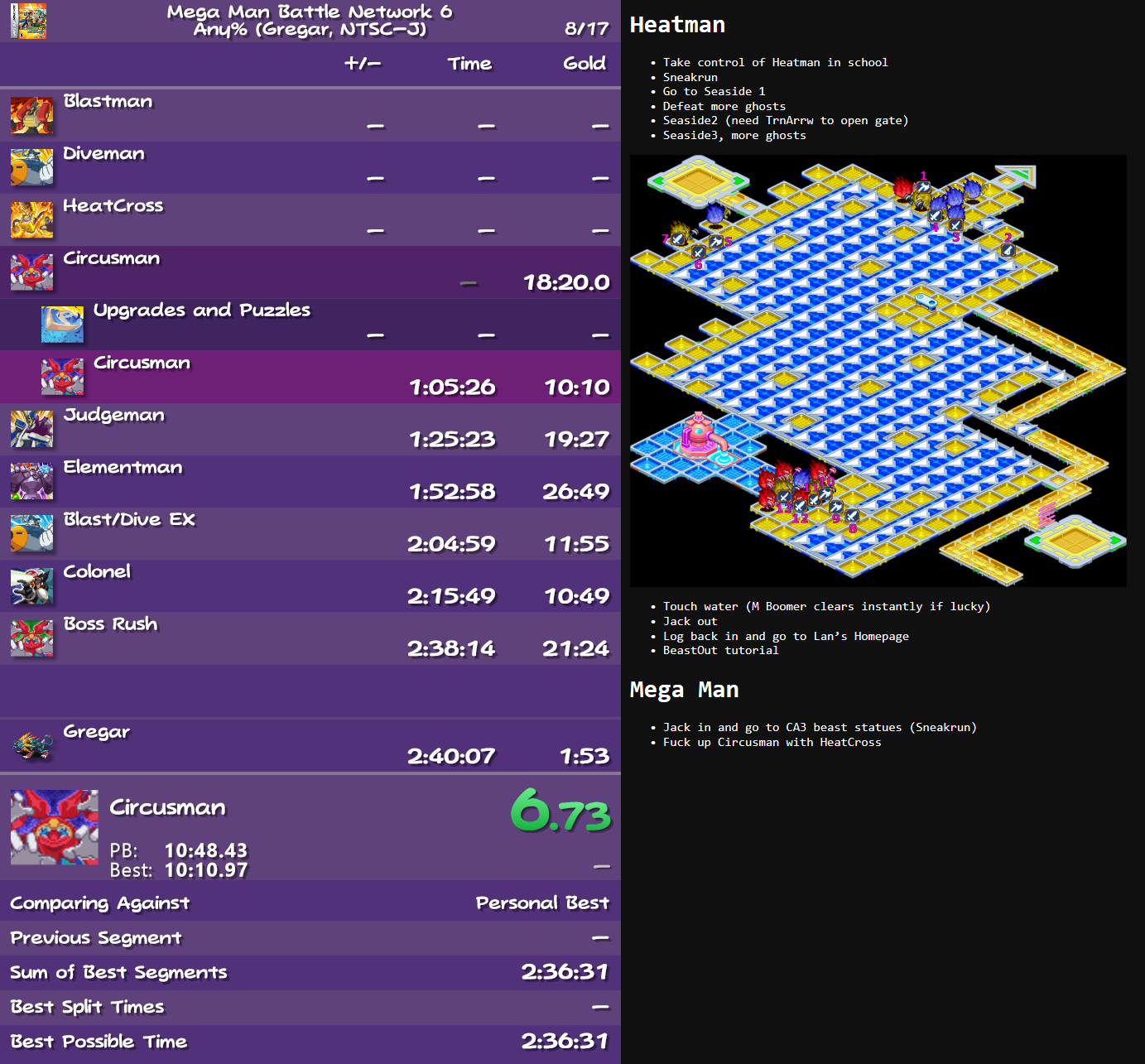
image

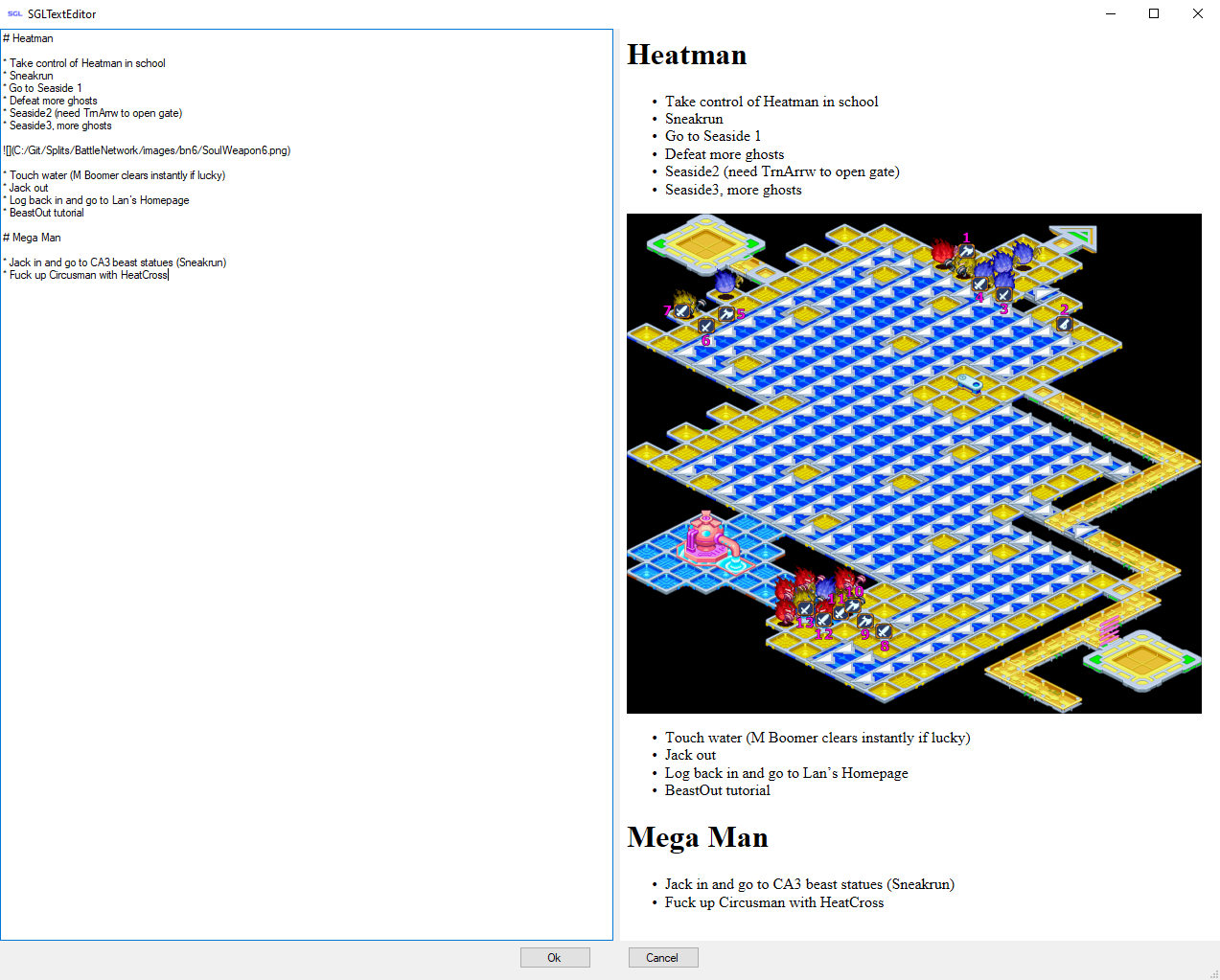
Example of new SGLTextEditor preview:
image

Changes

  • Add markdig submodule for Markdown parsing.
  • Replace Label with WebBrowser for rendering notes.
  • Update SGLTextEditor to include a markdown preview alongside the notes panel.
  • Cleanup unused code.
  • Update builds to copy all required dll's with SpeedGuidesLive.dll.
  • Add Package.bat for more easily compiling all required dll's and licenses for future releases.

@iNightfaller
Copy link
Copy Markdown
Owner

Heyoo! I see your pull request and am going to want to review it. I will try my best to get to it by the end of the weekend. Very cool addition! I know people have been asking for this!

@iNightfaller iNightfaller self-assigned this Dec 16, 2021
@iNightfaller
Copy link
Copy Markdown
Owner

This is awesome work thus far! I have some feedback which I want addressed before I can bring these changes in. Keep in mind that we don't want to lose the initial functionality of being able to copy plain text and use them as notes. The code must be well-tested and devoid of known bugs; make sure the user experience is polished.

  1. Can't move nor resize the notes window
  2. Single Newlines/returns don't work in the mark-down... I don't know if that's a markdown behavior; if it is please let me know.
  3. Need a way to enable/disable markdown; not everyone knows/is going to want to use this functionality, and with this single newline difference, I image there are other item(s) which a random user would have to know.
  4. I went to https://markdown-it.github.io/ and copied the text in there... The images in the live and preview notes window are super huge and don't scale to fit.

@Phantom5800
Copy link
Copy Markdown
Author

  1. Yeah, I knew about that one. You can move and resize, but it you have to click on the part that is not the browser (which is a very small area). I'll keep looking into that one.
  2. Single new lines in markdown do not actually create a new line in the output. That is expected.
  3. I can add a checkbox to the settings page and just throw notes into a <pre> tag if markdown is disabled.
  4. Those images are massive, but I should be able to make it so images scale down with css.

@iNightfaller
Copy link
Copy Markdown
Owner

iNightfaller commented Dec 16, 2021

Alrighty, then I'm okay with 2. We need to make sure to address the other items to make sure SGL remains completely useable. I will be on the lookout for an update.

@Avasam
Copy link
Copy Markdown

Avasam commented Dec 16, 2021

2: You need to add 2 spaces at the end of the line. Yes this is standard Markdown behaviour.
You need two line returns for a new paragraph.
or pre-parse the text to ensure single line breaks results in <br/> (I think adding two spaces before every line return, or something like that, could work)
4: Markdown supports HTML tags. In MD if you want an image with custom size you literally use the <img> tag

@Phantom5800
Copy link
Copy Markdown
Author

Image scaling isn't a problem, I can just throw in this css:

img {max-width:100%;}

If the image is bigger, it would be scaled down to fit the width of the notes. Unless you can think of a use case where someone may want horizontal scroll.

…ely. Force image sizes to not exceed the width of the notes window
@iNightfaller
Copy link
Copy Markdown
Owner

iNightfaller commented Dec 16, 2021

Image scaling isn't a problem, I can just throw in this css:

img {max-width:100%;}

If the image is bigger, it would be scaled down to fit the width of the notes. Unless you can think of a use case where someone may want horizontal scroll.

I honestly don't know the answer to this: Does that solution work for multiple images on the same line? I guess the test case could be that link I posted; basically make sure it works. I notice emojis aren't showing up, but I honestly don't know if we care/it's standard behavior, but we need to have ALL content scale to fit the screen; there can't be horizontal scrolling at all; it's a poor drawback for runners to have to deal with.

@Phantom5800
Copy link
Copy Markdown
Author

Phantom5800 commented Dec 16, 2021

Image scaling isn't a problem, I can just throw in this css:

img {max-width:100%;}

If the image is bigger, it would be scaled down to fit the width of the notes. Unless you can think of a use case where someone may want horizontal scroll.

I honestly don't know the answer to this: Does that solution work for multiple images on the same line? I guess the test case could be that link I posted; basically make sure it works. I notice emojis aren't showing up, but I honestly don't know if we care/it's standard behavior, but we need to have ALL content scale to fit the screen; there can't be horizontal scrolling at all; it's a poor drawback for runners to have to deal with.

In the markdown on that page, they are forcing img max-width to 35% in CSS. With max-width forced to 100%, if you put two 400 pixel wide images on the same line, here are the outcomes:

  • Notes window is <400 pixels wide: images are one after the other and scaled down to fit
  • Notes window is <800 pixels wide: images are their native size and on separate lines
  • Notes window is >800 pixels wide: images are on the same line at their native size

@Phantom5800
Copy link
Copy Markdown
Author

Phantom5800 commented Dec 21, 2021

I've been using this during runs this last week, and all the bugs I've run into at least have been fixed. If anyone else uses this branch before it gets merged and notices anything, let me know.

@iNightfaller
Copy link
Copy Markdown
Owner

I will check it out when I have a chance. With the holidays coming up, I am very busy. I will let you know when I have feedback/approve it! Have a great holiday!

Sign up for free to join this conversation on GitHub. Already have an account? Sign in to comment

Labels

None yet

Projects

None yet

Development

Successfully merging this pull request may close these issues.

3 participants