Jsonnet Plus is a fork of original extenstion from Sebbia with kubecfg support and text preview render change.
Extension features:
- simple syntax highlighting and code completion for Jsonnet
files (specifically, files with the
.jsonnetand.libsonnetsuffixes) - Markdown-style preview pane that auto-updates every time you save
- manual formatting of Jsonnet documents
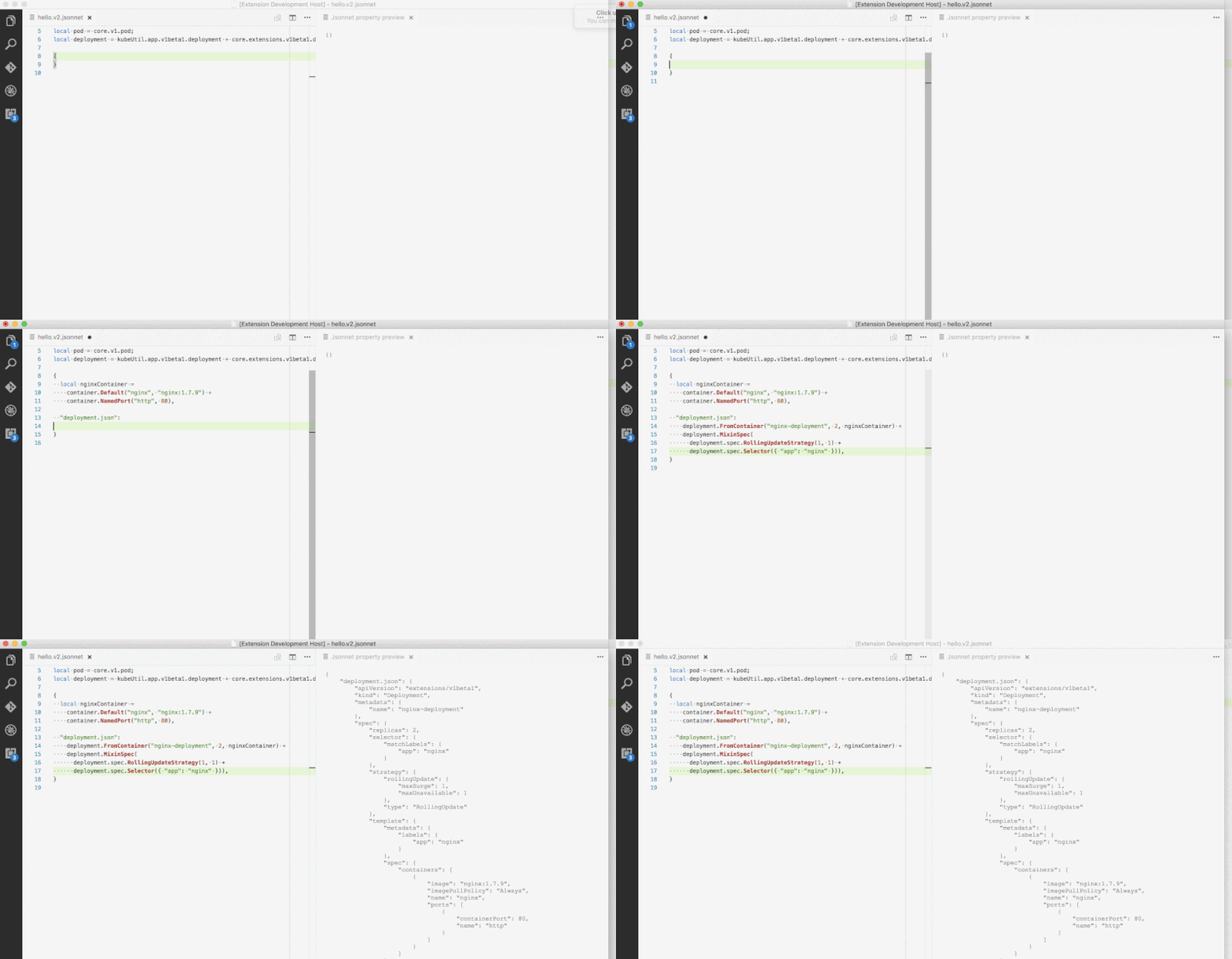
Syntax highlighting works out of the box. Just open any .jsonnet or
.libsonnet file, and it will magically work.
To enable the Jsonnet preview pane, it is necessary to install the
Jsonnet command line tool (e.g., through brew install jsonnet). If
you don't add the jsonnet executable to the PATH then you will
need to customize jsonnet.executablePath in your settings.json, so
that the extension knows where to find it.
To enable the Jsonnet preview pane with kubecfg,
it is necessary to install it (e.g., through brew install kubecfg).
After this, you can use the keybinding for jsonnet.previewToSide (by
default this is shift+ctrl+i, or shift+cmd+i on macOS), and the
preview pane will open as in the picture above. Also you can bring a preview
by clicking preview button on the editor toolbar.
For the formatting feature you have to configure jsonnet.fmtExecutablePath
in you setting.json. After this you can use Format document feature.
This extension exposes the following settings, which can be customized
in settings.json:
jsonnet.executablePath: Tells the extension where to find thejsonnetexecutable, if it's not on thePATH. (NOTE: This setting is always necessary on Windows.)jsonnet.fmtExecutablePath: Tells the extension where to find thejsonnetfmtexecutable, if it's not on thePATH. (NOTE: This setting is always necessary on Windows.)jsonnet.fmtOptions: Options that are passed when calling thejsonnetfmtexecutable. E.g.--indent 2 --string-style d --comment-style s --no-pad-arrays --pad-objects --pretty-field-names.jsonnet.libPaths: Additional paths to search for libraries when compiling Jsonnet code. It suppports variable substitution:${workspaceFolder}.jsonnet.outputFormat: Preview output format: yaml or json (default is yaml).jsonnet.extStrs: External strings to pass tojsonnetexecutable.jsonnet.kubecfgExecutablePath: Tells the extension where to find thekubecfgexecutable, if it's not on thePATH. (NOTE: This setting is always necessary on Windows.)
This extension exposes the following commands, which can be bound to keys:
jsonnet.previewToSide: Compiles the Jsonnet file to JSON, places result in a "preview" window in the pane to the right of the active pane, or in the current pane if active window is pane 3 (since vscode only allows 3 panes). Default: bound toshift+ctrl+i(orshift+cmd+ion macOS).jsonnet.previewToSide: Compiles the Jsonnet file to JSON, places result in a "preview" window in the current active pane. Default: no keybinding.jsonnet.extStrs: An object of variable, value pairs. Allows you to customize the external variables passed to thejsonnetcommand line. It can be particularly useful to set this in a workspace configuration, so that you can set different variables on a per-project basis.jsonnet.outputFormat: A choice of two string literals:["json", "yaml"]. This tells the extension what format you'd like the output to be (i.e., allows you to either output JSON or YAML).