A lightweight, single-file browser-based interactive terminal webshell written in PHP. Designed for authorized CTF competitions and authorized security research environments where you need a quick, no-install, no-reverse-shell web CLI interface — similar in spirit to Google Cloud Shell, but deployable via a simple file upload.
Author: Aryan Giri | giriaryan694-a11y
License: Apache-2.0
Ary_WebShell_PHP provides a real interactive bash shell inside your browser using Server-Sent Events (SSE) to stream output from a persistent backend process. No WebSocket server, no extra ports, no reverse shell payload — just upload ary_webshell.php via a file-upload vector and browse to it.
The terminal frontend is powered by xterm.js with the FitAddon, giving you a responsive, terminal-accurate experience including color output, cursor blink, and mobile toolbar support.
- Upload
ary_webshell.phpto the target web server. - Browse to
http://target/ary_webshell.php. - Click New Session to spawn a fresh bash shell.
- You get a live bash prompt in the browser. Type commands, run tools, pivot internally.
| Feature | Detail |
|---|---|
| Single-file deployment | Everything (session manager, terminal engine, shell bridge) is self-contained in ary_webshell.php |
| Real interactive shell | Uses proc_open('/bin/bash -i') with SSE streaming |
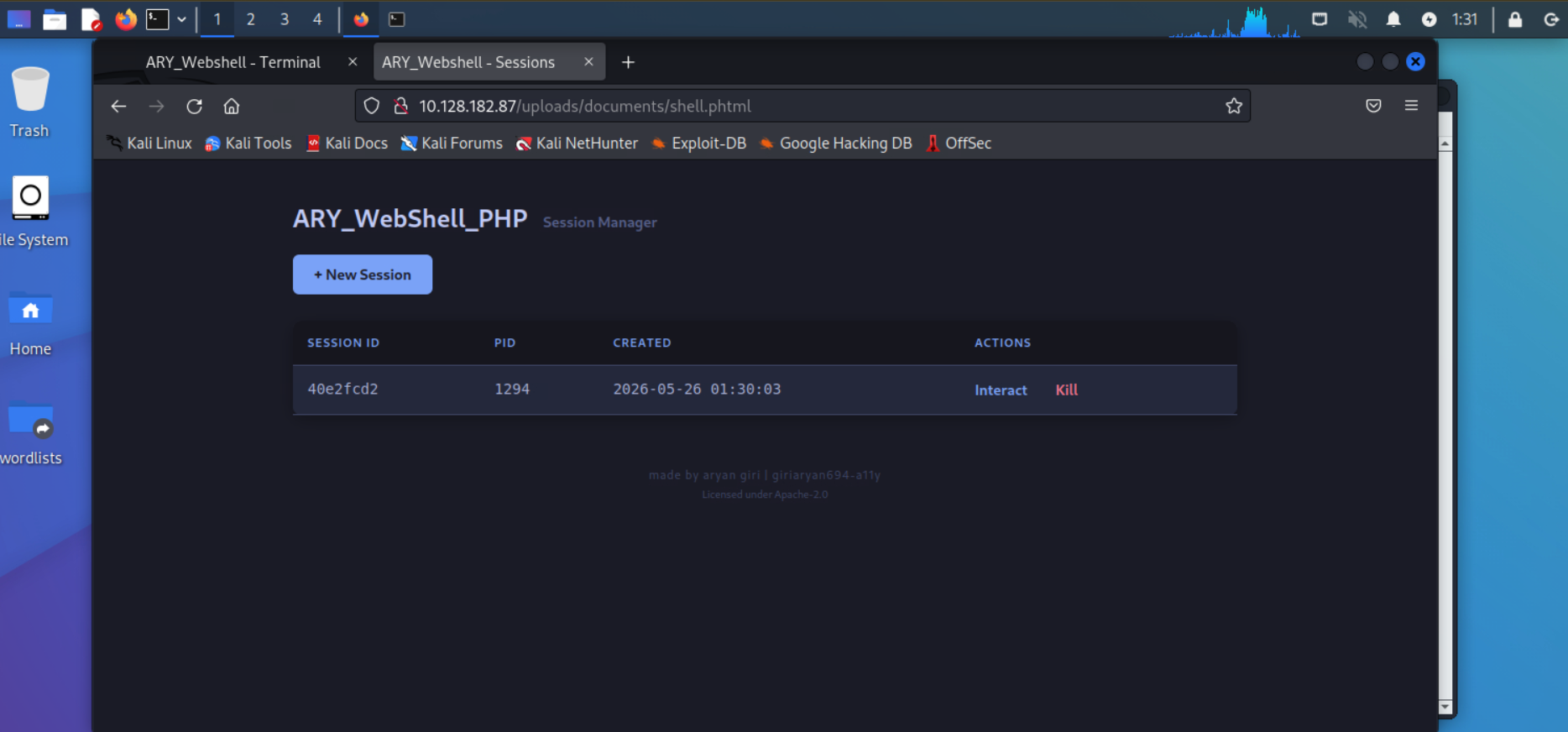
| Multi-session support | Spawn multiple independent shells like Metasploit — each with its own PID, interactable or killable |
| No authentication | No hardcoded credentials; anyone with access to the file can spawn sessions |
| No IP restrictions | No allowlist blocking; works from any IP |
| PTY support (PHP 8.1+) | Automatically allocates a pseudo-terminal when available so vim, nano, top, etc. render correctly |
| Pipe fallback | Gracefully degrades to pipe mode on older PHP versions |
| Smart Ctrl+C | Copies text when a selection exists; sends SIGINT to the shell otherwise |
| Mobile-friendly toolbar | On-screen buttons for ESC, TAB, arrows, ^C, and a toggleable CTRL mode |
| No command logging | No persistent command logs are written to disk |
| No external dependencies | Only requires PHP and network access to CDN for xterm.js CSS/JS |
Spawn, interact with, and kill multiple independent shell sessions.
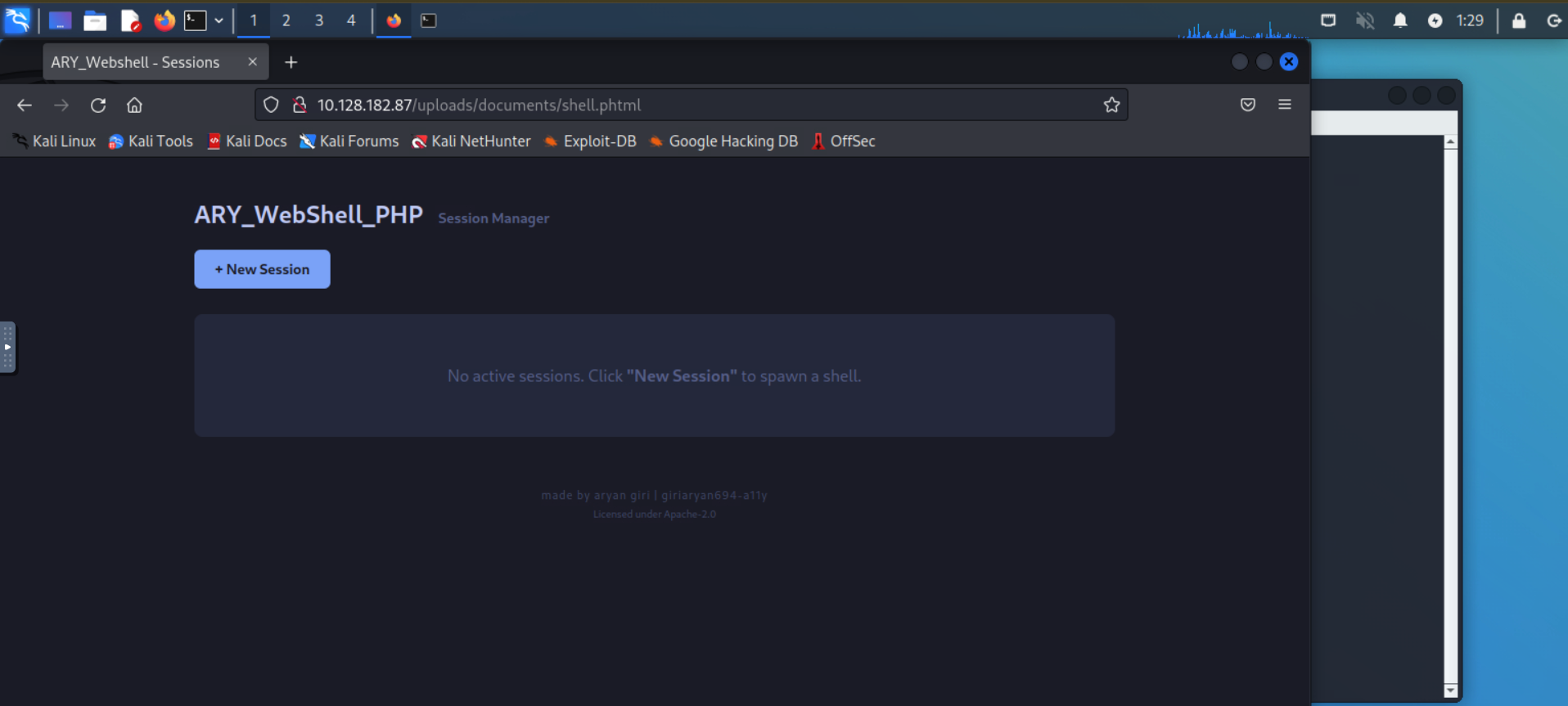
Clean, dark-themed interface. No auth needed — just click New Session.
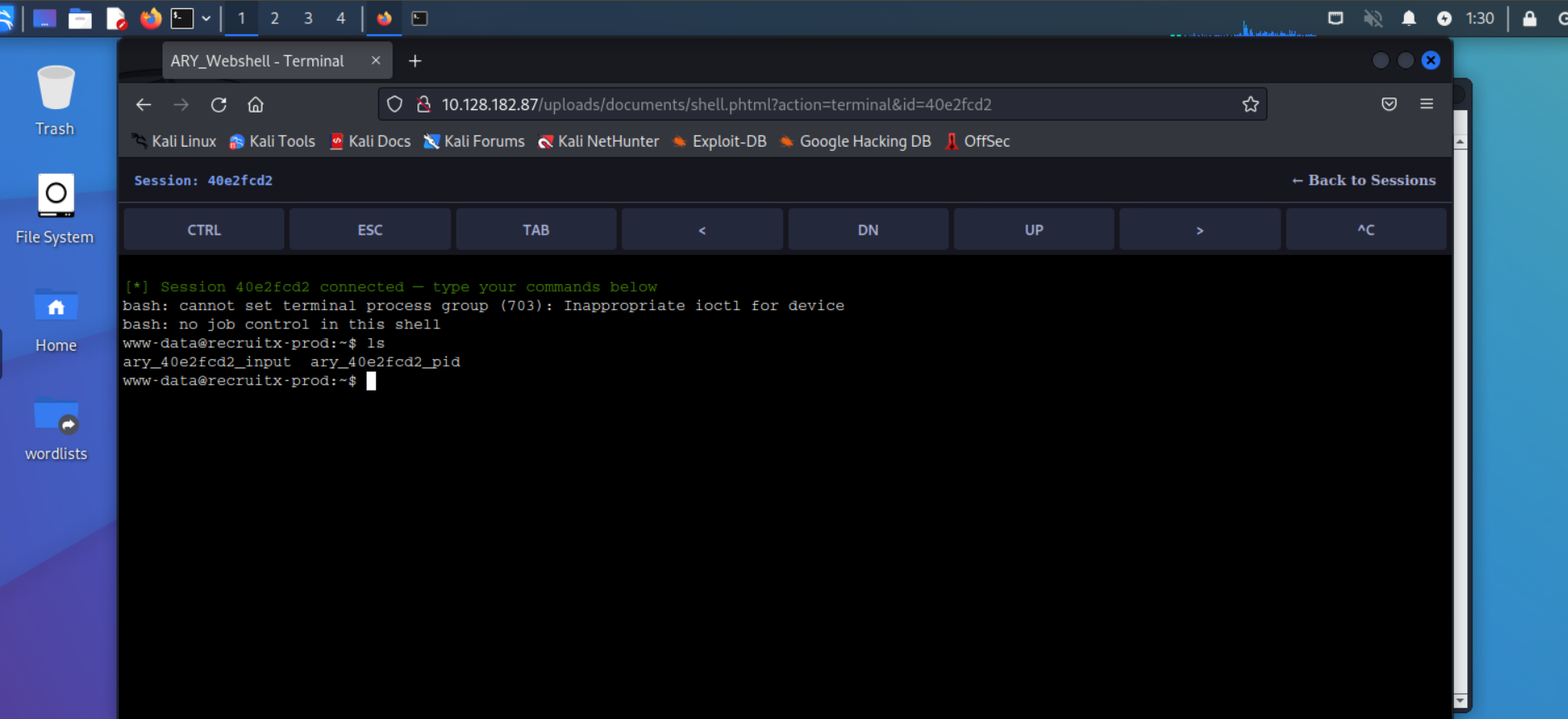
Live command execution inside the browser with xterm.js.
- Identify a file upload vulnerability on the target.
- Upload
ary_webshell.phpto a web-accessible path. - Visit the file in your browser.
- Click New Session to spawn a shell.
- Use the terminal to execute commands, enumerate the system, or pivot to other hosts.
- Spawn additional sessions as needed (e.g., one for a listener, one for enumeration).
- Kill sessions from the manager when done.
| Button | Action |
|---|---|
| CTRL | Toggle on-screen Ctrl mode. Next letter typed becomes a control character (e.g., c → ^C) |
| ESC | Send Escape key (\x1b) |
| TAB | Send Tab key (\x09) |
| << > ^ v | Arrow keys |
| ^C | Send Ctrl+C / SIGINT directly |
| Shortcut | Behavior |
|---|---|
Ctrl + C |
Smart copy: copies selected text; if nothing is selected, sends interrupt to shell |
Ctrl + D |
Send EOF (exit shell if prompt is empty) |
Ctrl + Z |
Suspend foreground process |
Backspace |
Erase previous character |
Some keys like
Ctrlmay not work perfectly in all browser/OS combinations, especially when the browser intercepts the shortcut for its own use (e.g.,Ctrl+Wcloses a tab,Ctrl+Topens a tab). The on-screen CTRL button and ^C button are provided as reliable fallbacks for these cases.I will continue researching better cross-browser key capture techniques (similar to how Google Cloud Shell's hterm/xterm.js handles deep keyboard integration) and plan to improve this in a future update.
| Issue | Workaround |
|---|---|
Browser steals Ctrl+T/W/N |
Use the on-screen toolbar buttons |
Ctrl+C sometimes copies instead of interrupting |
Click the ^C toolbar button, or use on-screen CTRL + c |
| Resize on mobile | Use the browser zoom or rotate device; terminal refits automatically |
This tool is intended strictly for authorized security testing, CTF competitions, and educational purposes.
By using Ary_WebShell_PHP, you agree that:
- You have explicit permission to test the target system.
- You will not use this tool on systems you do not own or have authorization to test.
- The author assumes no liability for misuse, damage, or legal consequences arising from the use of this software.
- This software is provided "AS IS" without warranties of any kind.
Unauthorized access to computer systems is illegal under laws including the Computer Fraud and Abuse Act (CFAA) in the United States and similar legislation worldwide. Use responsibly.
Copyright 2026 Aryan Giri | giriaryan694-a11y

Licensed under the Apache License, Version 2.0 (the "License");
you may not use this file except in compliance with the License.
You may obtain a copy of the License at

    http://www.apache.org/licenses/LICENSE-2.0

Unless required by applicable law or agreed to in writing, software
distributed under the License is distributed on an "AS IS" BASIS,
WITHOUT WARRANTIES OR CONDITIONS OF ANY KIND, either express or implied.
See the License for the specific language governing permissions and
limitations under the License.