Isolated dev environments that boot in seconds, not minutes.
Self-hosted Firecracker microVM sandboxes — real VM isolation, instant snapshots, one CLI.

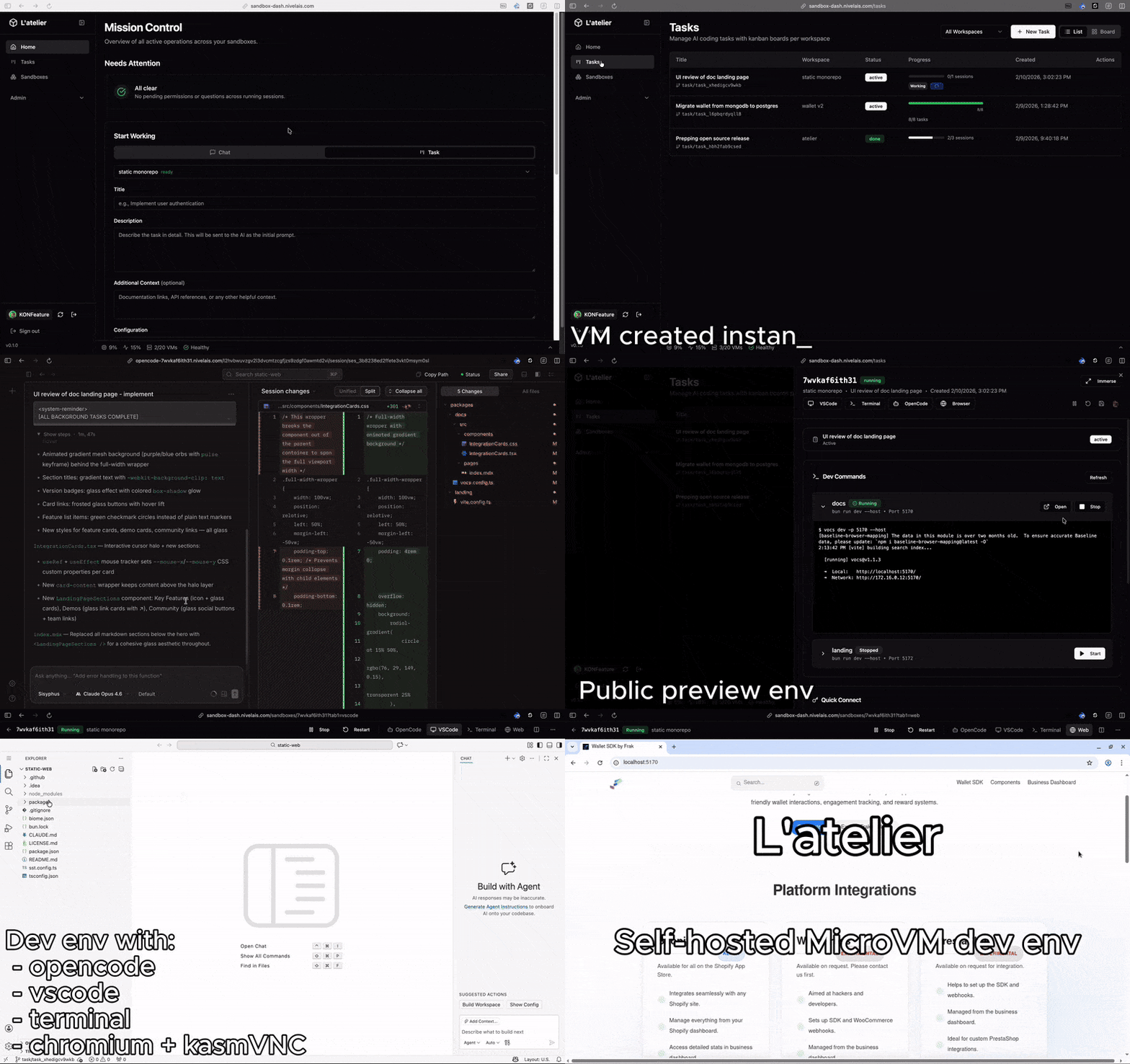
Each sandbox is a complete development environment — VS Code, AI agent, and browser, accessible from any device.
- code-server — VS Code in the browser, zero local setup
- OpenCode — AI coding agent, launch tasks and review results from anywhere
- Chromium via KasmVNC — full browser inside your sandbox for previewing, testing, debugging
- Verdaccio — private npm registry shared across all sandboxes
Spawn a sandbox, push a task to OpenCode, close your laptop. Review the results from your phone on the ski lift — or wherever you happen to be.
- Two base images out of the box —
dev-baseships with Node 22 and Bun;dev-cloudextends it with AWS CLI, Google Cloud SDK, and kubectl - Workspace definitions — configure git repos to clone, init commands, dev commands, exposed ports, secrets, and resource limits per workspace
- OpenCode config replication — define OpenCode configuration globally or per workspace, automatically replicated to every sandbox
- Auth synchronization — OAuth tokens are synced across all running sandboxes so you authenticate once and every instance just works (may violate ToS of some providers)
- Package cache — Verdaccio runs on the host as a shared npm registry, caching packages for npm, bun, pnpm, and yarn across all sandboxes
- SSH access — use your regular workflow: SSH, VS Code Remote SSH, JetBrains remote — the sandbox is a real Linux VM
- Multi-dev per sandbox — nothing stops multiple developers from working in the same sandbox simultaneously
- Task dispatch — create coding tasks from the dashboard, Atelier spawns a sandbox, creates a git branch, launches OpenCode with your prompt, and tracks progress. An AI task queue for your team
- Session templates — 4 built-in AI workflows (Implementation, Best Practices Review, Security Review, Simplification) with customizable models, effort levels, and prompt templates per workspace
- Dashboard — mission control for all your sandboxes: real-time task progress, running dev servers, and an attention feed aggregating OpenCode permission and question requests across every session
- Dev commands with auto HTTPS — define dev commands in your workspace config (e.g.
npm run devon port 3000) and get a publichttps://dev-{name}-{id}.your-domain.comURL with streaming logs
Most sandbox tools use containers — fast, but with weak isolation boundaries. Atelier uses Firecracker microVMs (the technology behind AWS Lambda) to give each sandbox hardware-level isolation while keeping boot times fast via LVM copy-on-write snapshots.
- VM isolation — each sandbox is a real virtual machine, not a container namespace
- Instant cloning — LVM thin snapshots clone a full environment in <5ms
- Prebuilds — run expensive setup once, snapshot the filesystem, spawn instantly from there
- Simple operations — single CLI, no Kubernetes, no complex orchestration
curl -fsSL https://raw.githubusercontent.com/frak-id/atelier/main/infra/scripts/install.sh | bashAfter install:
atelier manager status- apt-based Linux distro (Debian, Ubuntu, etc.) with systemd
- Bare‑metal KVM (
/dev/kvmpresent) - x86_64 CPU
- A domain with wildcard DNS (
*.your-domain.com→ server IP) - Ports
80and443open for HTTPS
| Command | Description |
|---|---|
atelier init |
Full install (config + setup + update + images) |
atelier update |
Download + install server bundle |
atelier images build dev-base |
Build base image |
atelier manager status |
Manager health check |
atelier debug-vm start |
Test VM for validation |
Default config path: /etc/atelier/sandbox.config.json
Override with ATELIER_CONFIG=/path/to/sandbox.config.json
If you pre‑fill setup.storage or setup.network in the config, the CLI will
skip prompts during atelier init.
No server or KVM needed — the manager runs in mock mode:
bun install
ATELIER_SERVER_MODE=mock bun run dev
# API:       http://localhost:4000
# Swagger:   http://localhost:4000/swagger
# Dashboard: http://localhost:5173- Setup Guide — installation and configuration
- Architecture — system design, components, and diagrams
- Infrastructure — networking, storage, domains, and deployment
- Constraints — critical gotchas that will save you hours
- Code Patterns — conventions for contributors
See CONTRIBUTING.md for development setup and guidelines.
See SECURITY.md for vulnerability reporting.