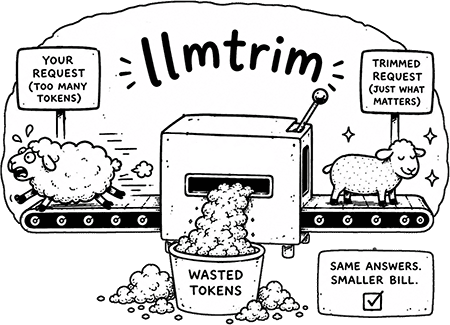
The same agent answers, for a smaller token bill, automatically across every herdr pane.
Measured across 112 A/B cases; savings vary by workload.




llmtrim is a local proxy that sits between your AI tools and the LLM provider. It compresses every outbound request by removing repetitive content and structural waste, then forwards it on. The reply comes back unchanged.
Measured live across 112 A/B cases: -31% input tokens, -74% output tokens, no change in answer quality. Round-trip cost dropped 66% on that same set. Overhead is about 5 ms per call; the proxy is a single static binary with no model to load. Savings vary by workload.
Nothing is sent to any third party. The proxy runs entirely on your machine.
llmtrim is a local MITM proxy that compresses LLM token usage. This plugin wires it into herdr automatically on workspace creation: it runs llmtrim setup (idempotent), starts the daemon, and launches a background poller that pushes a savings badge onto each agent pane. The badge is just the percentage so it stays readable in herdr's narrow sidebar: -NN% when the proxy is running (the net-of-cache figure when cost data is available, otherwise gross input savings), off when the proxy is not running, and -- before data accumulates.
- llmtrim installed and on your PATH (see Install below).
- herdr >= 0.7.0 (the
min_herdr_versionin the manifest); verified against herdr 0.7.1. - Unix (Linux/macOS):
jqandpython3in PATH. The shell scripts usepython3for the socket transport andjqfor JSON construction. - Windows: PowerShell 7 (
pwsh). Nojqorpython3needed; the.ps1twin scripts useConvertTo/From-Jsonand aNamedPipeClientStream.
First install llmtrim itself, then add the plugin to herdr.
Follow the llmtrim install instructions for your platform. The quickest path on any OS:
npm install -g @llmtrim/cli@latest && llmtrim setup
herdr plugin install fkiene/llmtrim-herdr
If you are unsure which verbs your version of herdr supports, run herdr plugin --help.
llmtrim setup writes a managed block (# >>> llmtrim >>>) into your shell profile that sets HTTPS_PROXY, SSL_CERT_FILE, and NODE_EXTRA_CA_CERTS. Because herdr inherits your process environment and never clears it, every agent pane started in herdr is automatically routed through the proxy with no per-agent configuration.
The plugin runs llmtrim setup automatically on workspace.created (it is idempotent, so it is safe to call repeatedly). One catch: if herdr was already running before llmtrim setup ran the first time, it will not see the new environment variables. The check-routing hook detects this on pane.agent_detected and warns you once. If the proxy environment is missing, it tells you to relaunch herdr. If the environment is set but the daemon is not responding, it tells you to run llmtrim start. The warning clears once routing is confirmed and does not reappear.
Each agent pane shows a trailing custom_status segment in herdr's navigator/sidebar. The plugin's background poller updates it every 20 seconds:
-NN%when the proxy is running (the net-of-cache figure when cost data is available, otherwise gross input savings)--when running but savings round to zero (early in a session, before data accumulates)offwhen the daemon is not responding
The badge is just the percentage, with no "net" label: herdr's sidebar column is too narrow to fit a suffix without clipping. The poller still prefers the conservative net-of-cache figure internally.
The action "llmtrim: open savings dashboard" opens llmtrim status in a split pane titled "llmtrim - live savings". herdr allocates a real PTY for plugin panes, so the live ratatui dashboard renders correctly.
Close the dashboard with q or by closing the pane normally. The process is reaped cleanly.
On first workspace.created (and again if the local CA is regenerated), the plugin opens a static "llmtrim - setup & disclosure" split pane showing the full disclosure text, and fires a short notification pointing at it. This pane stays open until you close it.
Three actions are available in herdr's action menu (search for "llmtrim"):
- llmtrim: open savings dashboard opens the live TUI in a split pane
- llmtrim: session savings summary fires a one-shot notification with the current session figures
- llmtrim: diagnose runs
llmtrim doctorin a pane to check the install end to end
The three actions have no default key bindings. To bind them, add entries to ~/.config/herdr/config.toml (the prefix defaults to ctrl+b) and run herdr server reload-config to apply. The keys below are unbound in stock herdr and are examples only; change them if they conflict with your own bindings or other plugins.
[[keys.command]]
key = "prefix+shift+l"
type = "shell"
command = "herdr plugin action invoke open-dashboard --plugin llmtrim.proxy"
description = "llmtrim: savings dashboard"

[[keys.command]]
key = "prefix+shift+s"
type = "shell"
command = "herdr plugin action invoke summary --plugin llmtrim.proxy"
description = "llmtrim: session savings"

[[keys.command]]
key = "prefix+shift+i"
type = "shell"
command = "herdr plugin action invoke diagnose --plugin llmtrim.proxy"
description = "llmtrim: diagnose"
herdr also has a native type = "plugin_action" binding, but its command field takes the bare action id (open-dashboard), not a plugin_id.action_id string. The shell form above invokes the same action through the CLI and is what the published reference plugins use.
The proxy reads your traffic in plaintext. llmtrim terminates TLS locally so it can inspect and compress requests. This means API keys, tokens, and all agent HTTPS content pass through it in plaintext. The proxy runs only on your machine and writes nothing to the network beyond the forwarded (and optionally compressed) request.
A local CA private key is generated at ~/.llmtrim/ca.key (or $LLMTRIM_HOME/ca.key). Guard this file like an SSH private key. Anyone who obtains it can perform a MITM attack on your TLS traffic.
Trust is environment-level only. llmtrim setup sets SSL_CERT_FILE and NODE_EXTRA_CA_CERTS in your shell profile (look for the # >>> llmtrim >>> block in ~/.zshrc, ~/.bashrc, or ~/.profile). Your OS certificate trust store and your browsers are not modified.
This plugin bundles no binaries and runs no network install. Every bin/*.sh and bin/*.ps1 script shells out to the llmtrim binary you installed and to herdr's local socket. All JSON sent to herdr's socket is constructed with jq --arg or PowerShell ConvertTo-Json, not string interpolation, preventing pane titles or savings values from injecting into the JSON envelope.
To remove both halves:
herdr plugin uninstall llmtrim.proxy
llmtrim uninstall
llmtrim uninstall removes the proxy daemon, the local CA, and the profile block (# >>> llmtrim >>>).
If you remove the plugin without running llmtrim uninstall, your shell profile still contains the proxy environment variables and your agents will continue to route through llmtrim whenever herdr is launched from a sourced shell. Run llmtrim uninstall separately to undo the routing.
The plugin uses three lifecycle hooks:
workspace.created:bootstrap.shrunsllmtrim setup+llmtrim start, compares the CA fingerprint before and after to detect real changes, opens the welcome pane and fires the disclosure notification (once, or when the CA changes), then forkssavings-annotate.shin the background with stdio detached.pane.agent_detected:check-routing.shchecks thatHTTPS_PROXYis in herdr's environment and that the daemon is actually responding (viallmtrim status --json, which always exits 0; routing state is read from the.daemonobject, not the exit code). It warns once per workspace and self-heals once routing is confirmed.workspace.closed:stop-annotate.shreads the PID file for the workspace's poller and stops it.
State (PID files, sentinel flags) lives in $HERDR_PLUGIN_STATE_DIR. Sentinel filenames include the hostname so a synced state directory on a second machine triggers the disclosure again.
On Windows, every .sh script has a .ps1 twin that talks to herdr's named pipe instead of the Unix domain socket. The transport difference is isolated in bin/herdr-rpc.{sh,ps1}; the behavior of every other script is identical across platforms.