@erkamyaman/capacitor-foldable




Fold state, posture, hinge angle, size classes and bar placement for foldable phones such as Galaxy Z Fold and Flip, Pixel Fold and iPhone Duo, in Capacitor apps.
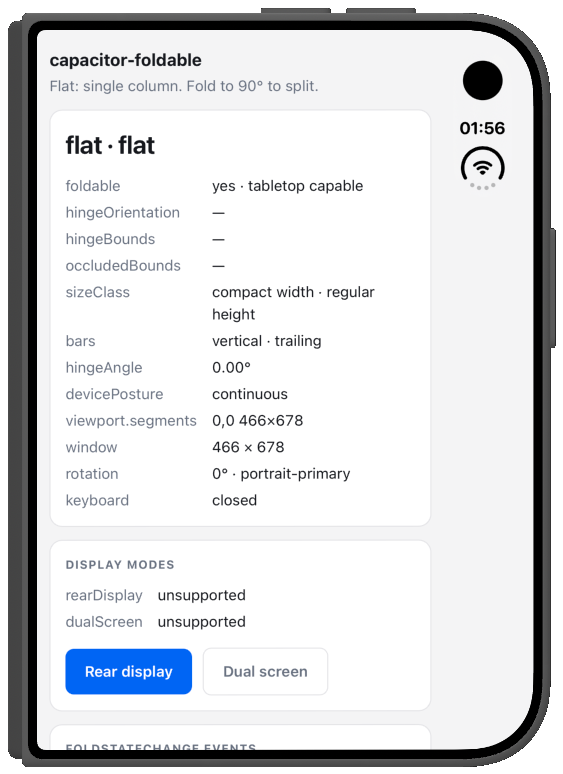
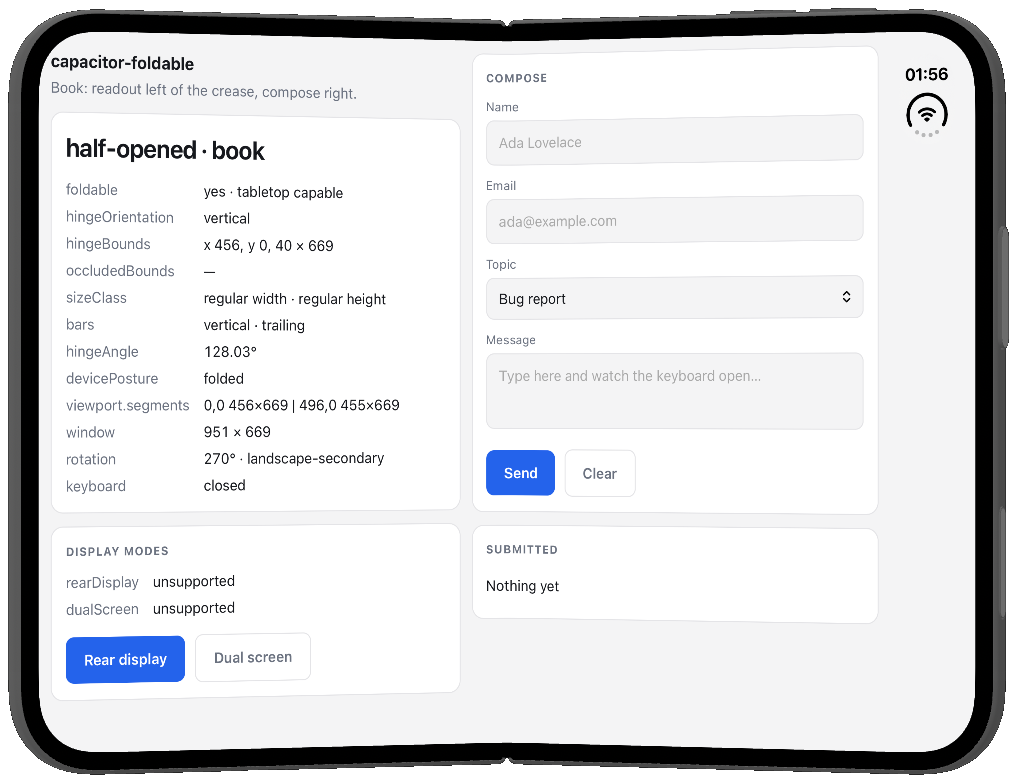
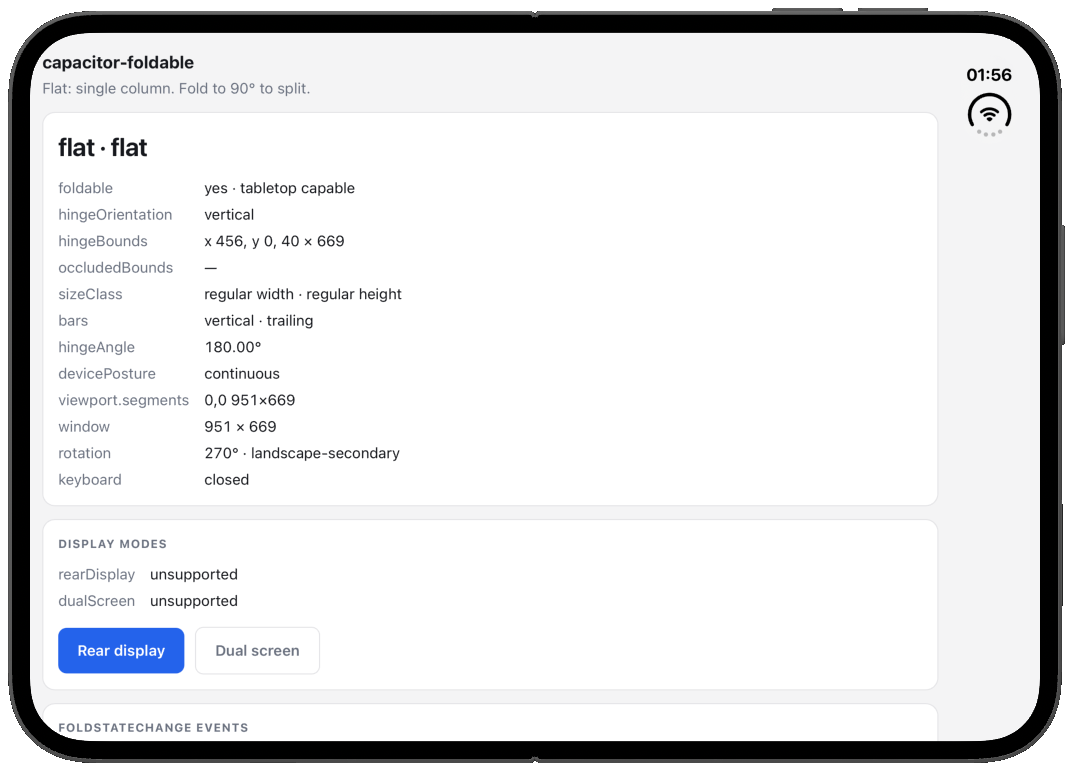
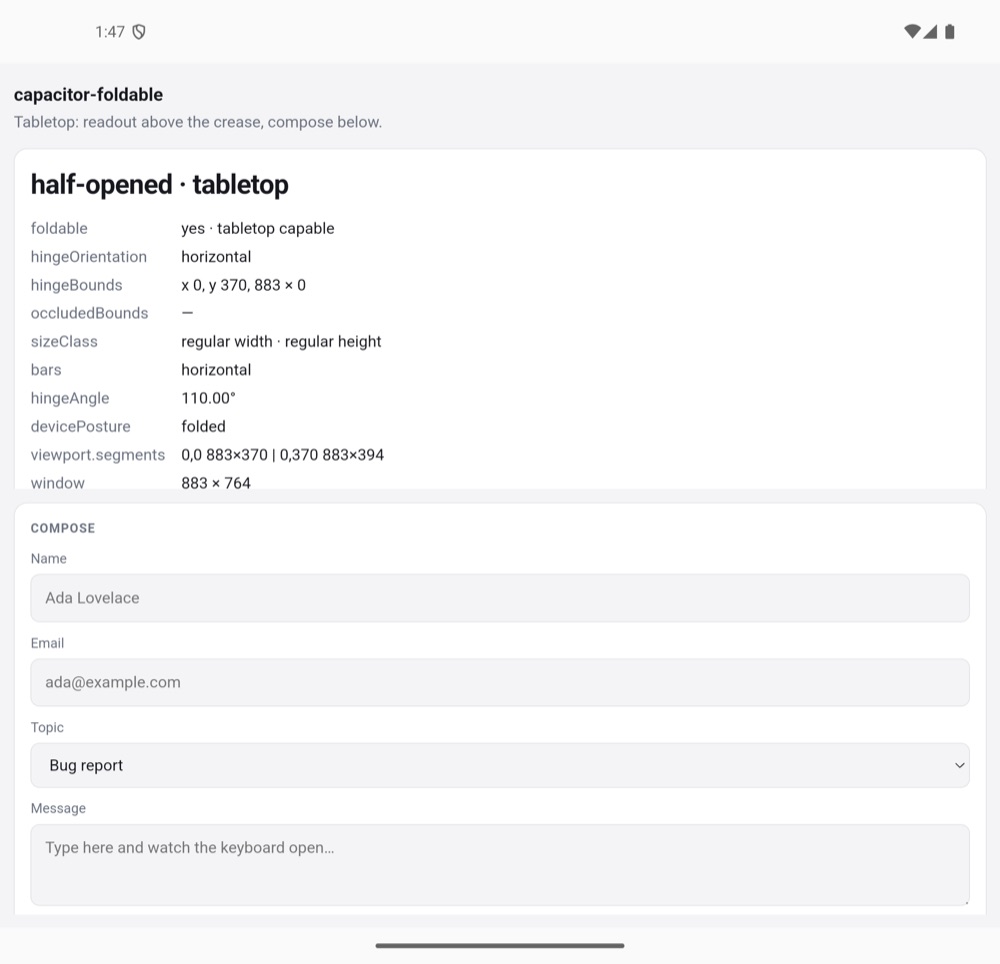
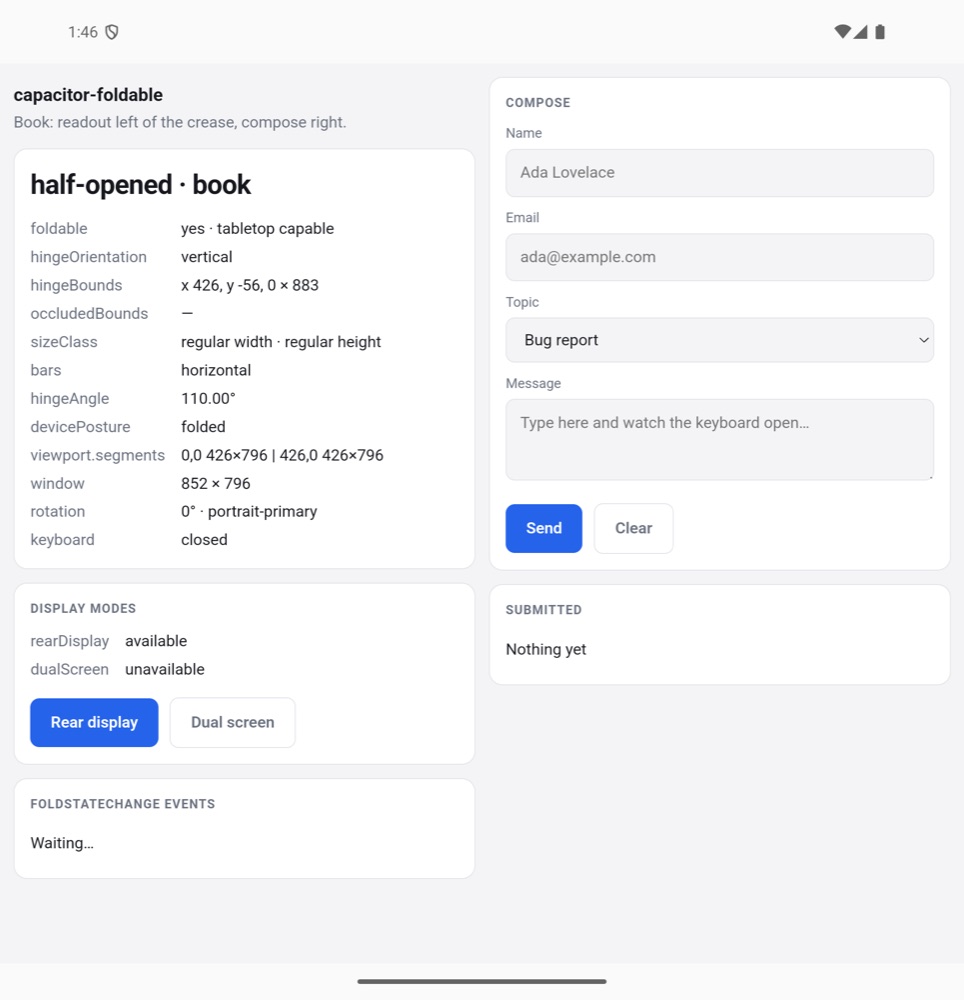
const { state, hingeOrientation } = await Foldable.getFoldState();
// { state: 'half-opened', hingeOrientation: 'horizontal' }| Capacitor | Plugin | iOS |
|---|---|---|
| v7.x | v7.x | Size classes only, build with Xcode 26 |
| v8.x | v8.x | Size classes, plus iPhone Duo on Capacitor 8.5+ |
| Platform | Status | Minimum |
|---|---|---|
| Android | Supported | API 24, compileSdk 34 |
| iOS | Size classes everywhere; fold, hinge and bar placement on iPhone Duo with Capacitor 8.5+, Xcode 27.1+ and iOS 27.1+ | iOS 15 |
| Web | Stub, returns flat |
Web views already resize with the window, so a responsive layout that pads with every safe-area inset adapts to foldables without a plugin. Use this one when your app needs to know what CSS can't tell it:
- Whether the device folds at all, and whether it can stand half-open like a laptop.
- Where the fold is, and whether it splits the screen.
- How the device is held: flat, tabletop or book.
- The hinge angle, for effects and interactions.
- Outer or inner display, and Material window size classes.
- Where iPhone Duo puts native bars, so your HTML tab bar can follow. For Ionic's
ion-tabsthere's a ready-made stylesheet, plus a fix for the tab bar disappearing when you fold. - The outer display on Android foldables: rear display and dual screen.
npm install @erkamyaman/capacitor-foldable
npx cap sync
On Capacitor 7, install @erkamyaman/capacitor-foldable@7 instead.
import { Foldable } from '@erkamyaman/capacitor-foldable';

const { posture } = await Foldable.getFoldState(); // 'flat' | 'tabletop' | 'book'

Foldable.addListener('foldStateChange', ({ posture }) => {
  document.documentElement.dataset.posture = posture;
});
More in Examples.
Chrome ships the Device Posture API and the Viewport Segments API, but Android's WebView turns both off and Safari doesn't support them, so neither works inside a Capacitor app. installFoldablePolyfill() fills them in from the native fold state, and mirrors the CSS features as classes and variables on <html>:
import { installFoldablePolyfill } from '@erkamyaman/capacitor-foldable';

await installFoldablePolyfill();

navigator.devicePosture.type; // 'continuous' | 'folded'
window.viewport.segments; // two DOMRects when the fold splits the web view| Standard CSS | With the polyfill |
|---|---|
@media (device-posture: folded) |
.device-posture-folded |
@media (horizontal-viewport-segments: 2) |
.horizontal-viewport-segments-2 |
@media (vertical-viewport-segments: 2) |
.vertical-viewport-segments-2 |
env(viewport-segment-width 0 0) |
var(--viewport-segment-width-0-0) |
| Native bars moved to the side (iPhone Duo) | .vertical-bars-leading, .vertical-bars-trailing |
| The phone is being folded right now | .folding |
The segment variables only exist while the device is half-open. To lay out along the fold whether it's flat or half-open, such as a game on one side and its controls on the other, the polyfill also sets the fold's position whenever there is one:
| Fold | With the polyfill |
|---|---|
| Direction | .fold-vertical, .fold-horizontal |
| Position and size | var(--fold-left), var(--fold-top), var(--fold-width), var(--fold-height) |
.fold-vertical .game { width: var(--fold-left); }
.fold-vertical .controls { left: calc(var(--fold-left) + var(--fold-width)); }
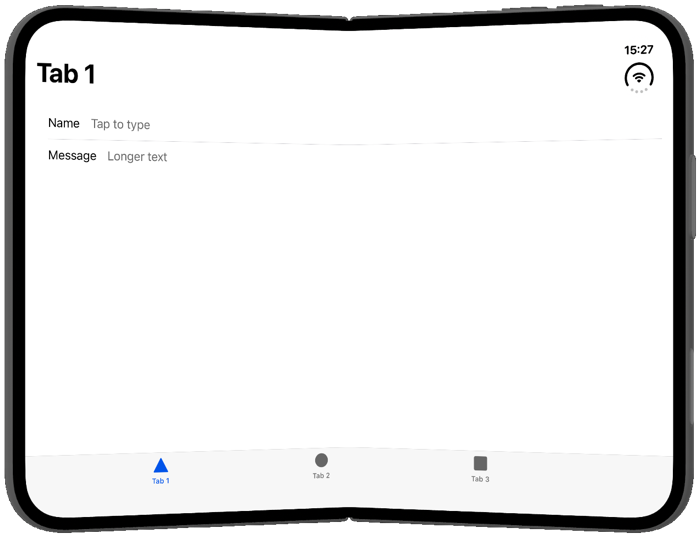
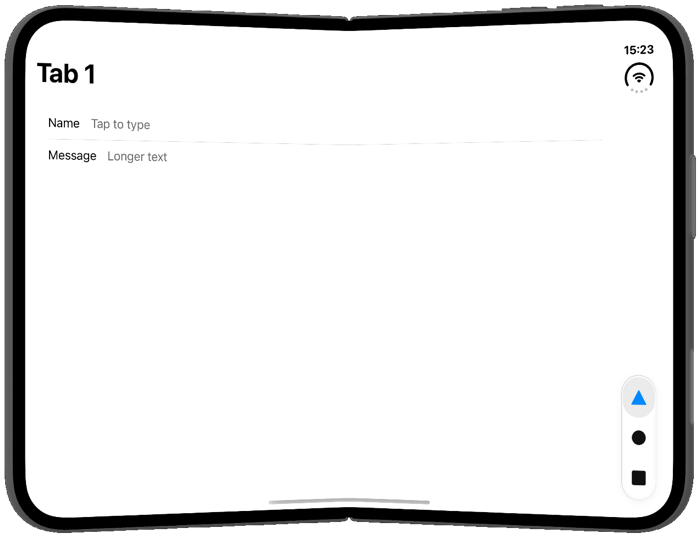
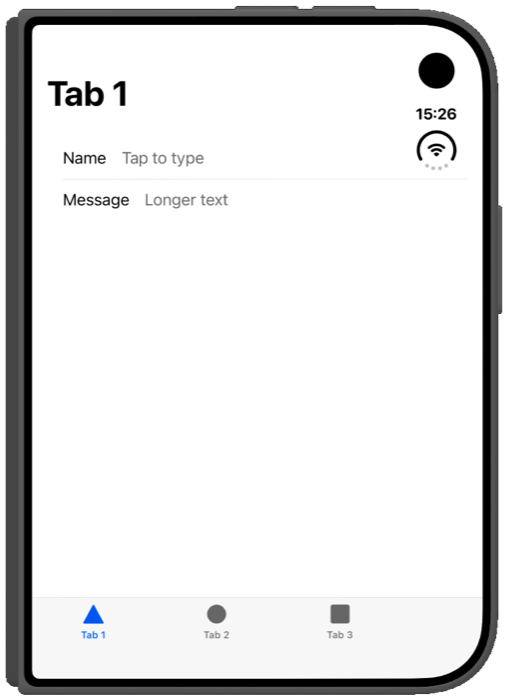
Using Ionic's ion-tabs? import '@erkamyaman/capacitor-foldable/ionic-tabs.css' moves it to the side the way native tab bars do on iPhone Duo. See Ionic tabs.
| Ionic tabs without the plugin | With ionic-tabs.css |
|---|---|
 |
 |
 |
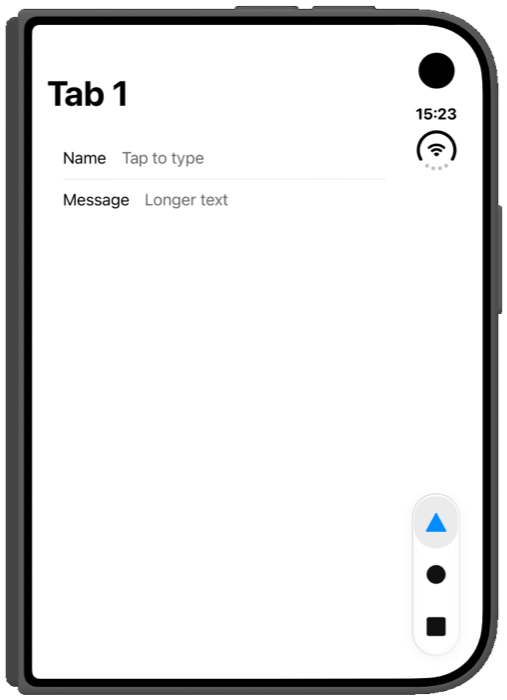 |
- Hinge Guess is a small game: fold the phone to a target angle and score how close you got. Ionic Angular, native tabs, and the plugin behind the dial.
- examples in this repo is a catalogue of one-file demos, one per API, laid out as two pages around the crease on iPhone Duo.
- example-app is the plain single-screen app that shows every value the plugin reports at once.
isDeviceFoldable()getFoldState()getHingeAngle()getReservedRegions()setVerticalBarBehavior(...)getSizeClass()getDisplayModes()getBarPlacement()startRearDisplay()stopRearDisplay()startDualScreen(...)stopDualScreen()addListener('foldStateChange', ...)addListener('hingeAngleChange', ...)addListener('sizeClassChange', ...)addListener('displayModeChange', ...)addListener('foldingChange', ...)addListener('barPlacementChange', ...)- Interfaces
- Type Aliases
isDeviceFoldable() => Promise<{ foldable: boolean; supportsTabletop: boolean; }>Whether the device has a fold at all, and whether it can be propped half
open like a laptop. Both false on web, and on iOS except on iPhone Duo
(iOS 27.1 or later).
Returns: Promise<{ foldable: boolean; supportsTabletop: boolean; }>
Since: 7.0.0
getFoldState() => Promise<FoldState>Read the current fold state. Resolves to
{ state: 'flat', isSeparating: false, posture: 'flat' } when there is no
fold information.
Returns: Promise<FoldState>
Since: 7.0.0
getHingeAngle() => Promise<{ angle: number | null; status: HingeStatus | null; }>Read the angle between the two halves of the device, in degrees: 0 when
closed, 180 when flat. Resolves to { angle: null } on devices without a
hinge angle sensor, on web, and on iOS before 27.1.
Returns: Promise<{ angle: number | null; status: HingeStatus | null; }>
Since: 7.0.0
getReservedRegions() => Promise<{ regions: ReservedRegion[]; }>Read every region the system reserves on this display: the fold and anything covering the screen, active or not. iPhone Duo reports the fold, the vertical status bar area and the under-display camera. Resolves to an empty list on Android, on web and on iOS before 27.1.
Returns: Promise<{ regions: ReservedRegion[]; }>
Since: 8.2.0
setVerticalBarBehavior(options: { behavior: 'automatic' | 'disabled'; }) => Promise<{ applied: boolean; }>Choose whether iPhone Duo may move this app's bars to the side of the
display. 'disabled' keeps everything horizontal, including the status
bar. Resolves to { applied: false } when the app does not use
FoldableBridgeViewController, on Android, on web and on iOS before 27.1.
See the iPhone Duo guide for the one-line storyboard change.
| Param | Type |
|---|---|
options |
{ behavior: 'automatic' | 'disabled'; } |
Returns: Promise<{ applied: boolean; }>
Since: 8.2.0
getSizeClass() => Promise<SizeClass>Read the window's size classes: Apple's compact and regular, the signal its
iPhone Duo guidelines recommend for telling the outer display from the inner
one, and Material's width and height classes. On iOS horizontal and
vertical are UIKit's size classes; everything else comes from the window
size.
Returns: Promise<SizeClass>
Since: 7.0.0
getDisplayModes() => Promise<DisplayModes>Read which of the foldable display modes the device offers right now. Both
are 'unsupported' on iOS and web.
Returns: Promise<DisplayModes>
Since: 7.0.0
getBarPlacement() => Promise<BarPlacement>Read where native bars go. Native tab bars and toolbars move to the side of the display on iPhone Duo, but HTML ones stay put, so use this to move your own tab bar too.
Returns: Promise<BarPlacement>
Since: 7.0.0
startRearDisplay() => Promise<void>Move the app to the outer display. Android asks the user to confirm first,
and the promise resolves once the app has moved. Rejects when rear display
mode is not 'available'. Only on Android.
Since: 7.0.0
stopRearDisplay() => Promise<void>Move the app back to the inner display.
Since: 7.0.0
startDualScreen(options: { url: string; }) => Promise<void>Show a page on the outer display while the app stays on the inner one. A
relative url resolves against the app's own URL, so 'cover.html' loads a
page bundled with the app. The page runs in its own web view without access
to Capacitor plugins. Calling this again while dual-screen mode is active
replaces the page. Only on Android.
| Param | Type |
|---|---|
options |
{ url: string; } |
Since: 7.0.0
stopDualScreen() => Promise<void>Close the page on the outer display.
Since: 7.0.0
addListener(eventName: 'foldStateChange', listenerFunc: (state: FoldState) => void) => Promise<PluginListenerHandle>Listen for fold state changes. On a foldable this also fires when the
device rotates, because hingeOrientation and hingeBounds rotate with
the window.
| Param | Type |
|---|---|
eventName |
'foldStateChange' |
listenerFunc |
(state: FoldState) => void |
Returns: Promise<PluginListenerHandle>
Since: 7.0.0
addListener(eventName: 'hingeAngleChange', listenerFunc: (event: { angle: number; }) => void) => Promise<PluginListenerHandle>Listen for hinge angle changes. On Android the hinge sensor only runs while at least one of these listeners is registered. On iOS it fires on iPhone Duo (iOS 27.1 or later). Never fires on web.
| Param | Type |
|---|---|
eventName |
'hingeAngleChange' |
listenerFunc |
(event: { angle: number; }) => void |
Returns: Promise<PluginListenerHandle>
Since: 7.0.0
addListener(eventName: 'sizeClassChange', listenerFunc: (sizeClass: SizeClass) => void) => Promise<PluginListenerHandle>Listen for size class changes, such as unfolding the device, rotating it or
resizing the window. On iOS this fires when UIKit's size classes change
(iOS 17 or later) or the device rotates, so a resize that keeps the same
size classes may not update widthClass and heightClass until then.
| Param | Type |
|---|---|
eventName |
'sizeClassChange' |
listenerFunc |
(sizeClass: SizeClass) => void |
Returns: Promise<PluginListenerHandle>
Since: 7.0.0
addListener(eventName: 'displayModeChange', listenerFunc: (modes: DisplayModes) => void) => Promise<PluginListenerHandle>Listen for changes to the display modes, including a mode ending because the user folded or unfolded the device. Never fires on iOS and web.
| Param | Type |
|---|---|
eventName |
'displayModeChange' |
listenerFunc |
(modes: DisplayModes) => void |
Returns: Promise<PluginListenerHandle>
Since: 7.0.0
addListener(eventName: 'foldingChange', listenerFunc: (event: { folding: boolean; }) => void) => Promise<PluginListenerHandle>Listen for the device being folded or unfolded. folding turns true as
soon as the hinge starts moving and false about half a second after it
stops, so an app can pause animations or heavy work while the screen is in
motion. Only fires where a hinge angle is available: Android foldables with
a hinge sensor, and iPhone Duo on iOS 27.1 or later.
| Param | Type |
|---|---|
eventName |
'foldingChange' |
listenerFunc |
(event: { folding: boolean; }) => void |
Returns: Promise<PluginListenerHandle>
Since: 8.2.0
addListener(eventName: 'barPlacementChange', listenerFunc: (placement: BarPlacement) => void) => Promise<PluginListenerHandle>Listen for bar placement changes, such as opening or rotating iPhone Duo. Only fires on iOS 27.1 or later.
| Param | Type |
|---|---|
eventName |
'barPlacementChange' |
listenerFunc |
(placement: BarPlacement) => void |
Returns: Promise<PluginListenerHandle>
Since: 7.0.0
| Prop | Type | Description | Since |
|---|---|---|---|
state |
'flat' | 'half-opened' | 'closed' |
Posture of the fold. 'closed' is never reported today: a device shut on its cover display reports 'flat'. |
7.0.0 |
isSeparating |
boolean |
Whether the fold splits the web view into two areas: true when half-opened, or when the hinge has a physical gap. |
7.0.0 |
posture |
'flat' | 'tabletop' | 'book' |
How the device is held: 'tabletop' when half-opened with a horizontal hinge, like a laptop, 'book' when half-opened with a vertical hinge, and 'flat' otherwise. |
7.0.0 |
hingeOrientation |
'horizontal' | 'vertical' |
Direction of the hinge relative to the window, so it flips when the device rotates. Omitted when there is no fold. | 7.0.0 |
hingeBounds |
{ x: number; y: number; width: number; height: number; } |
Position of the fold in CSS pixels, relative to the web view. Zero wide (or zero tall) on a seamless fold. Omitted when there is no fold. | 7.0.0 |
occludedBounds |
{ x: number; y: number; width: number; height: number; } |
Area of the web view the hinge covers, in CSS pixels. Only present on devices with a physical gap. | 7.0.0 |
activeDisplay |
'inner' | 'outer' |
Which display is showing the app, on a device with an inner and an outer display such as iPhone Duo. Reported on iPhone Duo (iOS 27.1 or later) and omitted elsewhere. | 7.0.0 |
cameraBounds |
{ x: number; y: number; width: number; height: number; }[] |
Areas of the web view something covers, in CSS pixels. On Android these are the display cutouts. On iPhone Duo these are the active occlusion regions: the camera in use, and the strip the system keeps for the vertical status bar. Use getReservedRegions() when you need to tell them apart. Omitted when there are none. |
7.0.0 |
hingeMargins |
{ top: number; right: number; bottom: number; left: number; } |
Space the system asks you to keep clear around the fold, in CSS pixels. hingeBounds covers the crease plus these margins, so the crease itself is hingeBounds shrunk by them. iPhone Duo reports 20 on each side of a vertical fold. Omitted on Android and where there is no fold. |
8.2.0 |
| Prop | Type | Description | Since |
|---|---|---|---|
kind |
'division' | 'occlusion' |
'division' is the fold itself. 'occlusion' is something covering the display, such as a camera or the vertical status bar area. |
8.2.0 |
isActive |
boolean |
Whether the region applies right now. An inactive division is a flat fold, and an inactive occlusion is a camera that is not in use. | 8.2.0 |
x |
number |
||
y |
number |
||
width |
number |
||
height |
number |
||
margins |
{ top: number; right: number; bottom: number; left: number; } |
Space to keep clear around the region, in CSS pixels. | 8.2.0 |
| Prop | Type | Description | Since |
|---|---|---|---|
horizontal |
'compact' | 'regular' |
Width size class of the window: 'compact' on a phone and on the outer display of a foldable, 'regular' on the inner display, tablets and wide windows. On Android and web 'regular' starts at 600 CSS pixels. |
7.0.0 |
vertical |
'compact' | 'regular' |
Height size class of the window: 'compact' on a phone in landscape. On Android and web 'regular' starts at 480 CSS pixels. |
7.0.0 |
widthClass |
'compact' | 'medium' | 'expanded' | 'large' | 'extraLarge' |
Material window width class, from the window width in CSS pixels: 'compact' below 600, 'medium' below 840, 'expanded' below 1200, 'large' below 1600 and 'extraLarge' from 1600. |
7.0.0 |
heightClass |
'compact' | 'medium' | 'expanded' |
Material window height class, from the window height in CSS pixels: 'compact' below 480, 'medium' below 900 and 'expanded' from 900. |
7.0.0 |
| Prop | Type | Description | Since |
|---|---|---|---|
rearDisplay |
DisplayModeStatus |
Rear display mode moves the app to the outer display, so people can frame a photo with the rear cameras. Only on Android foldables that offer it. | 7.0.0 |
dualScreen |
DisplayModeStatus |
Dual-screen mode shows a second page on the outer display while the app stays on the inner one. Only on Android foldables that offer it. | 7.0.0 |
| Prop | Type | Description | Since |
|---|---|---|---|
verticalBarEdge |
'leading' | 'trailing' | null |
The edge iPhone Duo moves tab bars and toolbars to when it lays them out vertically: 'leading' or 'trailing' in the reading direction, so 'leading' is the left edge in left-to-right languages. null when bars stay horizontal, and always on Android, web and iOS before 27.1. |
7.0.0 |
| Prop | Type |
|---|---|
remove |
() => Promise<void> |
How far open the hinge is, as the system sees it. Note that it can lag the
angle: iOS keeps reporting 'closed' for a moment after the phone opens.
'closed' | 'partiallyOpen' | 'fullyOpen'
'unsupported' | 'unavailable' | 'available' | 'active'