GPU-accelerated code animation tool that transforms source code into typing animation videos using Skia rendering.


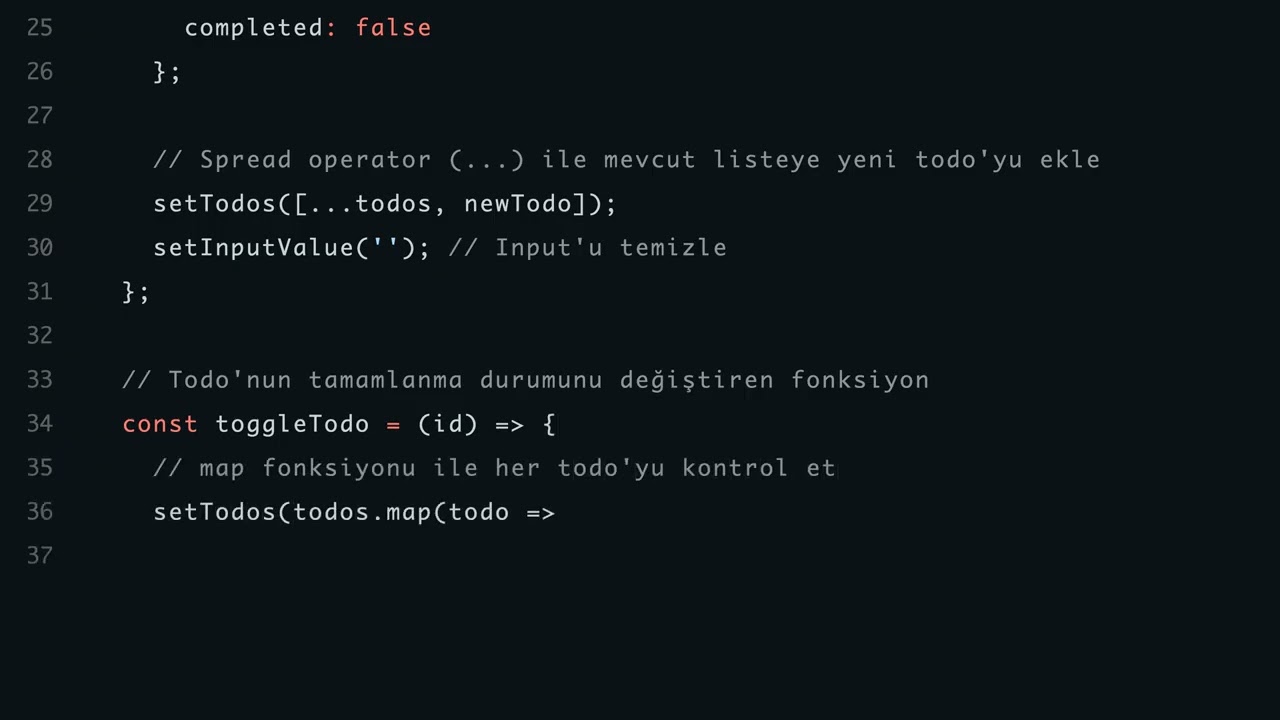
- GPU-accelerated rendering with Skia engine
- 50x faster than traditional animation libraries
- 150+ programming language support via Pygments
- 10 color themes (Monokai, Dracula, GitHub Dark, VS Code Dark, etc.)
- Automatic scrolling for long code files
- Line numbers display
- Adjustable typing speed (5-200 chars/sec)
- Custom resolution support up to 4K
- Motion blur and antialiasing
- Python 3.7+
- pip package manager
# Clone the repository
git clone https://github.com/enxgin/code-animation-studio.git
cd code-animation-studio

# Install dependencies
pip install -r requirements.txt
Required packages:
numpy- Array operationsopencv-python- Video encodingskia-python- GPU renderingPygments- Syntax highlightingtkinter- GUI (usually pre-installed with Python)
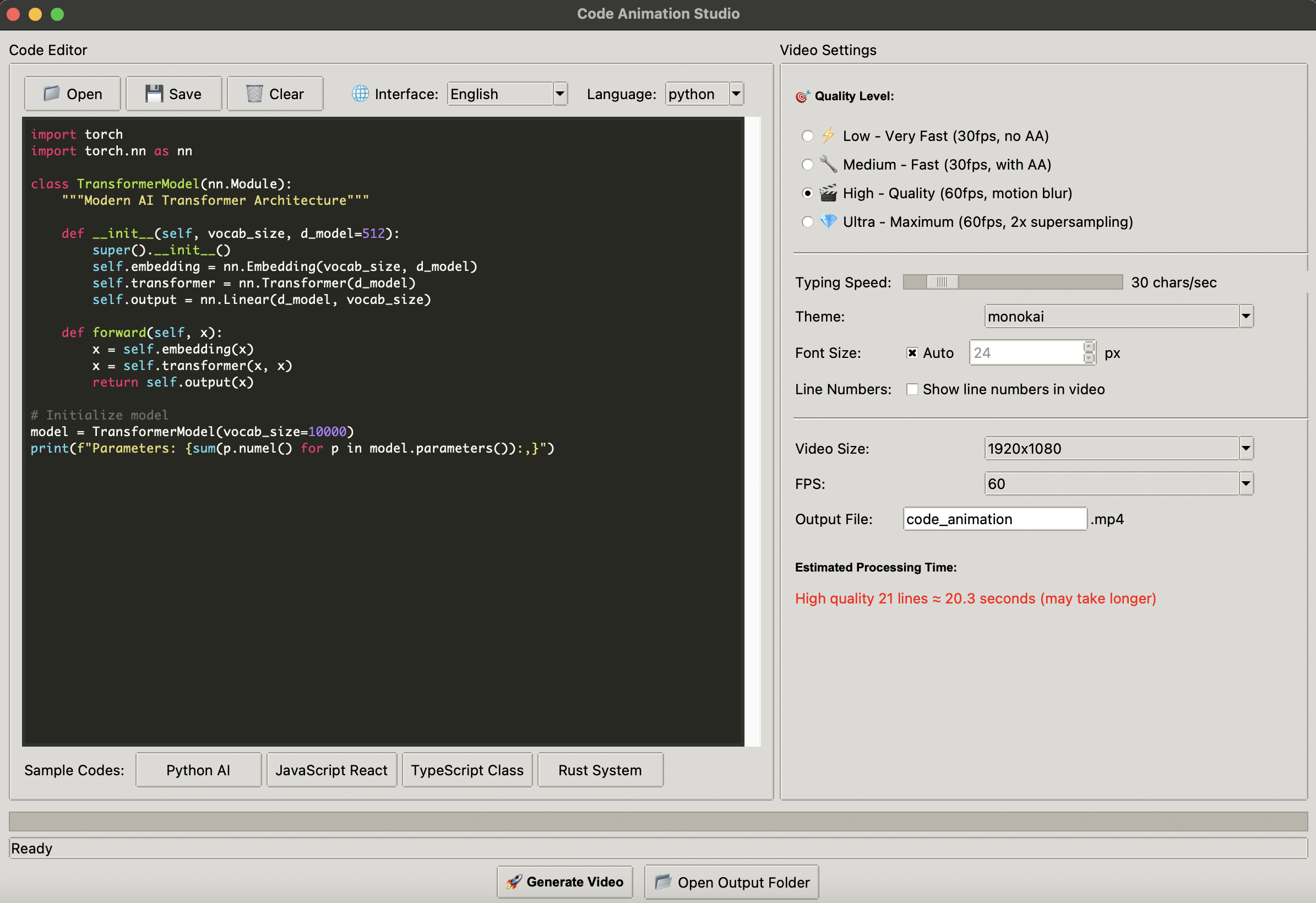
python gui.pyThe GUI provides:
- Code editor with syntax highlighting
- Real-time performance estimates
- Visual quality settings
- Theme preview
- Sample code templates
# Basic usage
python cli.py input.py -o output.mp4

# With options
python cli.py code.js --quality ultra --speed 20 --theme dracula --size 2560x1440| Quality | FPS | Features | Render Speed |
|---|---|---|---|
| Low | 30 | Basic rendering | ~230 fps |
| Medium | 30 | Antialiasing | ~215 fps |
| High | 60 | Motion blur, shadows | ~150 fps |
| Ultra | 60 | 2x supersampling | ~100 fps |
| Option | Description | Default |
|---|---|---|
-o, --output |
Output video file | code_animation.mp4 |
-q, --quality |
Quality level (low/medium/high/ultra) | high |
-l, --language |
Programming language | Auto-detect |
-s, --speed |
Typing speed (chars/sec) | 15 |
-t, --theme |
Color theme | monokai |
--font-size |
Font size in pixels | Auto |
--size |
Video resolution | 1920x1080 |
--fps |
Frames per second | 60 |
- Monokai
- Dracula
- GitHub Dark
- VS Code Dark
- Solarized Dark
- One Dark
- Nord
- Gruvbox Dark
- Tokyo Night
- Material Ocean
Rendering time for 100 lines of code:
| Resolution | Low | Medium | High | Ultra |
|---|---|---|---|---|
| 720p | ~1.5s | ~1.8s | ~3s | ~4.5s |
| 1080p | ~2s | ~2.4s | ~4s | ~6s |
| 1440p | ~2.5s | ~3s | ~5s | ~7.5s |
| 4K | ~4s | ~4.8s | ~8s | ~12s |
code-animation-studio/
├── render.py        # Core rendering engine
├── gui.py          # GUI application
├── cli.py          # CLI interface
├── requirements.txt # Dependencies
└── README.md       # Documentation
- Input: Code file or string
- Tokenization: Pygments analyzes code syntax
- Rendering: Skia GPU renders each frame with typing effect
- Encoding: OpenCV creates MP4 video
Add your theme to the THEMES dictionary in render.py:
THEMES["my_theme"] = {
    "background": 0xFF000000,
    "text": 0xFFFFFFFF,
    "cursor": 0xFFFFFFFF,
    "colors": {
        Token.Keyword: 0xFFF92672,
        Token.String: 0xFFE6DB74,
        # Add more token colors
    }
}Slow rendering:
- Lower quality setting
- Reduce resolution
- Increase typing speed
Memory issues:
- Use lower quality for long videos
- Process in smaller chunks
Font issues:
- Install Monaco (macOS) or Consolas (Windows)
MIT License