

Handles project folder creation and deletion with ease inside the Unity editor.
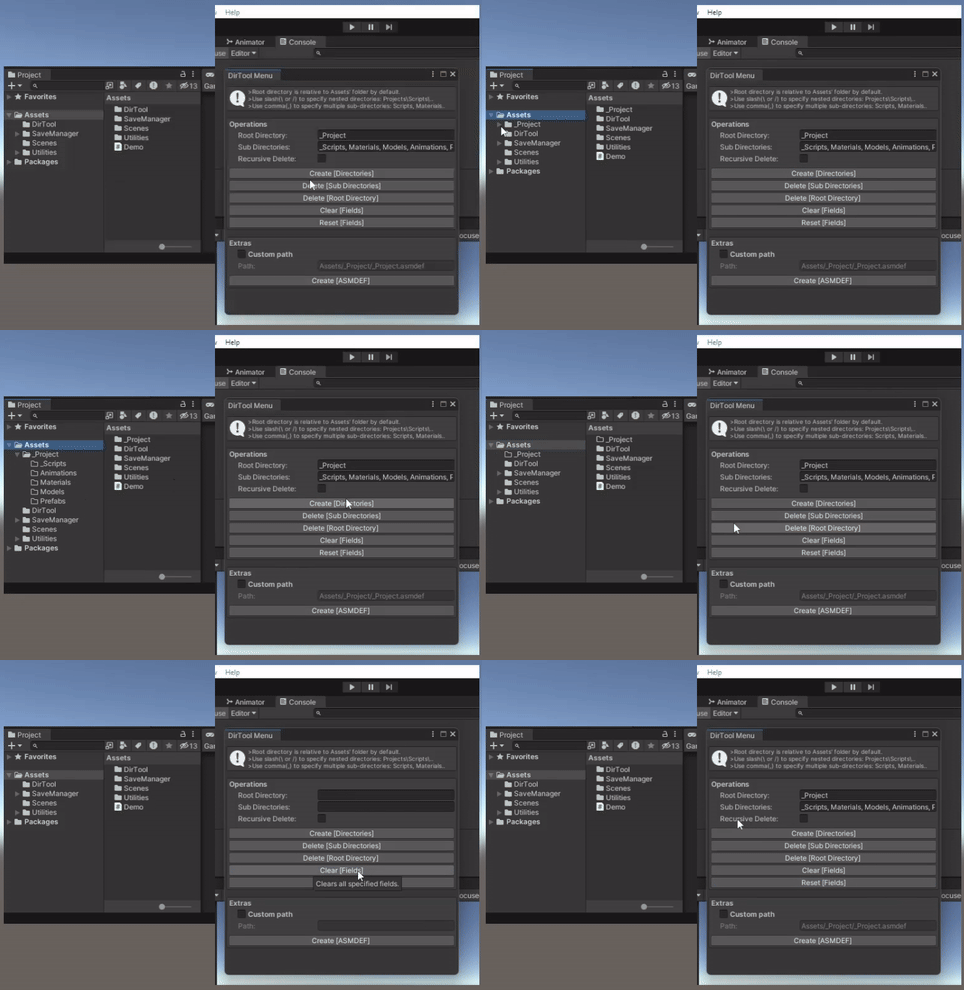
Inside the Unity Editor using the Package Manager:
- Click the (+) button in the Package Manager and select "Add package from Git URL" (requires Unity 2019.4 or later).
- Paste the Git URL of this package into the input box:
- Click Add to install the package.
Navigate to:
Racer > DirTool > Menu
- After successful installation, use this option to launch the Editor window.
Navigate to:
Racer > DirTool > Quick Create
- A convenient dropdown option for quickly creating folders based on the values provided in the Root Directory and Sub-Directories fields.
Navigate to:
Racer > DirTool > Remove package
- Instantly uninstalls the package, removing all associated assets and metadata.
-
Creates a root folder along with any nested sub-folders, using values from the Root Directory and Sub-Directories fields.
-
The Root Directory can include nested paths using slashes:
e.g.,Project/Root -
You must provide Sub-Directories (and optionally a Root Directory) since this operation primarily targets the creation of sub-directories.
-
Leaving the Root Directory field empty will place the sub-directories directly under the
Assets/folder:
e.g.,Assets/[Sub-Directories]
-
Deletes only the Sub-Directories specified, leaving the Root Directory intact.
-
Example: Given
Root Directory:Project/and Sub-Directories:Models, Scripts, onlyModelsandScriptswill be deleted; theProject/folder and any unrelated sub-folders will remain. -
You must provide Sub-Directories (and optionally a Root Directory) as this operation focuses on removing sub-folders.
-
If the Root Directory is left empty, the tool will delete matching Sub-Directories relative to the
Assets/folder.
-
Deletes the Root Directory along with any specified Sub-Directories.
-
If a nested path like
Project/Modelsis provided as the Root Directory, the deletion will begin fromModels/but stop atProject/. -
Supplying
Projects/will delete the entireProjects/directory and its contents, effectively terminating at theAssets/level. -
In this case, the Sub-Directories field may be left empty, as the operation's focus is on the Root Directory.
Note: The
Assets/directory itself cannot be deleted.
-
Creates an Assembly Definition (
.asmdef) file at the location specified in the Root Directory field. -
To use a custom path, prefix it with:
Assets/[your_desired_path]
-
All operations above also support existing directories in your project.
-
Use the Recursive Delete toggle to control whether parent directories containing nested folders should be fully removed.
-
Avoid trailing slashes (
/or\) in the Root Directory field.- For example, use
Project/Scriptsinstead ofProject/Scripts/.
- For example, use
-
To fully remove this package (without leaving any trace), go to:
Racer > DirTool > Remove package
Contributions are welcome! Please open an issue or submit a pull request.