
English · 日本語 · 繁體中文 · 简体中文 · Deutsch · Français · Español
A Hugo theme with a kawaii look, a dark mode, and small animations throughout.
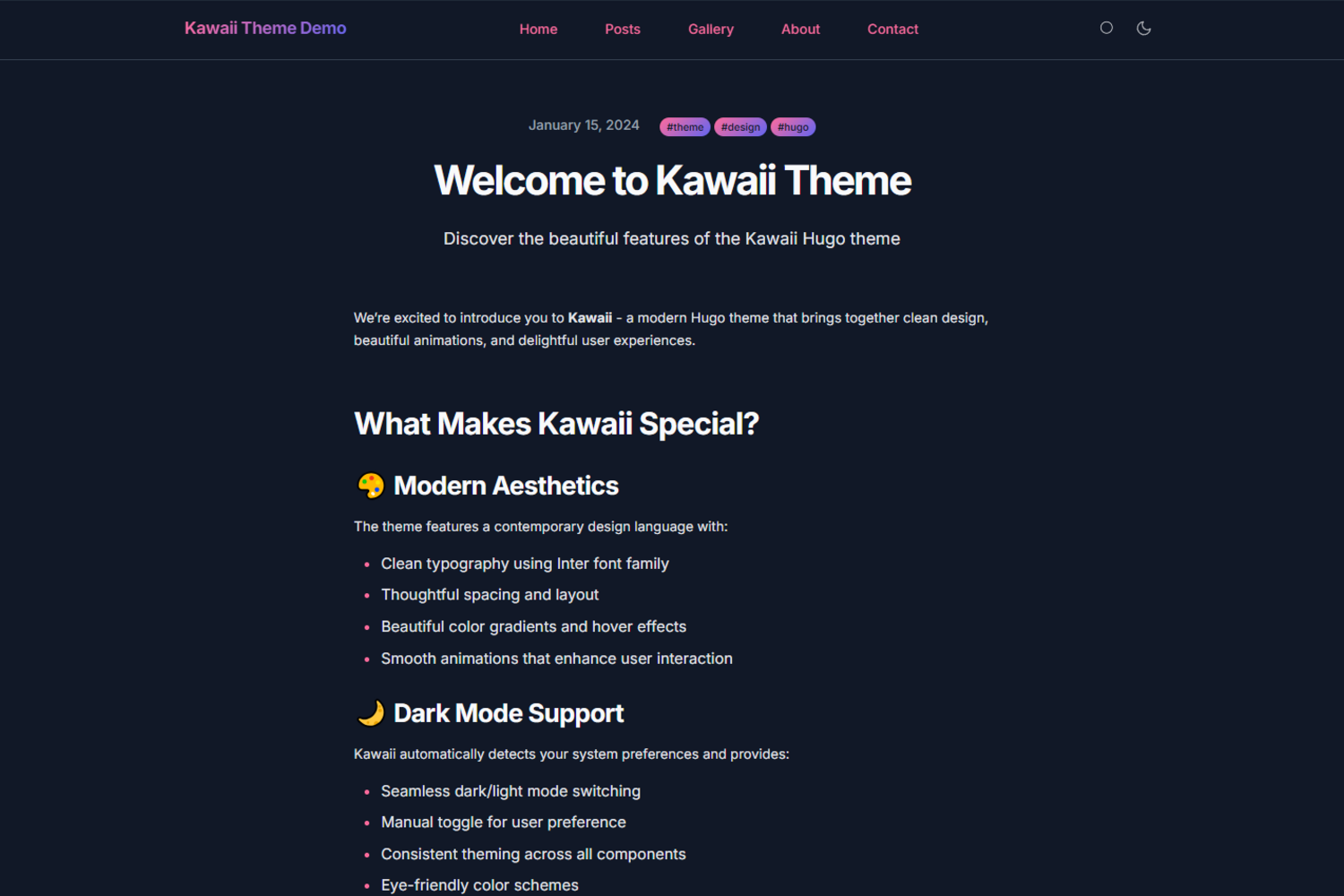
A live demo shows the theme in use, and the exampleSite directory contains a complete working site.


The layout is responsive and mobile-first, set in clean type with smooth animations and micro-interactions. Dark mode follows the system preference and can also be toggled by hand. Search runs entirely on the client. The markup is built with accessibility in mind, including keyboard navigation, and the theme aims for WCAG compliance. Colors, fonts and layout are driven by CSS custom properties, so they are easy to change, and the repository ships a full example site to start from.
-
Add the theme as a submodule:
git submodule add https://github.com/didvc/hugo-kawaii.git themes/kawaii
-
Set it in your
hugo.toml:theme = "kawaii"
-
Start the site:
hugo server
Hugo Extended 0.147.0 or later, and Git to install the theme.
baseURL = "https://yoursite.com"
locale = "en-us"
title = "Your Site Title"
theme = "kawaii"

[params]
  description = "Your site description"
  author = "Your Name"

  # Theme features
  theme_toggle = true    # Enable dark mode toggle
  search = true         # Enable search functionality

  # Hero section
  hero_cta = "Get Started"
hero_cta_link = "posts/"[[params.social]]
name = "github"
url = "https://github.com/yourusername"
[[params.social]]
name = "twitter"
url = "https://twitter.com/yourusername"[menu]
[[menu.main]]
name = "Home"
url = "/"
weight = 10
[[menu.main]]
name = "Posts"
url = "/posts"
weight = 20[[params.featured_sections]]
title = "Modern Design"
description = "Clean and beautiful aesthetics"
icon = "✨"
link = "about/"Override the CSS variables to change the colors:
/* assets/css/custom.css */
:root {
  --kawaii-primary: #your-primary-color;
  --kawaii-secondary: #your-secondary-color;
  --kawaii-accent: #your-accent-color;
}Change the typography through the font variables:
:root {
  --kawaii-font-family: 'Your Font', sans-serif;
  --kawaii-font-mono: 'Your Mono Font', monospace;
}---
title: "Your Post Title"
date: 2024-01-15T10:00:00Z
description: "Post description for SEO"
tags: ["tag1", "tag2", "tag3"]
featured_image: "/images/featured.jpg"
---content/
├── _index.md # Homepage content
├── about/
│ └── _index.md # About page
├── posts/
│ ├── _index.md # Posts listing page
│ ├── post-1.md # Individual posts
│ └── post-2.md
└── contact/
└── _index.md # Contact page
The theme targets a Lighthouse score of 100 in Performance, Accessibility, Best Practices and SEO. CSS and JavaScript together come to under 50 KB, and pages load in under a second on a modern connection.
Chrome or Chromium 88+, Firefox 85+, Safari 14+ and Edge 88+.
Bug reports and feature requests are welcome through the bug report and feature request templates; ideas can also go to Discussions. For code, fork the repository, work on a feature branch following the existing style, test against the example site, and open a pull request that describes the change. Improvements to the documentation and examples, and write-ups of your own customizations, are just as welcome.
-
Fork and clone the repository:
git clone https://github.com/didvc/hugo-kawaii.git cd hugo-kawaii -
Create a test site:
hugo new site test-site cd test-site ln -s ../../../hugo-kawaii themes/kawaii -
Copy the example configuration:
cp themes/kawaii/exampleSite/hugo.toml .
cp -r themes/kawaii/exampleSite/content .
-
Start the development server:
hugo server --theme kawaii
Planned: multi-language support (i18n), more advanced search, additional color schemes, and further work on animations and performance.
Usage is covered by this README and the example site. Questions and problems go to GitHub Issues or GitHub Discussions; for general Hugo questions, see the Hugo forum, the Hugo documentation and the Hugo themes directory.
Built on Hugo. Typeset in Inter by Rasmus Andersson and JetBrains Mono, with icons from Feather Icons.
Released under the MIT License.
- astro-html-editor: Self-hosted HTML editor with live preview. Astro SSR + plain JavaScript, server-side file persistence.
- html-bio-generator: A modern, intuitive tool for creating beautiful HTML bio pages with ease. Built with Next.js, TypeScript, and Tailwind CSS. Perfect for developers, freelancers, and content creators.
- cf-cache-utils: CLI to warm and inspect Cloudflare edge cache status across all your URLs; no external dependencies, pure Node.js
- uptime-mon: Lightweight single-binary endpoint uptime monitor. Probes HTTP, keyword, ICMP and TCP targets on a schedule, appends results as zstd-compressed InfluxDB line protocol, and reads them back in a terminal UI. No web server, no database, no alerting.
- didvc: Aesthetic Vulpes, Tokyo | a 20s Japanese fox #arts #music #provenance | 2027 Profile README