Server & Application
This is how to set python flask server.
Download python at http://www.python.org/downloads

-
Upgrade python
pip install --upgrade pip
-
Install python flask
pip install flask
- Receive image from App
def handle_request():
    imagefile = flask.request.files['image']
    filename = werkzeug.utils.secure_filename(imagefile.filename)
    print("\nReceived image File name : " + imagefile.filename)
    imagefile.save("static/img/"+ imagefile.filename)
return "image received"- Send image to App
@app.route('/imgToHtml')
def image_to_html():
return render_template('img.html',image_file="img/androidFlask.jpg")This is smart coordinator application.

- Start Screen
Moving GIF image used Glide - Closet Scren
If you click light button in closet screen, change to closet layout.
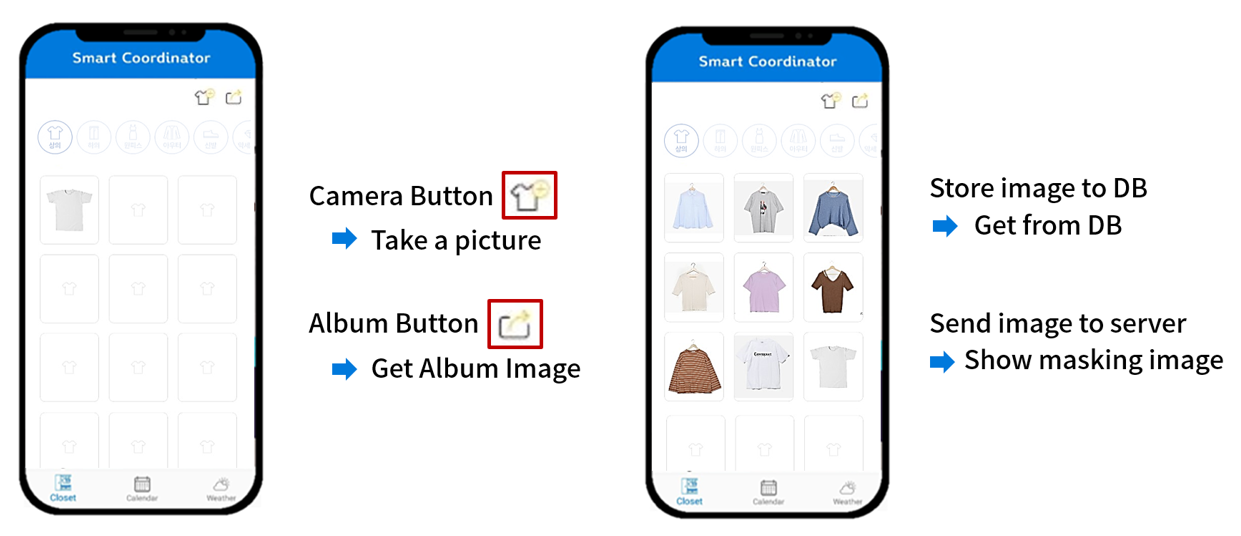
- If you click camera or album button, you can upload image.
Masked images appear in the application. - If clothes are clicked, recommend clothes that match them.
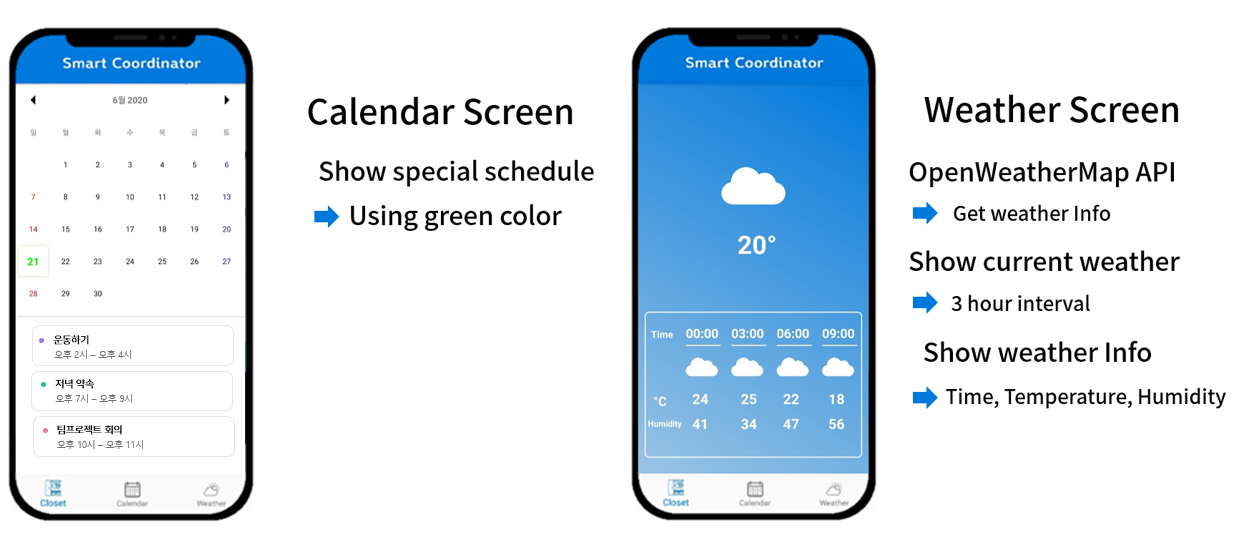
- Calendar layout
You can save and check your schedule.
Used material calendar view - Weather layout
Based on the current location, the weather appears every three hours.
Used openWeatherMap API
Copyright 2020 jungyg1228 (YouJi Jeong)

Licensed under the Apache License, Version 2.0 (the "License");
you may not use this file except in compliance with the License.
You may obtain a copy of the License at

    http://www.apache.org/licenses/LICENSE-2.0

Unless required by applicable law or agreed to in writing, software
distributed under the License is distributed on an "AS IS" BASIS,
WITHOUT WARRANTIES OR CONDITIONS OF ANY KIND, either express or implied.
See the License for the specific language governing permissions and
limitations under the License.