- 依存パッケージをインストール
> yarn
- Googleにログイン
> npx clasp login
- Google App Scriptプロジェクト作成
> npx clasp create
? Create which script? sheets
Created new Google Sheet: https://drive.google.com/open?id=xxxxxxxxxxxxxxxxxxxxxgPJHewMcrcJO6Ag
Created new Google Sheets Add-on script: https://script.google.com/d/xxxxxxxxxxxxxxxxxx9iKeijH5RqW4YpNUTVngtEF3JY1tDjbgkJpJrO/edit
- 上記で作成されたスプレッドシートを開いて、
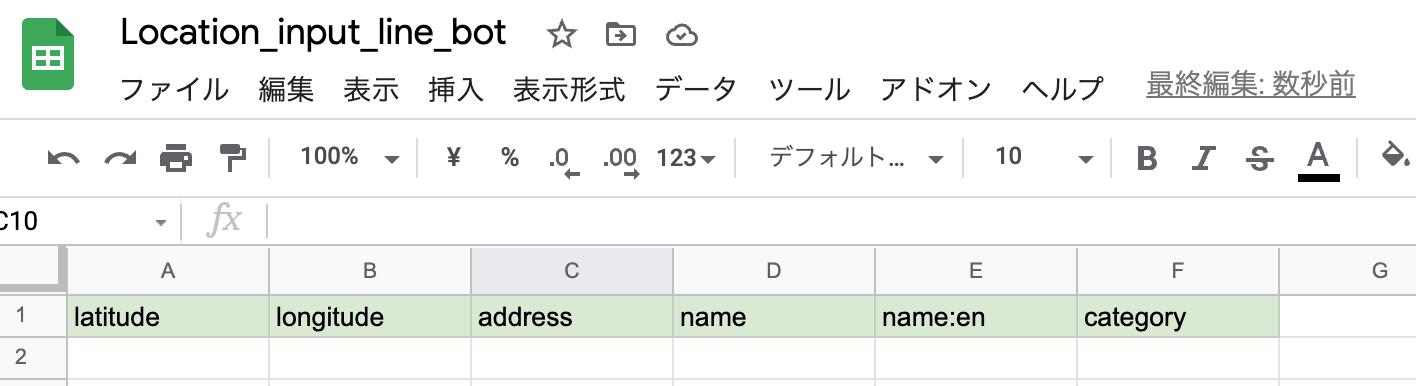
mapprintシートを作成- 1行目にヘッダ行を書き込む。
- A列 line_user_id
- B列 latitude
- C列 longitude
- D列 address
- E列 name
- F列 name:en
- G列 category
line_userシートを作成- 1行目にヘッダ行を書き込む。
- A列 line_user_id
- B列 language
- ソースコードをGoogle App Scriptへpushする。
> npx clasp push
? Manifest file has been updated. Do you want to push and overwrite? Yes
└─ appsscript.json
└─ line_bot.ts
Pushed 2 files.
- 秘匿情報を設定
npx clasp open でプロジェクトを開く。
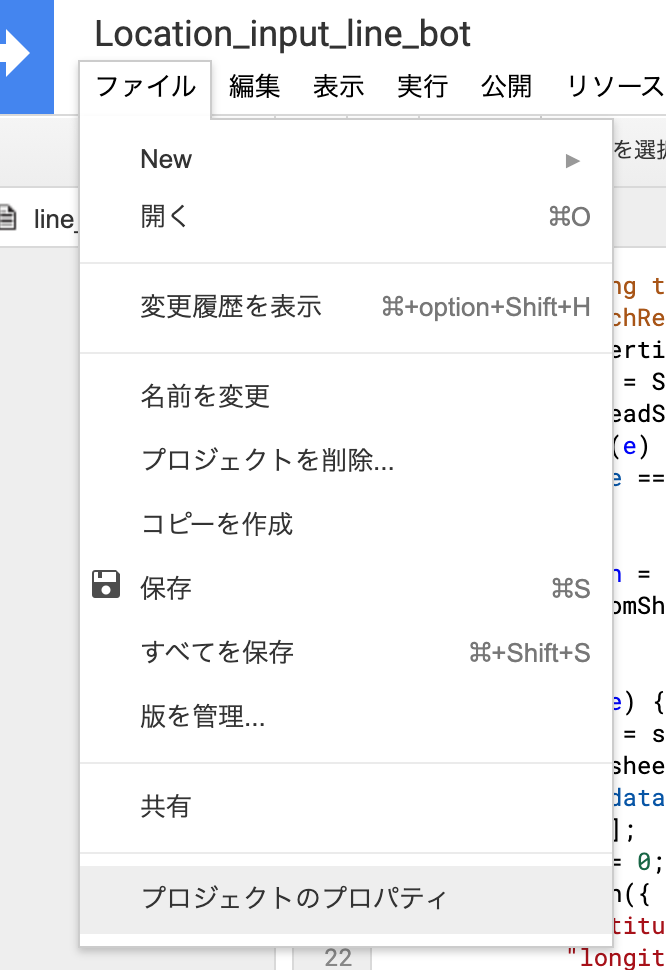
「以前のエディタを使用」をクリックし、ファイル→プロジェクトのプロパティ→スクリプトのプロパティで以下の4つのプロパティを設定する。 (この設定項目は新エディタでは2021年2月時点で用意されていないため。この秘匿情報の設定が終わったら元のエディタに戻してしまって問題ない)

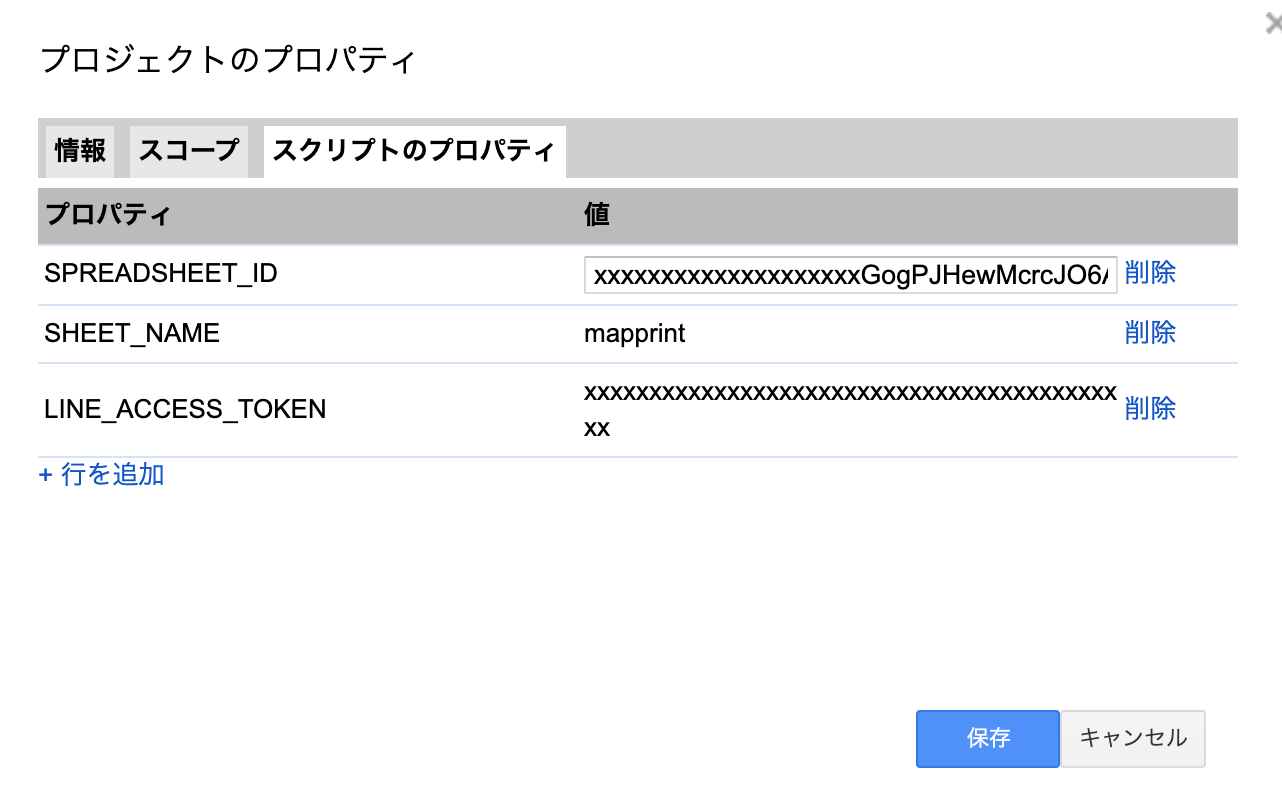
- LINE_ACCESS_TOKEN
- LINE DEVELOPERの管理画面で生成したトークン
- SPREADSHEET_ID
- GoogleSpreadsheetのID (
https://docs.google.com/spreadsheets/d/(.*)/editにあたる部分)
- GoogleSpreadsheetのID (
- SHEET_NAME
mapprint
- SHEET_NAME_USER
line_user
- デプロイする。
デプロイ→新しいデプロイから
- 種類の選択を「ウェブアプリ」
- アクセスできるユーザーを「全員」
としてデプロイする。
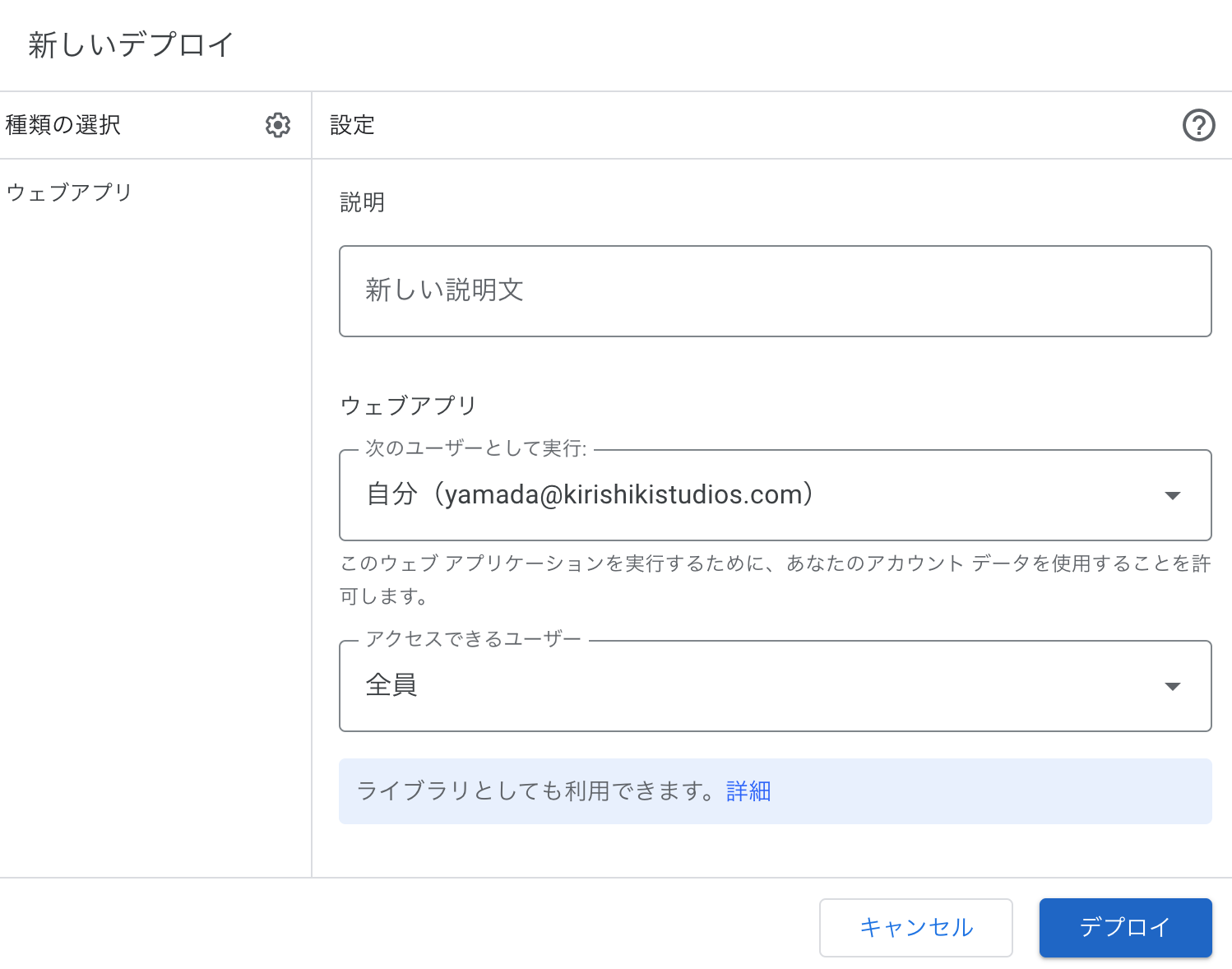
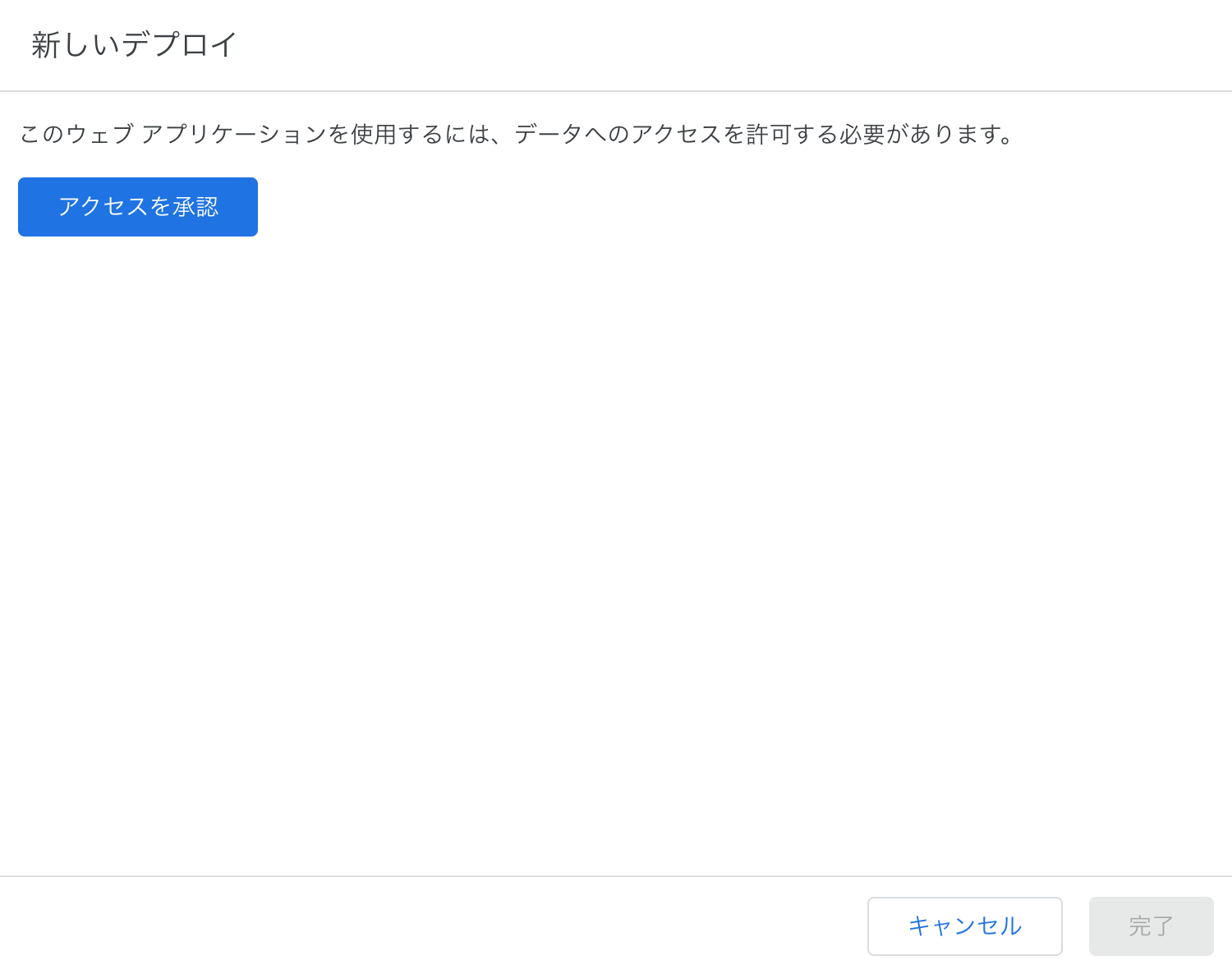
初回のデプロイ時はデータのアクセスを承認する必要があるので「アクセスを承認」のボタンを教えて先へ進む。
- webhookのURLをline botに設定
デプロイ完了後、ウェブアプリのURLをコピーし、LINE Botの管理画面でwebhookのURLとして設定する。
clasp deploy は毎回新しいURLを発行してしまうので、clasp pushした後はデプロイはウェブ画面から毎回行うのが良い