MIT · self-hosted · idea → shippable web product
Ecosystem landing · magic-ai-factory.com · Demo video · Build Replays · Factory hold · Gallery · Alien Monitor · Quick start



Pre-mainnet. The self-hosted pipeline and storefront are usable today. The on-chain payment-channel contracts under
contracts/are not yet deployed to mainnet — operator-side items (ZK trusted setup, external audit, multisig owner, supervisor RCA, CVE backlog) are tracked indocs/known-issues.md(KI-1…KI-5). Testnet drills and non-financial self-hosting are unaffected. SeeROADMAP.md.
AI-Factory turns one prompt into a shippable web product — a multi-agent pipeline (research → design → code → QA → deploy) with a built-in storefront, payment rails, and live observability. Self-hosted: your keys, your infra, your data.

↑ Watch on YouTube — same hero clip as magic-ai-factory.com
Primary: YouTube — Idea → agents → shippable product (embedded on the live homepage hero).
GitHub’s README viewer does not embed YouTube iframes — use the thumbnail above or open the link. For an offline / admin UI clip, use the MP4 below (recorded from production Admin).
| Where | How |
|---|---|
| YouTube | youtu.be/Gg9a52-ZbNA — marketing walkthrough |
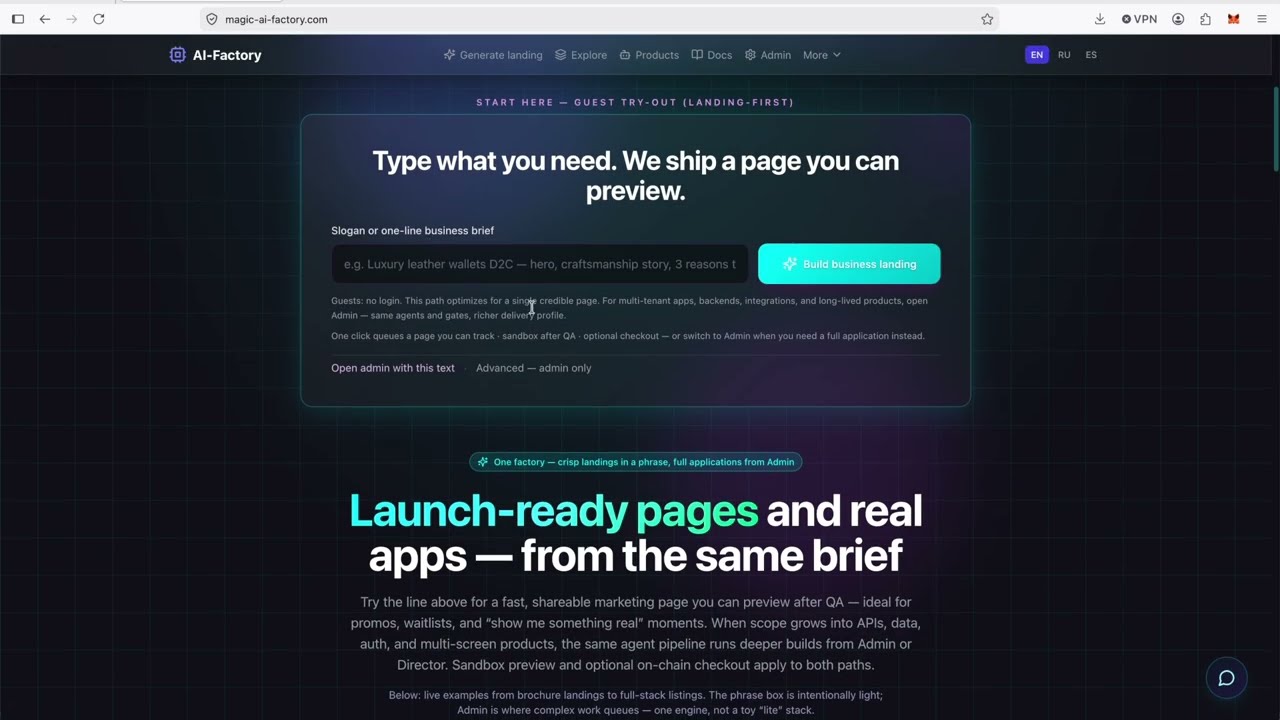
| Live site | magic-ai-factory.com — hero embed + guest landing try-out |
| Admin replay | Login → Live Monitor or Settings → Demo replay (when published) |
| Public API | GET /api/public/pipeline-demo-replay (uploaded clip, no auth) |
| Download | .mp4 · .webm |
| Regenerate admin clip | python scripts/record_pipeline_demo_video.py → python scripts/sync_demo_replay_from_recording.py |
Live 3D visualization of the AIMarket ecosystem — Hub, Factory, contracts, agents, and on-chain metrics in one interactive cosmic graph.
| Public demo | https://magic-ai-factory.com/monitor/ |
| Default mode | LIVE — polls Hub (:9083), Factory API (:9081), Prometheus (:9090), and chain RPC from .env |
| Local dev | cd alien-monitor && ./start.sh → http://localhost:5173 |
| Deploy on this host | ./scripts/deploy_alien_monitor.sh (Docker + nginx /monitor/) |
| Source | alien-monitor/ · satellite repo also on Gitea |
Switch TEST / LIVE / UNI in the top-right control bar. On the public demo, LIVE shows real stack metrics from the same server.
Capital-markets dashboard — live CapShare NAV, revenue indices, Proof-of-Audit (auditor cover, default risk), and WebSocket pricing from Factory.
| Public demo | https://magic-ai-factory.com/pulse/ |
| Local dev | cd apps/pulse-terminal && npm run dev → http://localhost:5199 |
| Deploy with Monitor | ./scripts/deploy_alien_monitor.sh (Docker + nginx /pulse/) |
| Source | apps/pulse-terminal/ · acex/ |
One sentence → a shippable web product (landing or full stack). Self-hosted.
Typical wall-clock (DeepSeek, no QA rework loops): marketing_landing ~20–25 min to first previewable code; full_software ~25–45 min for a simple brief, hours when gates iterate — FAQ & scope. Not a 15-second generator.
Typical LLM API cost: ~$0.30–$2 landing first pass; ~$3–$15+ full_software with QA cycles. Bring your own keys; host ~$7/mo separate.
Pipeline roles (one Python class each under agents/): Analyst, PM, Methodologist, Architect, Design Critic, Developer, DevOps, Evolution Analyst, Hardening, Marketing, Product Profile, QA, Sales, Security, Spec Quality Gate, plus base_agent.py. Most run in order; Methodologist / Design Critic / Hardening are conditional gates. The canonical sequence is config/pipeline_flow.json. Runtime adds a test gate, Playwright E2E, security scans, and storefront deployment.
git clone --recurse-submodules https://github.com/alexar76/aicom.git
# already cloned?  git submodule update --init coach
cd aicom && cp -n .env.example .env
docker compose up -d --build
# → http://localhost:9080/admin/login  (user: admin)
# → New product: type an idea, watch Admin → PipelineTry it out: https://magic-ai-factory.com
Alien Monitor (ecosystem 3D): https://magic-ai-factory.com/monitor/ — live Hub/Factory/Prometheus + chain metrics, no login required.
Demo Admin Access:
- URL: https://magic-ai-factory.com/admin/login
- Username:
admin - Password:
demo123
⚠️ Public demo disclaimer:demo123applies only to magic-ai-factory.com — a shared site, not your private factory. Production.envmust includeAIFACTORY_DEMO_READONLY=1so visitors cannot change the password, save Settings, or run factory backup/restore. See docs/security.md.
Self-hosted: bootstrap password (data/secrets/bootstrap_admin.txtor TTY prompt); leaveAIFACTORY_DEMO_READONLYunset or0.
There is no default password in the repo. On an empty data/ volume, the entrypoint runs bootstrap — password from the interactive console (TTY) or data/secrets/bootstrap_admin.txt on headless up -d. See docs/security.md.
Faster after the stack is up: ./demo.sh "SaaS for managing remote teams" (set DEMO_ADMIN_PASSWORD to your bootstrap password; opens Pipeline).
AI-Factory is a different shape from hosted builders like Bolt.new, Lovable, v0, or Devin: it’s a self-hosted MIT pipeline you run on your own box with your own LLM keys, and it persists artifacts, state, and gates on disk you control. Those products are polished hosted experiences and ship features we don’t have (cloud editor, team accounts, prebuilt integrations); we trade that for transparency, no per-seat pricing, and the option to fork. If you want zero-ops and a managed UI, use them. If you want the agents, gates, and storefront under your control, keep reading.
flowchart LR
A[💡 Idea] --> B[🔍 Discovery]
B --> C[📋 Analyst]
C --> D[📝 PM]
D --> E[🎨 Architect]
E --> F[👨💻 Developer]
F --> G[🧪 QA + E2E]
G --> H[🔒 Security]
H --> I[🚀 DevOps]
I --> J[📢 Marketing]
J --> K[💰 Sales]
K --> L[🔄 Evolution]
Full diagrams (runtime architecture, state machine, discovery, storefront gates, comparison tables): docs/architecture-diagrams.md.
Module boundaries, sandbox facade, scaling path: docs/architecture/module-boundaries.md, docs/architecture/scaling.md. Production startup guard: AIFACTORY_PROD=1 (refuses demo123 / admin123) — see docs/security.md.
AI-Factory is built around a ship-then-keep-improving loop — not “one shot and forget”:
- Ship — agents run the full pipeline (spec → code → QA/E2E → security → DevOps). A product reaches COMPLETED / DEPLOYED when it passes the gates at that moment.
- Gate failures before ship — demo/TZ, browser crawl, security, or methodologist findings send the product to
BUG_FOUND→DEV_FIXING. The developer agent retries with repair hints until gates pass or the repair budget is exhausted. - Keep improving after ship — already-shipped products are re-audited when marketplace/demo rules tighten (policy audit) or when they no longer meet storefront readiness (storefront remediation). Eligible products reopen on the same repair path instead of staying stale on the catalog.
- Bounded effort —
AIFACTORY_MAX_QUALITY_LOOPScaps how many remediation cycles one product may take beforeFAILED(config default 8 in quality settings; override in.env/ Compose). - Stronger model on hard repairs (optional) —
AIFACTORY_GATE_FAILING_MODELsets a provider-specific model id used only on repair rounds after at least one QA gate failure (quality_repair_round ≥ 1). It does not switch providers — only overrides the model name on the routed provider (e.g. DeepSeek-only:deepseek-v4-proordeepseek-reasoner; leave unset to use normal heavy/light routing).
The public homepage shows live counts via GET /api/public/pipeline-status (products in pipeline vs shipped) — same operational truth as Admin → Pipeline.
Details: docs/pipeline-operations.md (policy audit, storefront remediation, QA E2E).
Admin → Settings → Factory hold lets you pause the factory without shutting anything down. There are two distinct levels, and they behave differently on purpose:
| Level | How to set | What pauses | What keeps running |
|---|---|---|---|
| Soft hold | UI toggle / config general.factory_on_hold |
Director auto-enqueue (new autonomous ideas), batch-queue drain, and post-ship improvement work (market monitoring, refactor sprints, storefront re-remediation). In-flight autonomous products freeze on disk and resume when you switch back to RUNNING. | ✅ On-demand builds — anything a human explicitly requested: admin “New product” and the public guest fast-path landing generator. These keep building so the “type an idea → watch it build” experience (and the live demo) never silently stalls. |
| Hard stop | env AIFACTORY_FACTORY_ON_HOLD=1 |
Everything, including on-demand work. A true emergency kill switch — the pipeline worker bails out of every cycle. | — |
Why fast generation works under a soft hold: the soft hold is, by design, a pause on autonomous and post-ship work — not on work you explicitly asked for. Products created through the web API are tagged on_demand at creation (web/backend/main.py → _append_product_to_pipeline); the worker partitions each cycle and advances only those while a soft hold is active, re-attaching the paused (held) products before every save so nothing is lost. Classification lives in core/product_origin.py; the soft-vs-hard distinction in core/factory_hold.py (is_factory_on_hold vs is_factory_hard_stopped); the worker logic in pipeline_worker.py (_process_cycle).
Operator note: if you need to stop all spend/work immediately (incident, runaway cost), use the env hard stop — the UI soft hold intentionally still serves explicit on-demand requests. Soft hold is allowed in public demo mode (
AIFACTORY_DEMO_READONLY=1), so guests can still generate a landing while autonomous work is paused.
Full table, persistence, and admin banner behavior: docs/pipeline-operations.md.
Every build gets a public, shareable replay of how the agents made it — research → design → code → QA → security → deploy — as a step-by-step timeline you can scrub and play. No login.
| One build | https://magic-ai-factory.com/build/{id} — playable agent timeline + social card |
| Gallery feed | https://magic-ai-factory.com/builds — recent builds, one card each |
| JSON (one) | GET /api/public/build/{id} — sanitized stage timeline (no prompts/secrets/raw output) |
| JSON (feed) | GET /api/public/builds?limit=24 — slim cards for the gallery |
| Social card | auto-generated opengraph-image (1200×630 PNG) per build — link previews on X/Telegram/Slack |
The replay surface is a hard public boundary: it only ever emits a whitelist of safe scalar highlights (verdict, score, files, stack, findings, …) plus durations, gate/retry badges, and pass/fail — never agent prompts, raw output, error text, paths, or keys. Boundary lives in web/backend/services/build_replay.py; coverage in tests/test_build_replay_public.py.
Try without Docker: docs/sample-output/build-replay-spliteasy.json (static example). One command: ./scripts/quickstart.sh after clone.
Built pages only (1440×900 WebP): screenshots are /api/sandbox/file/…/index.html — refresh with python scripts/capture_gallery_landings.py (stack on http://127.0.0.1:9080). Details: docs/gallery/README.md.
|
 |
 |
|---|---|---|
 |
 |
 |
Full-stack demo tiles (fullstack-01.webp … 04): python scripts/capture_gallery_fullstack_packaging_demo.py — see docs/gallery/README.md.
Deploy & production
./scripts/deploy.sh appends missing keys to .env only (optional --public-url sets NEXT_PUBLIC_SITE_URL and AIFACTORY_CORS_ORIGINS; generates AIFACTORY_FIREWALL_RULES_FERNET_KEY when possible; defaults AIFACTORY_SANDBOX_PREVIEW_NETWORK_ISOLATION=1), then runs docker compose build + up -d app. Logic: scripts/fill_production_env.py (--dry-run supported).
chmod +x scripts/deploy.sh   # once
cp -n .env.example .env      # if you do not have .env yet
./scripts/deploy.sh --public-url https://your-factory.example.com
Why not fully automatic: the script cannot infer your real public URL without you (or your reverse proxy). Existing .env assignments are never overwritten so we do not clobber secrets you already set.
North star: turn a short plain-language brief into a presentable web page you can share — with quality gates (demo/TZ, browser smoke, optional marketplace rules) so sloppy stubs get reworked. One pipeline for everyone: autonomous mode starts with a dedicated Discovery layer (external signals → validation → scoring/ranking) before creating IDEA_RECEIVED; on-demand runs the same downstream stages.
See docs/product-concept.md for positioning, guarantees, default ~$4.99 USDT landing pricing when no product price is set, i18n (NEXT_PUBLIC_MARKETING_LOCALE), and fork branding. Homepage → Admin: phrase prefill and /admin?tab=new-product&idea=… — docs/marketing.md.
Production hostname notes: docs/production-domain.md (magic-ai-factory.com, nginx → Compose 9080).
| What | URL |
|---|---|
| App | http://localhost:9080 |
| API health | http://localhost:9081/api/health |
| Prometheus | http://localhost:9090 |
| Grafana | http://localhost:9082 |
Try it — prompts, demo.sh, packaging
Default mode is full product (full_software). Use What to ship for brochure-only, or ./demo.sh --landing from CLI.
| 💡 Prompt | Notes |
|---|---|
| SaaS for managing remote teams — dashboard, auth, API | Default = full stack |
| Echo / voice notes app with backend sync | Full product |
| Landing page for resume builder | Marketing landing page only in Admin, or ./demo.sh --landing "…" |
chmod +x demo.sh    # once
./demo.sh "SaaS for managing remote teams"          # default: full_software
./demo.sh --landing "Landing page for resume tool"   # brochure-only (faster)
./demo.sh --compose "SaaS dashboard MVP"             # Docker UI on :9080
Requires Docker + LLM keys in the container env. Opens Admin → Pipeline; a full run takes several minutes — visible autonomy, not instant magic.
- Auto-publish — After DevOps, optionally deploy
data/code/<product_id>/to Vercel, Netlify, or Cloudflare Pages (Admin → Settings → Auto-publish). Tokens via env (VERCEL_TOKEN,NETLIFY_AUTH_TOKEN,CLOUDFLARE_API_TOKEN). docs/auto-publish.md. Manual:python3 scripts/publish_product_now.py prod-…. - Full_software → cloud (e.g. Railway) — docs/deploy-full-software-cloud.md.
- Demo replay video —
python3 scripts/sync_demo_replay_from_recording.py. - Batch demos —
./batch-demo.sh. - “Built with AI-Factory” badge — Admin → Settings.
.venv/bin/python -m playwright install chromium   # once
.venv/bin/python scripts/capture_gallery_fullstack_packaging_demo.py
From a real pipeline product:
GALLERY_FS_PRODUCT_ID=prod-xxxxxxxxxxxx \
  .venv/bin/python scripts/capture_gallery_full_software.py
End-to-end demo seed: ./scripts/demo_seed_fullstack.sh
CI/CD, smoke tests & Discovery
Before screen recordings or streaming, avoid showing git remote -v if the URL embeds credentials. Prefer:
git remote set-url origin https://github.com/<you>/<repo>.git
- Gitea:
.gitea/workflows/deploy.yml - GitHub:
.github/workflows/ci.yml—pytest -q --cov+ coverage badge +npm run build - Pre-release: docs/github-release-checklist.md
docker compose exec -T app /app/venv/bin/python3 /app/scripts/full_pipeline_smoke.py <product_id>Enforces API/frontend health, tests/test_demo_quality_gates.py, and scripts/real_e2e_smoke.py (static / FastAPI / Docker preview — docs/pipeline-operations.md).
Policy audit: worker re-checks COMPLETED products when marketplace rules tighten (AIFACTORY_POLICY_AUDIT_* in .env.example).
- Engine:
director/discovery_pipeline.py - Flow: Signal Collector → Need Validation → Idea Scorecard → Ranked ideas →
IDEA_RECEIVED - Artifacts:
/app/data/discovery/signals.jsonl,ranked_ideas.json,weekly_digest.md - Continuous mode:
AIFACTORY_DISCOVERY_INTERVAL_HOURS
ai-company discover --top-k 5 --enqueue
POST /api/admin/discovery/run   # JWT; see OpenAPI /api/docs
Documentation index
- docs/USER_GUIDE.md — illustrated user guide
- docs/owner-guide.md — platform owner handbook
- docs/api-integration-guide.md — REST auth, curl examples
- docs/cli-reference.md — container CLI
- docs/README.md — index, admin navigation map
- docs/admin-guide.md — every Admin tab
- docs/FAQ.md · docs/FAQ.ru.md
- docs/known-issues.md — open items that can't be closed in-repo (ZK ceremony, external audit, supervisor root cause) — review before mainnet
- Screenshots:
cd web/frontend && npm run capture-docs-screenshots
Licensing: LICENSE (MIT), CONTRIBUTING.md, CODE_OF_CONDUCT.md, SECURITY.md
Quick Start (run.sh, data persistence)
mkdir -p ~/aicom-datachmod +x run.sh
./run.sh # build image & start container
./run.sh --no-build # skip rebuild if image exists
⚠️ Always userun.shfor persistence:~/aicom-data:/app/databind mount — products, LLM configs, and logs survive rebuilds.
docker run -d --name ai-factory --restart unless-stopped \
  -p 8080:8080 -p 8081:8081 \
  -v ~/aicom-data:/app/data \
  ai-factory:latest
Host Ollama:
docker compose -f docker-compose.yml -f docker-compose.host-gateway.yml up -d
🚨 Use bind mount
~/aicom-data:/app/data, NOT a Docker named volume — named volumes hide data from the host filesystem.
docker stop ai-factory && docker rm ai-factory
./run.sh --no-builddocker run -d --name temp-migrate \
-v aicom_data:/old-data:ro -v ~/aicom-data:/new-data alpine tail -f /dev/null
docker exec temp-migrate cp -a /old-data/. /new-data/
docker stop temp-migrate && docker rm temp-migrateDocker Compose (Prometheus + Grafana)
| Service | Published | Description |
|---|---|---|
| App | 9080 / 9081 | Frontend + backend + metrics |
| Prometheus | 9090 | Metrics |
| Grafana | 9082 | Dashboards |
cp .env.example .env
chmod +x run-compose.sh scripts/init-compose-volumes.sh
./scripts/init-compose-volumes.sh
./run-compose.sh --build| Service | URL | Credentials |
|---|---|---|
| App | http://localhost:9080 | admin — password from first-run bootstrap |
| Grafana | http://localhost:9082 | GRAFANA_ADMIN_USER / GRAFANA_ADMIN_PASSWORD |
Production checklist: set Grafana password, LLM keys in .env only, HTTPS reverse proxy, Stripe/webhook vars if billing — see docs/security.md.
Grafana: auto-provisioned AI Factory Overview dashboard (pipeline stats, task duration, Director decisions, LLM health).
./run-compose.sh --build
./run-compose.sh --down
./run-compose.sh --logs
SQLite is on by default in Compose (USE_SQLITE=true); entrypoint migrates pipeline.json when present. Data in ./data bind mount.
Access, Admin API, agents & states
| Service | URL (Compose) | Port |
|---|---|---|
| Frontend | http://localhost:9080 | 9080 |
| Backend API | http://localhost:9081 | 9081 |
- URL: http://localhost:9080/admin/login
- Login:
admin— password from first-run bootstrap (console ordata/secrets/bootstrap_admin.txt)
GET /api/health— Health checkGET /api/products— List published productsGET /api/products/{id}— Product detailsPOST /api/feedback/submit— Submit feedbackPOST /api/payment/create— Create payment
POST /api/admin/auth/login— JWTGET /api/admin/dashboard— MetricsGET /api/admin/pipeline/products— Pipeline statusPOST /api/admin/products/create— Create product idea- Swagger:
/api/docs
Admin → AI Agents — 11 roster rows (see web/frontend/lib/pipelineStages.ts):
Analyst → PM → Architect → Designer → Developer → QA → Security → DevOps → Marketing → Sales → Evolution Analyst
Worker also loads Design critic and Hardening (AIFACTORY_EXTENDED_PIPELINE in .env.example).
IDEA_RECEIVED → SPEC_WRITTEN → ARCH_DESIGNED → CODE_COMMITTED → QA_TESTED → SECURITY_SCANNED → DEVOPS_DEPLOYED → MARKET_CONTENT_READY → SALES_ACTIVE → DEPLOYED_PRODUCTION → EVOLUTION_ANALYZING → COMPLETED
Architecture
High-level runtime layout:
flowchart TB
  subgraph clients["Clients"]
    U["Public storefront"]
    AD["Admin console"]
  end

  subgraph web["Web tier"]
    FE["Next.js :8080"]
    BE["FastAPI :8081"]
  end

  subgraph workers["Background workers"]
    PW["Pipeline worker"]
    DW["Director AI worker"]
  end

  subgraph agents["Specialized agents"]
    AG["11 Admin roster rows + optional Design critic / Hardening (worker)"]
  end

  subgraph llm["Model routing"]
    RT["LLM router"]
    PR["Providers OpenAI-compatible · local"]
  end

  subgraph data["Persistent workspace: host `./data` mounted at `/app/data`"]
    DB["SQLite pipeline state (JSON fallback in tests)"]
    ART["Specs · arch · code · telemetry · logs"]
  end

  subgraph ops["Observability optional"]
    PRM["Prometheus"]
    GRA["Grafana"]
  end

  U --> FE
  AD --> FE
  FE -->|"HTTP `/api/*`"| BE
  BE --> DB
  BE --> ART
  PW --> DB
  PW --> ART
  PW --> AG
  DW --> DB
  DW --> RT
  AG --> RT
  RT --> PR
  CLI["CLI · ai-company"] -.->|"orchestration"| PW
  BE --> PRM
  PRM --> GRA
Compose maps container 8080/8081 → host 9080/9081.
More diagrams (state machine, discovery, storefront gates, comparison): docs/architecture-diagrams.md.
Ecosystem
This repository is the AICOM monorepo: a self-hosted AI-Factory pipeline plus the AIMarket federated commerce layer (hub, protocol, SDKs, 8 desktop apps, 15 plugins).
Public ecosystem landing: alexar76.github.io/aicom — all projects, killer features, and live demos on one page.
flowchart TB
  subgraph factory["AI-Factory · magic-ai-factory.com"]
    DISC["Discovery"]
    PIPE["13-agent pipeline"]
    SHIP["Shipped products"]
    DISC --> PIPE --> SHIP
  end

  subgraph aimarket["AIMarket · modelmarket.dev"]
    HUB["AIMarket Hub"]
    PROT["Protocol v2 spec"]
    PLG["15 plugins"]
    HUB --- PLG
    HUB --- PROT
  end

  subgraph consume["Consumers"]
    DSK["8× Flutter desktop"]
    WGT["Embed widget"]
    SDK["aimarket_agent SDK"]
  end

  SHIP -->|"factory_bridge · sync"| HUB
  DSK --> SDK --> HUB
  WGT --> HUB
| Package | Path | Docs |
|---|---|---|
| AI-Factory (this README) | web/ · agents/ · orchestrator/ |
architecture-diagrams.md |
| AIMarket Hub | aimarket-hub/ |
aimarket-hub/README.md |
| Protocol v2 | aimarket-protocol/ |
spec.md |
| Hub plugins | plugins/ |
README + docs/ per plugin |
| Desktop SKUs | desktop-integrations/ |
8 apps · value.md pattern |
| Orchestration course | course-app/ |
Educational material (EN / RU / ES) — modules, labs, Colab · orchestration-course |
| LinkedIn Profile Coach | coach/ (git submodule) |
Example integrated app — same class as desktop SKUs (Flutter + AIMarket SDK), focused on LinkedIn profile improvement · linked-in-profile-coach |
| Dart SDK | aimarket-sdks/dart/ |
Consumer SDK for desktop apps |
| Widget | aimarket-widget/ |
Drop-in search + invoke |
| ACEX | acex/ |
Agent Listing Protocol · CapShares · Proof-of-Audit · Pulse Terminal |
Full ecosystem reference (C4, sequences, deployment): docs/ecosystem-architecture.md
AI-Factory doesn’t stop at code generation. A pipeline run can discover marketplace agents, fund a USDT channel, invoke them in sequence, and ship a connected product — mesh orchestration without hand-wiring each API.
| What | Intent → hub discover → multi-agent invoke → QA gates → hub catalog sync |
| Why | Network effect: every shipped product becomes capability fodder for the next run |
| Deep dive | docs/killer-feature-auto-mesh-pipeline.md · Ecosystem killer features |
Production split: Factory :9080 · Hub :9083 → production-modelmarket-dev.md
SQLite, testing & tech stack
PipelineStateMachine uses JSON when a state_file path is passed (tests); otherwise follows USE_SQLITE (SQLite-first in production).
python -m orchestrator.migrate \
  --json /app/data/state/pipeline.json \
  --db /app/data/state/pipeline.db
Tables: products, tasks — nested fields stored as JSON.
 — backend line coverage (
web/, agents/, orchestrator/, director/, pipeline_worker/). CI uploads coverage.json + badge artifact; refresh locally with:
USE_SQLITE=true pytest -q --cov --cov-report=term --cov-report=json:coverage.json
python scripts/generate_coverage_badge.py
Full local suite (backend pytest + frontend Vitest):
./scripts/run_all_tests.shSee also docs/pipeline-operations.md (Testing).
Quick smoke (Docker):
docker exec ai-factory python -m pytest tests/test_pipeline.py tests/test_pipeline_sqlite.py -v- Backend: Python FastAPI + Uvicorn
- Frontend: Next.js 14 + TypeScript + Tailwind + Framer Motion
- Container: Docker (Python 3.12 + Node 20)
- Security: JWT, TOTP 2FA, audit logging
- LLM: Pluggable providers (OpenAI-compatible, Ollama)
What is AI-Factory? An autonomous AI software company in a box: discovery → spec → code → QA/E2E → security → deploy → marketing — self-hosted, MIT.
How fast is it really? Measured on the live pipeline DB (task timestamps, May 2026):
| Profile | Milestone | Observed (this fleet) |
|---|---|---|
marketing_landing |
CODE_COMMITTED (previewable HTML) |
~21 min (e.g. prod-39fa6ca11222) |
marketing_landing |
Through QA / fix loops | ~40–90+ min when gates fail |
full_software (simple brief) |
CODE_COMMITTED |
~22 min (e.g. prod-9c6296662041) |
full_software (complex SaaS) |
CODE_COMMITTED after QA blocks |
~10 h+ (e.g. FleetMind prod-46e66fe613f7, still in DEV_FIXING) |
| Either | COMPLETED (storefront-ready) |
0/10 active real products at last check — plan hours, not “15 minutes end-to-end” |
Reproduce timing: enqueue via ./demo.sh / Admin → Pipeline, then python scripts/wait_pipeline_product.py --product-id ….
LLM cost? Logs use estimated_cost_usd per call (no product_id on older rows). Fleet total ≈ $85 over 10 products (~$8.5 average including long repair loops). Short first passes are often sub‑dollar to a few dollars on DeepSeek; $0.20 is possible only for a very small landing with no retries — not a guarantee for full_software.
Not a 30-second landing toy. If you only need a fast marketing page, use aicom-landing. AI-Factory targets real products (full stack, gates, evolution).
Who is it for? Operators who want their keys, their data, their host and are OK running Docker + configuring LLM providers.
Who is it not for? Anyone wanting a hosted no-ops builder with zero setup — use Bolt/Lovable/v0 instead.
Questions: docs/FAQ.md · docs/FAQ.ru.md
THE SOFTWARE IS PROVIDED "AS IS", WITHOUT WARRANTY OF ANY KIND. See LICENSE for the full terms.
Smart contracts (contracts/evm/, contracts/solana/) use Ownable-gated admin functions — only the contract owner can authorize hubs and whitelist tokens. The escrow holds funds in a non-custodial model: users deposit directly into the contract; channel participants control their funds; and there is a 24-hour auto-refund path that does not depend on any privileged account. No upgradeable proxies are used.
Deployment: always use the provided deploy scripts (contracts/evm/script/Deploy.s.sol for EVM, contracts/solana/ Anchor scripts for Solana). Do not deploy from a personal EOA — use a dedicated deployer key or the project's multisig to avoid key leaks and ensure deterministic CREATE2 addresses across chains.