Sub Image
Sometimes, you want to control the content of certain layers in more details, or give them some special twist. The Sub Image feature allows you to seperate out layers, create their animations into different sub objects, and handle them independently.
Sub Image is implemented through two action layers: @sub and @subTarget.
syntax: @sub("subImageName")
This is the layer where you draw the content of sub image. Each sub image is discriminated by the first subImageName argument. There can be multiple @sub layers for same sub image.
syntax: @subTarget("subImageName", "childObjectName")
Every sub image should have one @subTarget layer to specify the child object which the animation should be targeted. If you don't have this layer, that sub image will be ignored.
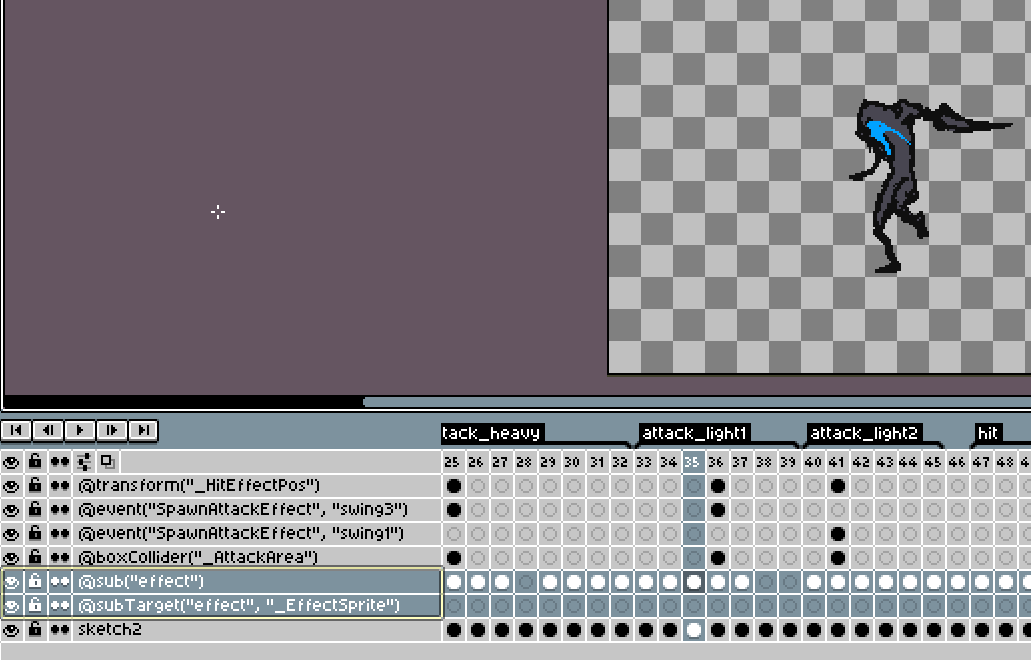
Here the effect sub image is created to put that layer into the _EffectSprite child object.