A voice-activated AI assistant — say the wake word and let NEXA do the rest.
Nexa AI is a smart, voice-activated virtual assistant built with the MERN stack and powered by Google's Gemini API. Just speak your command — Nexa listens via the browser's built-in Speech-to-Text API, sends it to Gemini for an intelligent response, and replies back with a natural voice. You can also instruct Nexa to open websites, play YouTube videos, search the web, and much more — all hands-free.
- 🎤 Voice Activation — Say your assistant's wake word to trigger commands
- 🤖 AI Responses — Powered by Google Gemini AI for smart, natural replies
- 🔊 Text-to-Speech — Assistant speaks back in your chosen language & voice
- 🌐 Web Actions — Opens Google, YouTube, LinkedIn, Instagram, Maps & more
- 🎵 YouTube Playback — Play any song or video via voice command
- 🗓️ Real-time Info — Get current date, time, day, weather instantly
- 💬 Chat Mode — Type queries when you don't want to use voice
- 📊 Dashboard — Visual stats: total queries, voice vs chat breakdown, weekly activity
- 🕓 History Log — Browse all past interactions with search & filter
- 🧠 Custom Persona — Choose your assistant's name, avatar & personality
- 🌍 Multi-language — English, Hindi, Marathi voice support
- 🔐 Auth System — Secure register/login with JWT cookies
| Layer | Technology |
|---|---|
| Frontend | React.js (Vite), React Router |
| Backend | Node.js, Express.js |
| Database | MongoDB (Mongoose) |
| AI Engine | Google Gemini API |
| Auth | JWT (HTTP-only cookies) |
| Voice | Web Speech API (SpeechRecognition + SpeechSynthesis) |
| Image Upload | Cloudinary |
| Styling | Inline styles (custom dark cyber theme) |
NEXA_AI/
├── Frontend/
│   ├── src/
│   │   ├── pages/
│   │   │   ├── Home.jsx          # Voice assistant main page
│   │   │   ├── Chat.jsx          # Text chat interface
│   │   │   ├── Dashboard.jsx     # Stats & analytics
│   │   │   ├── History.jsx       # Interaction log
│   │   │   ├── customize.jsx     # Assistant persona setup
│   │   │   └── Auth.jsx          # Login / Register
│   │   ├── components/
│   │   │   ├── Navbar.jsx        # Sidebar navigation
│   │   │   └── Animation.jsx     # Neural background canvas
│   │   └── contextAPI/
│   │       └── Usercontext.jsx   # Global state management
│   ├── vercel.json               # Vercel SPA + API proxy config
│   └── vite.config.js
│
└── Backend/
    ├── controller/
    │   ├── usercontroler.js      # User, history, dashboard logic
    │   └── authcontroler.js      # Register, login, logout
    ├── models/
    │   └── user.js               # MongoDB user schema
    ├── routes/
    │   ├── userRoutes.js
    │   └── authRoutes.js
    ├── middleware/
    │   ├── isAuth.js             # JWT verification
    │   └── multer.js             # File upload
    ├── config/
    │   └── cloudinary.js
    ├── gemini_api.js             # Gemini AI integration
    └── index.js
- Node.js v18+
- MongoDB Atlas account
- Google Gemini API key
- Cloudinary account
git clone https://github.com/Sakshi123509/Nexa_AI.git
cd Nexa_AIcd Backend
npm installCreate .env file in /Backend:
PORT=5000
MONGODB_URI=your_mongodb_connection_string
JWT_SECRET=your_jwt_secret_key
GEMINI_API_KEY=your_gemini_api_key
CLOUDINARY_CLOUD_NAME=your_cloud_name
CLOUDINARY_API_KEY=your_cloudinary_api_key
CLOUDINARY_API_SECRET=your_cloudinary_api_secret
npm run devcd Frontend
npm install
npm run devCreate .env file in /Frontend:
VITE_API_URL=http://localhost:5000Frontend runs on http://localhost:5173
Backend runs on http://localhost:5000
- Register → Create your account
- Setup Persona → Go to _PERSONA and choose assistant name & avatar
- Go to Assistant page → Click Start Listening
- Say the wake word → e.g., "Hey Nexa, what is the weather today?"
- NEXA responds — speaks back + opens relevant apps/links
| Command | Action |
|---|---|
[wake word] search React tutorials |
Opens Google Search |
[wake word] play Kesariya on YouTube |
Opens YouTube |
[wake word] what time is it |
Speaks current time |
[wake word] open Instagram |
Opens Instagram |
[wake word] open maps Mumbai |
Opens Google Maps |
[wake word] what is machine learning |
AI explanation via Gemini |
| Variable | Description |
|---|---|
MONGODB_URI |
MongoDB Atlas connection string |
JWT_SECRET |
Secret key for JWT tokens |
GEMINI_API_KEY |
Google Gemini AI API key |
CLOUDINARY_CLOUD_NAME |
Cloudinary cloud name |
CLOUDINARY_API_KEY |
Cloudinary API key |
CLOUDINARY_API_SECRET |
Cloudinary API secret |
| Variable | Description |
|---|---|
VITE_API_URL |
Backend server URL |
---## 📸 Screenshots
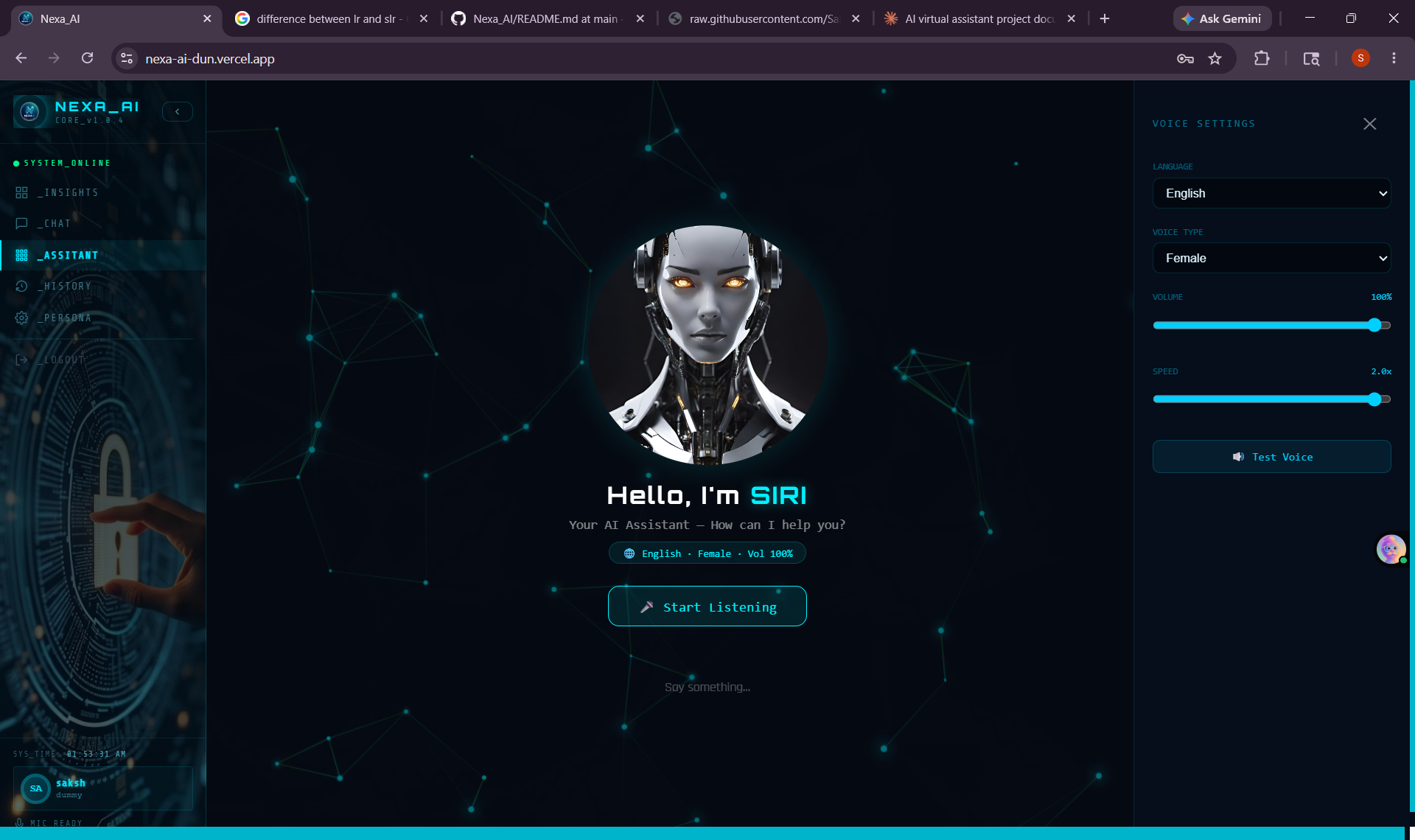 🎙️ Assistant |
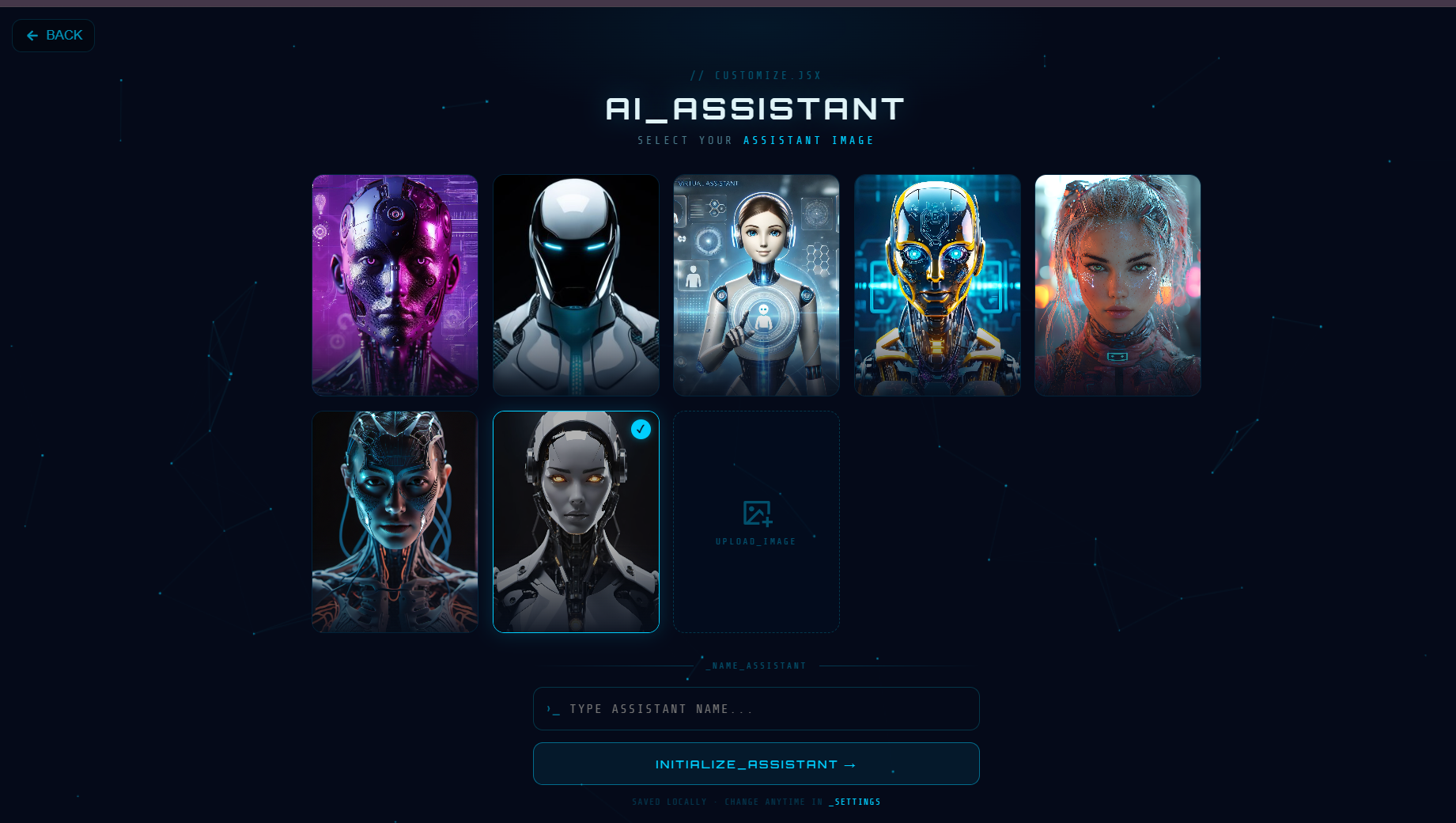 ⚙️ Customize |
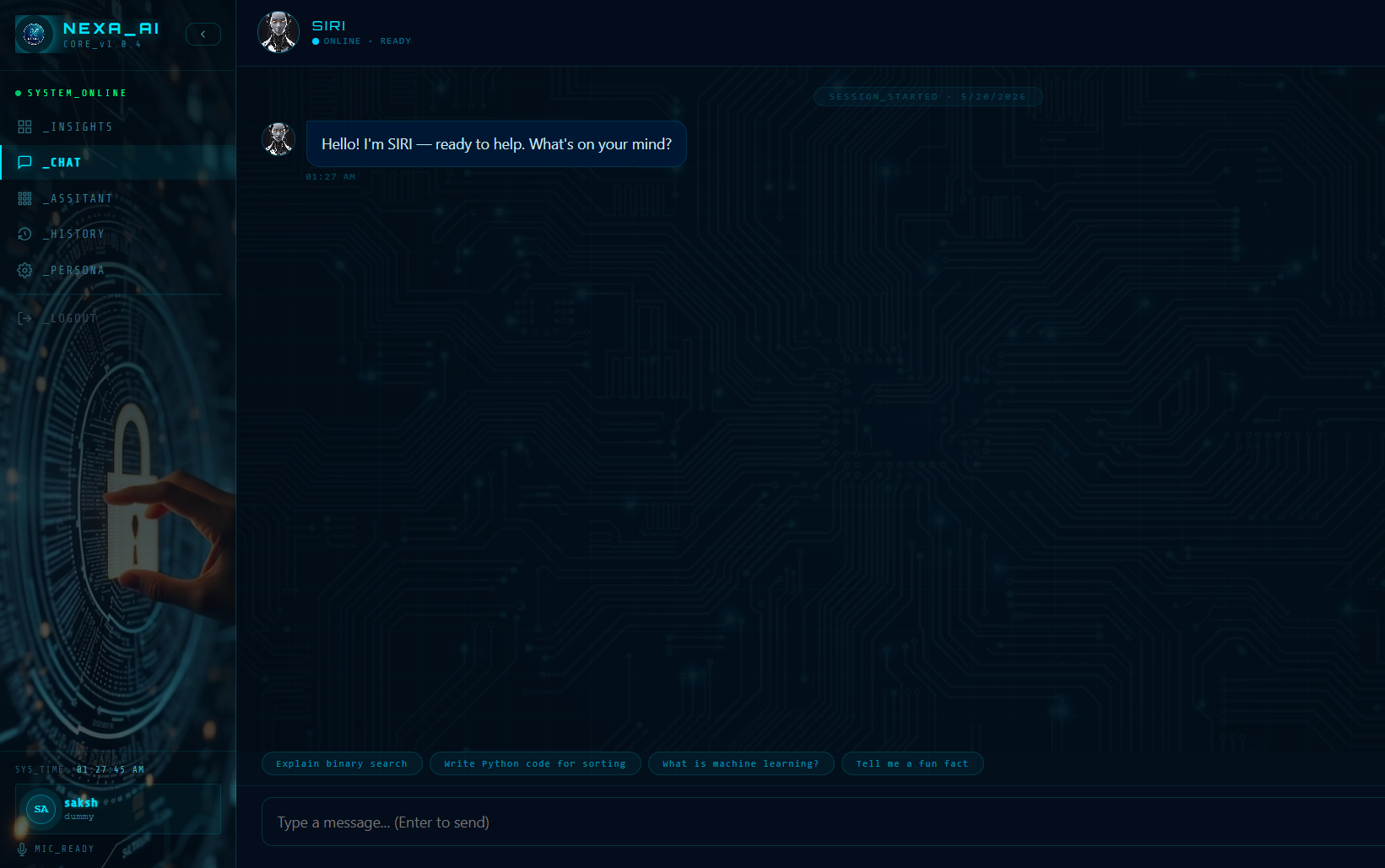 💬 Chat |
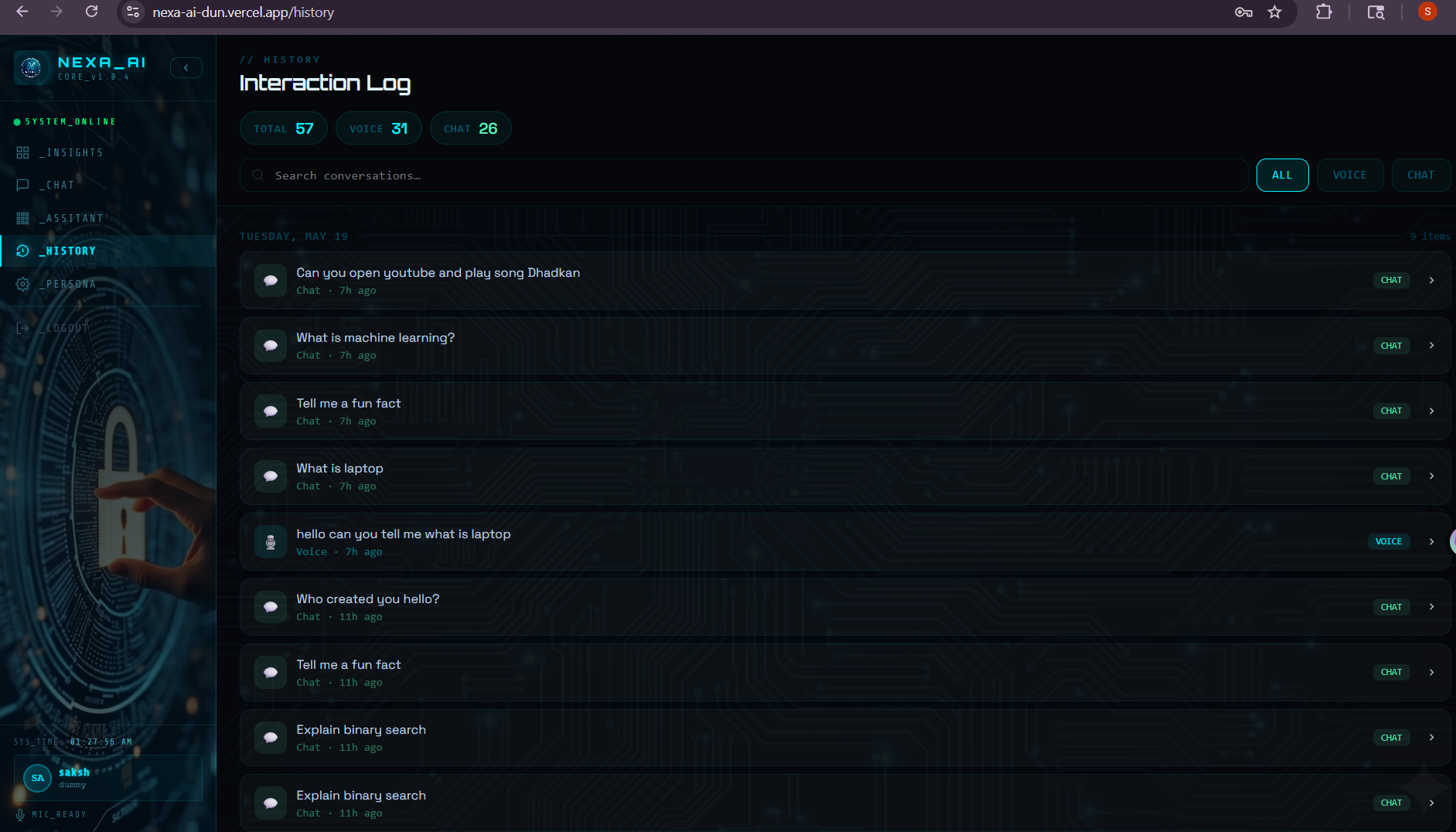 🕓 History |
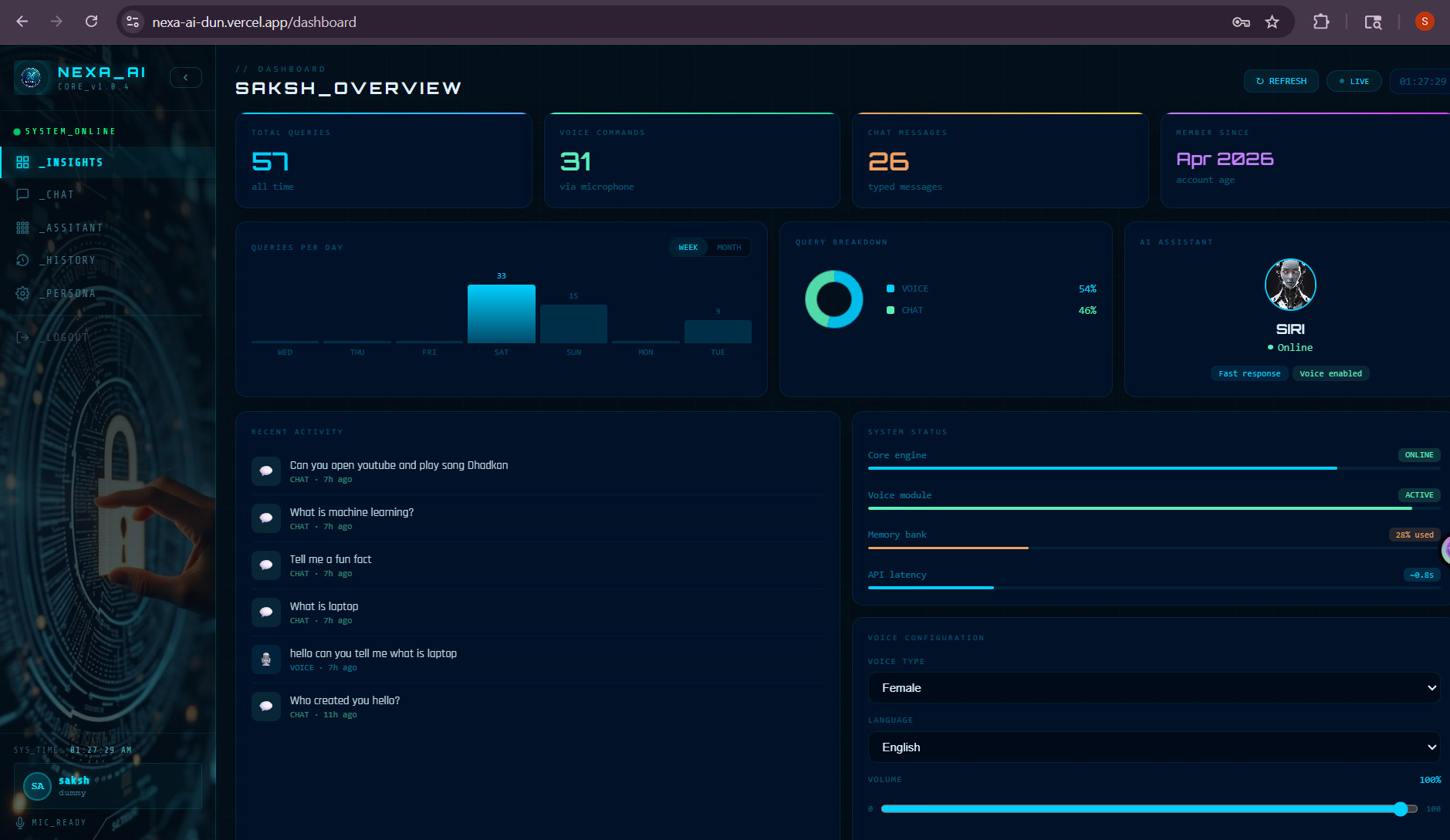 📊 Dashboard |
|
- Frontend → Vercel
- Backend → Render
- Database → MongoDB Atlas
{
  "rewrites": [
    {
      "source": "/api/:path*",
      "destination": "https://nexa-ai-wy87.onrender.com/api/:path*"
    },
    {
      "source": "/(.*)",
      "destination": "/index.html"
    }
  ]
}Pull requests are welcome! For major changes, please open an issue first to discuss what you'd like to change.
Made with ❤️ by Sakshi
⭐ Star this repo if you found it helpful!