This guide will assist you in setting up a REBELCoin Masternode on a Linux Server running Ubuntu 16.04 / 18.04
- REBELCoin Masternode Setup
- Requirements
- Connecting to the VPS and installing the masternode script
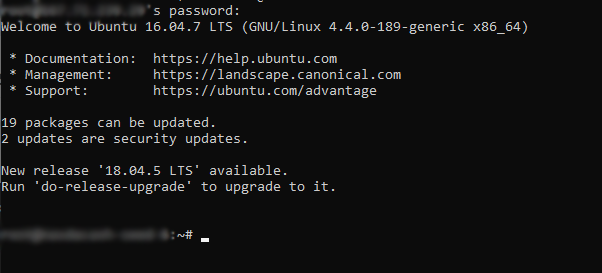
1. Log into the VPS with root
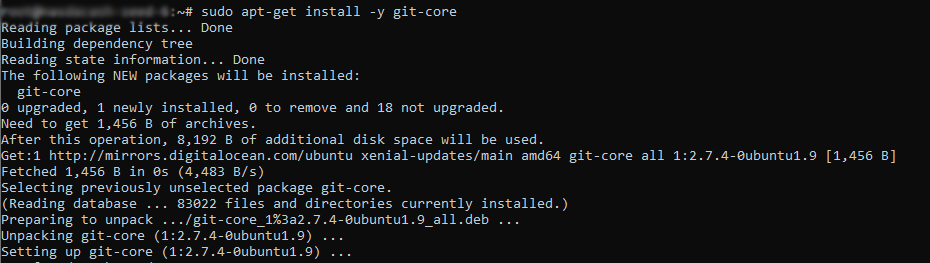
2. Git Installation
3. Clone MN setup script
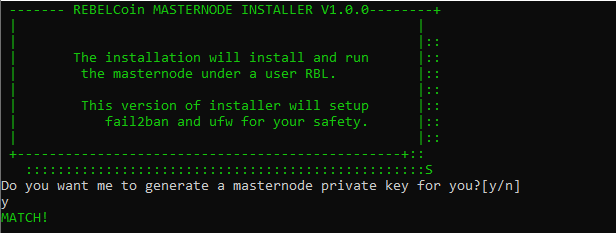
4. Start MN setup script
5. Now ask for VPS Public IP Address
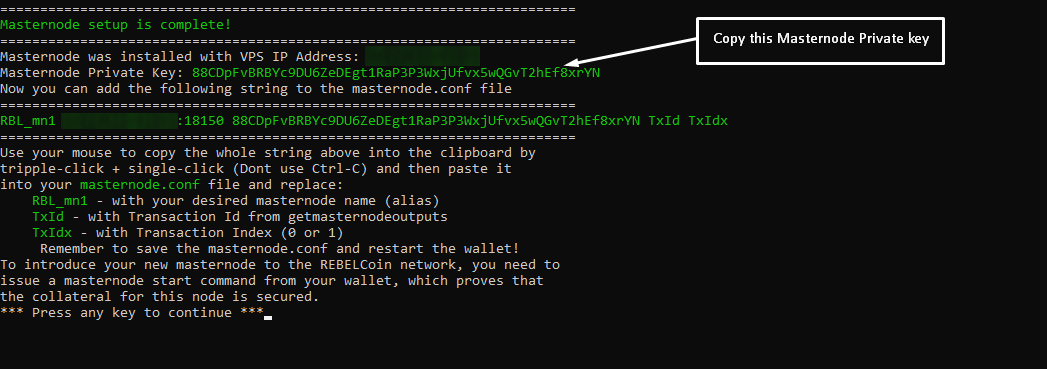
6. Copy Masternode Private Key - Setup QT wallet
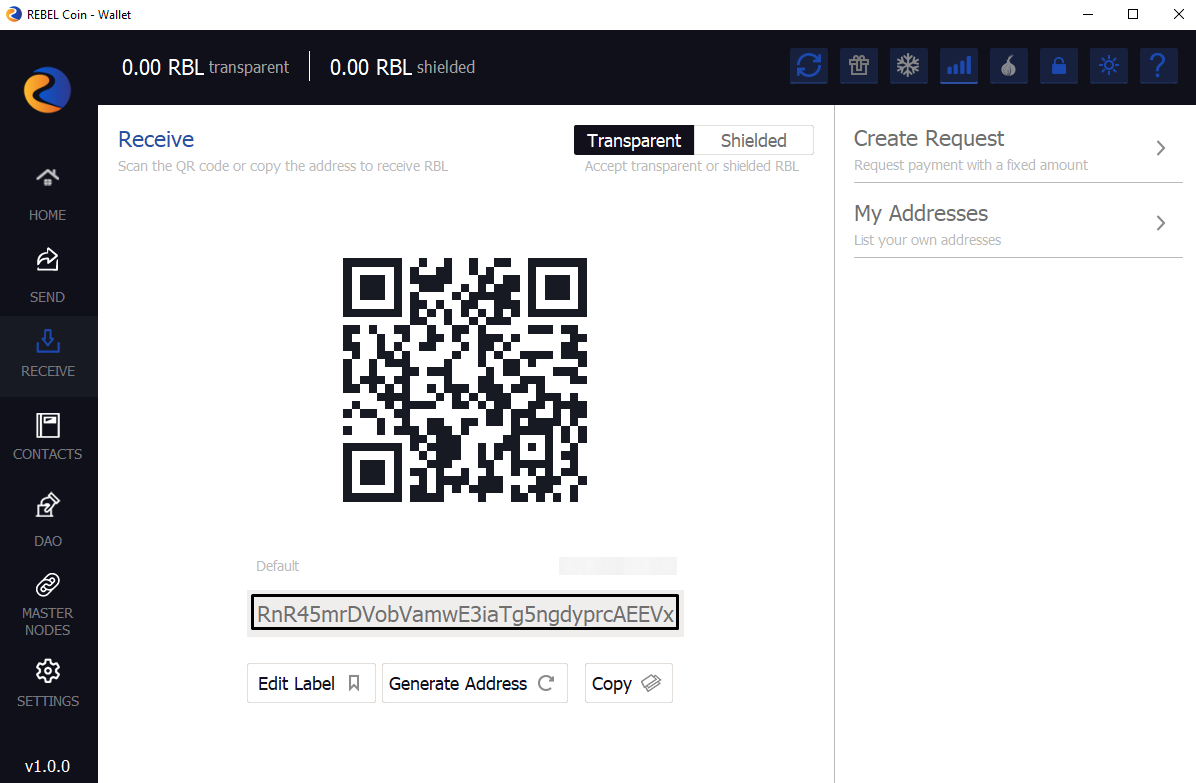
1. Create new receiving address and copy it
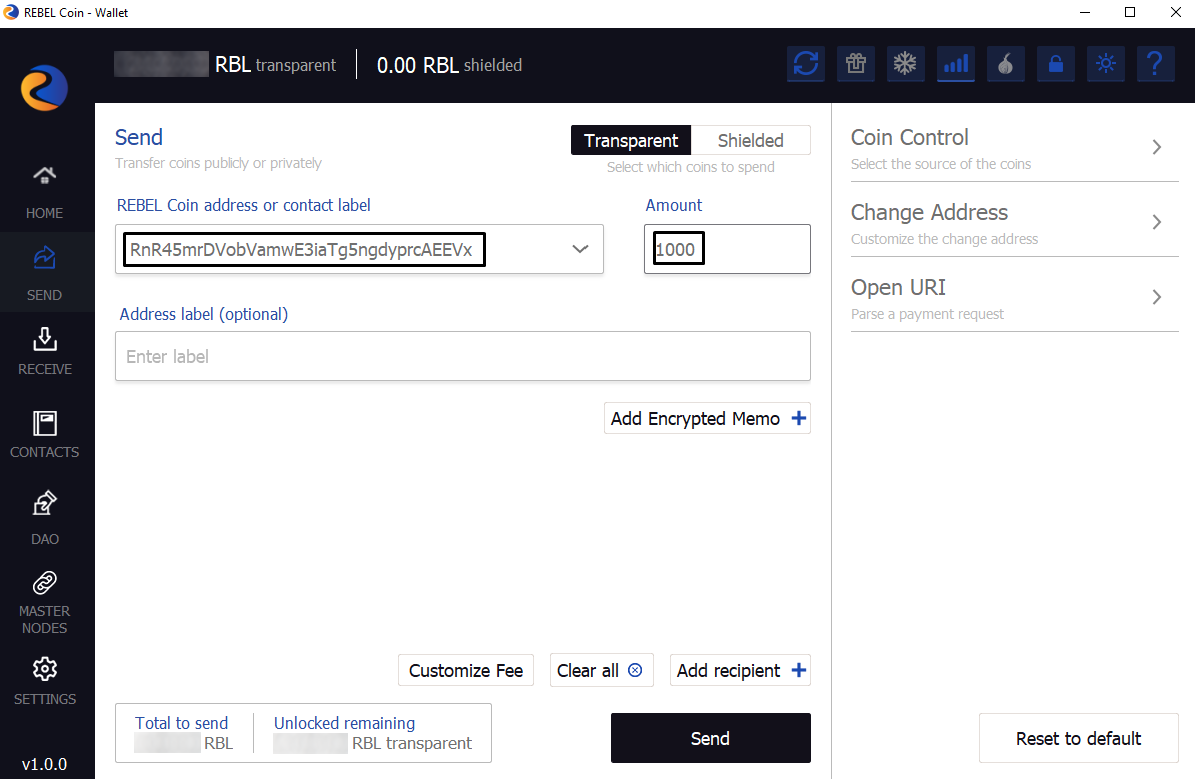
2. Send 1000 REBELCoin to copied address
3. Get MN output and Set Masternode Configuration File
4. Wait at least 15 confirmation of transaction
5. Restart QT wallet
6. Start MN in QT wallet console
7. Check Masternode Status in VPS
- 1000 REBELCoin.
- A VPS running Linux Ubuntu 16.04 or 18.04 with 1 CPU & 1GB Memory minimum (2gb Recommended) from Vultr or any other providers.
- REBELCoin Wallet (Local Wallet)
- An SSH Client (Putty or Bitvise)
[ ]
]
sudo apt-get install -y git-core
[ ]
]
git clone https://github.com/RebelStation/Rebel-MN.git
[ ]
]
cd Rebel-MN && chmod +x ./RBL-MN.sh && ./RBL-MN.sh
[ ]
]
[ ]
]
Now you need to wait some time, while script preparing the VPS to setup
[ ]
]
-
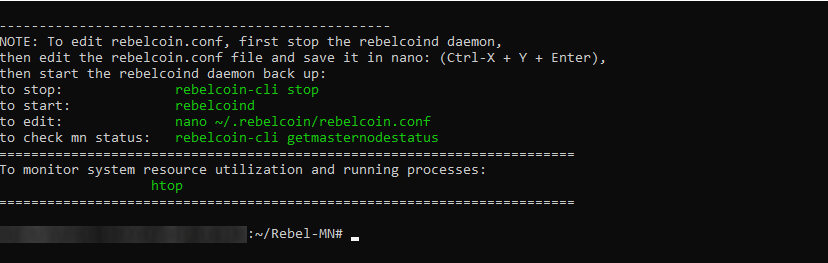
if you see this, you are on the right track: [
 ]
] -
to check VPS daemon status, type:
rebelcoin-cli getinfo[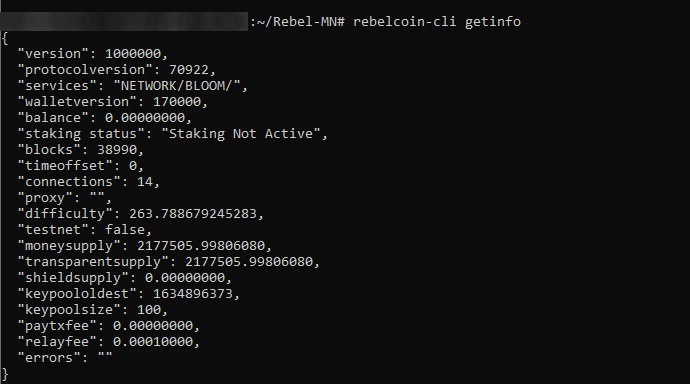 ]
]
Don't close this window!
[ ]
]
[ ]
]
mn1 VPS_IP:18150 masternode_genkey masternode_output output_index: [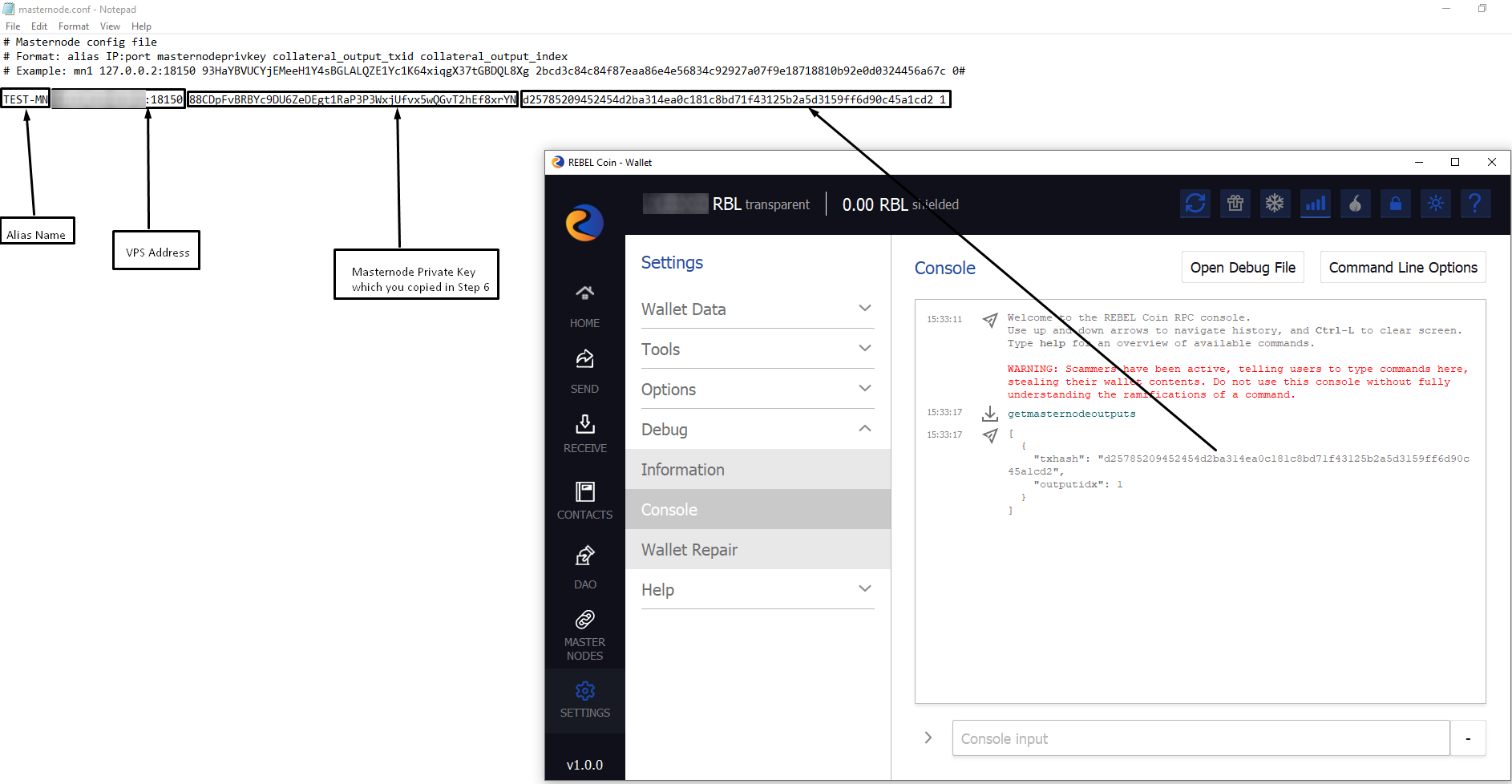 ]
]
[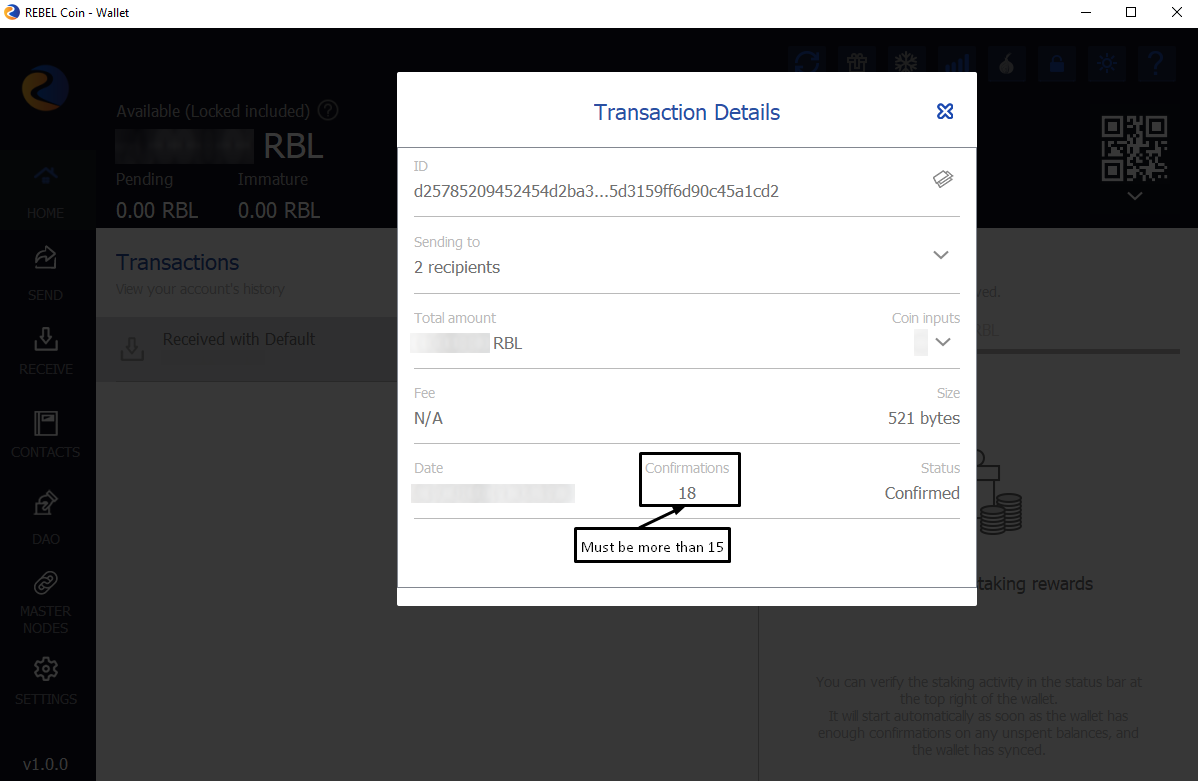 ]
]
- it's important
startmasternode alias false TEST-MN
[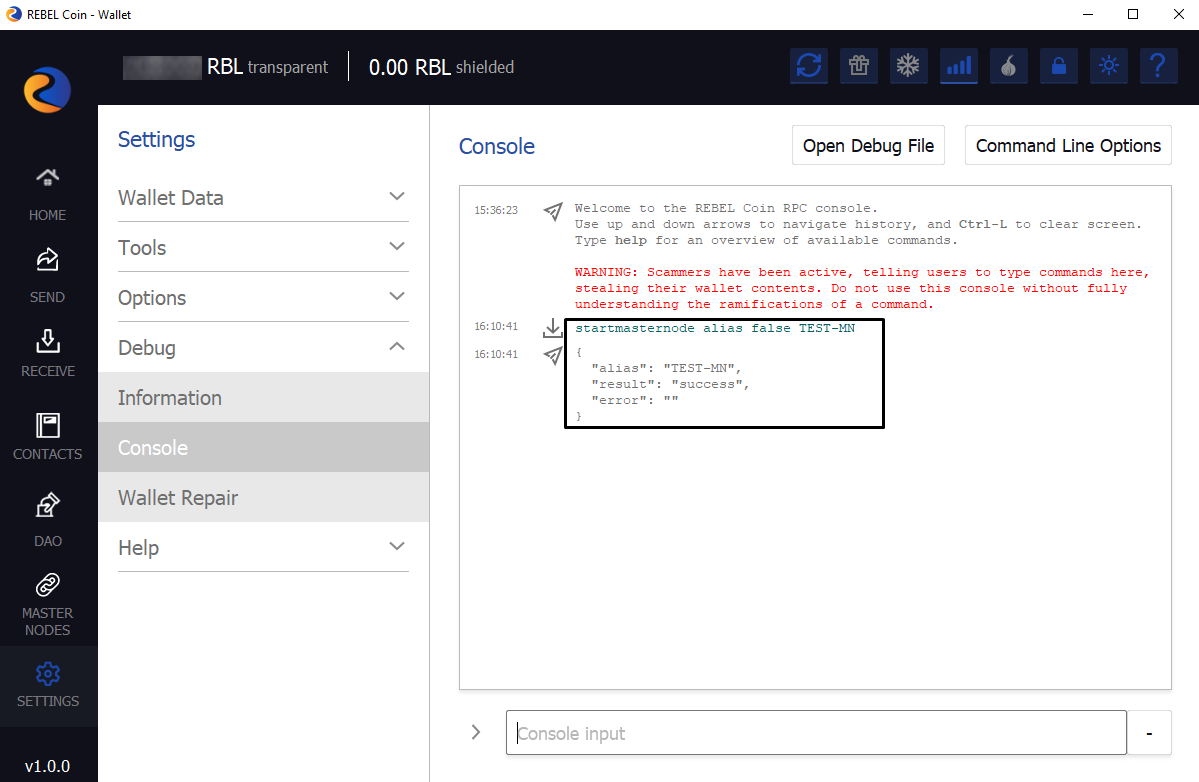 ]
]
rebelcoin-cli startmasternode local falserebelcoin-cli getmasternodestatus
[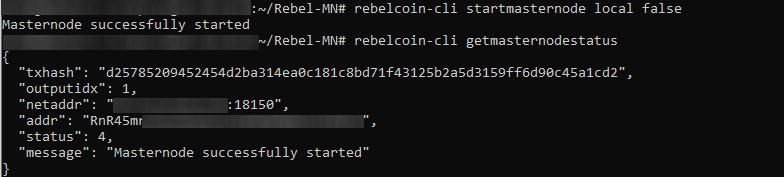 ]
]
Сongratulations you did it!