Releases: QoderAI/changelog-QoderWork
Bug Fixes

Fixed a few issues affecting daily usage.
🐛 Fixes
- Fixed "Add to Chat" quoted content being sent to the AI as unreadable raw tokens instead of properly formatted text
- Fixed an occasional blank screen when switching between tasks
- Fixed the "Open with" menu for output files showing no available applications
Direct Connect
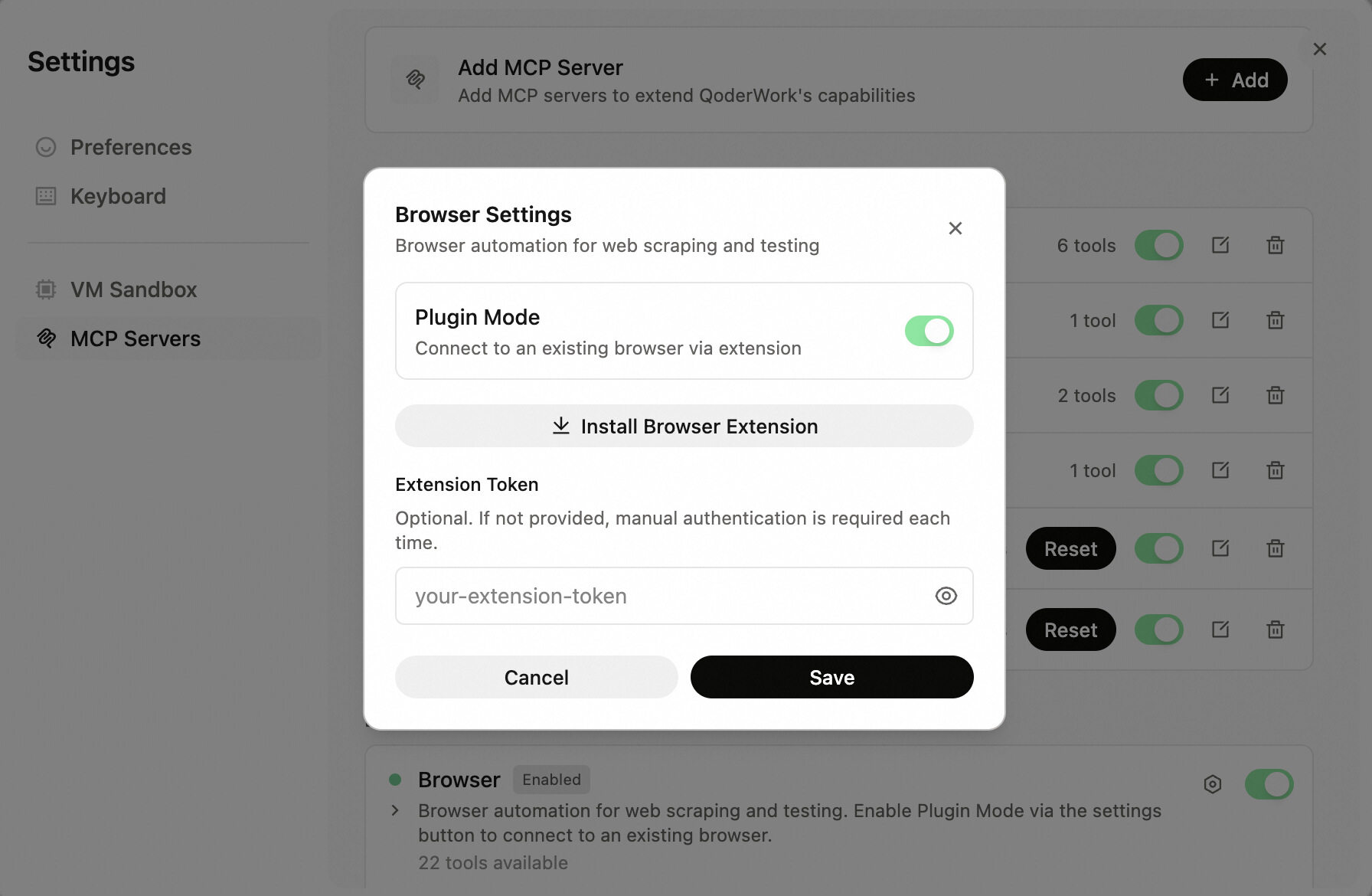
The Browser tool now supports Plugin Mode — flip the toggle to connect to your existing browser.
🔧 Improvements
- Browser Plugin Mode
Turn on Plugin Mode to connect to your existing browser session — complete with all your logins and cookies.
Bug Fixes
Safer File Ops
A small but meaningful update that makes file handling safer and fixes a model list loading issue.
🔧 Improvements
- Safer file operations
File handling is now more cautious and controlled, reducing the risk of unintended changes.
🐛 Fixes
- Fixed an issue where the model list could fail to load.
The Little Things
A round of detail-level polish and bug fixes to make everyday use more reliable.
🔧 Improvements
- Expanded QoFounder contact fields
A new "Other contact" field lets you share additional ways to reach you. - File context menu
Right-click any file card to open it, reveal it in your file manager, copy its path, or choose which app to open it with.
🐛 Fixes
- Fixed a race condition where the first message in a new task would occasionally not appear.
- Various other fixes including local session recovery, feedback submission, and startup stability.
Built-in create-skill
This release adds a handy new built-in skill: you can now create your own skills right in conversation. A few stability bugs have been fixed along the way.
✨ New
- Built-in create-skill
Create custom skills directly in conversation — no manual file setup needed.
🐛 Fixes
- Fixed an issue where conversation history could fail to restore in certain scenarios
- Fixed a potential crash on startup
- Fixed some UI cards not displaying correctly after a page refresh
Stability & Polish
The last release introduced a number of new features — this one is all about making them rock-solid. Several bugs affecting daily usage have been fixed.
🐛 Fixes
- Fixed an issue where trial credits were not correctly granted to new users
- Fixed Agent question cards losing their layout after a page refresh
- Fixed stale error banners persisting after switching accounts
- Fixed occasional failures in conversation title generation
Cross-Platform Polish
This release focuses on cross-platform polish and everyday quality-of-life improvements. Smarter architecture detection, more reliable MCP diagnostics, and a batch of Windows fixes.
✨ New
- Language switcher on login
A new toggle on the login page lets you switch between Chinese and English. - Smart architecture detection
QoderWork now automatically detects your system architecture on first launch and guides you to the correct installer.
🔧 Improvements
- Better MCP diagnostics
QoderWork now prompts you to shut down the VM before running MCP diagnostics, so issues can be diagnosed directly on the host machine.
🐛 Fixes
- Fixed an issue where content pasted from rich-text editors like Word was incorrectly recognized as an image
- Fixed an issue where messages could get mixed up when sending tasks in rapid succession
- Fixed skill examples failing to load
- Windows: Fixed close button behavior (now minimizes to tray), tray icon, context menu, and other platform-specific issues
Experience, Refined

This release focuses on polish rather than big features — but you'll notice it feels smoother. We've also revamped how conversation titles are generated.
✨ New
- Smarter conversation titles
Auto-generated titles are now more accurate and distinctive, making it easier to find past conversations.
🐛 Fixes
- Resolved several issues that could occur during startup
- Fixed an issue where Cmd+W failed to close the window in conversation history on macOS
- Various other minor fixes and improvements
QoderWork just got a major upgrade
This is the biggest update in QoderWork's history. We're officially launching on Windows, and shipping VM sandbox support on both macOS and Windows simultaneously — starting today, whether you're on macOS or Windows, QoderWork can handle your tasks in a secure, isolated environment.
🎉 Windows Is Here
QoderWork is no longer macOS-only. After extensive development and testing, we're bringing the full QoderWork experience to Windows — natively built, deeply optimized, and ready to go out of the box.
Supported platforms: macOS 14+ | Windows 10+
🎉 VM Sandbox — Launching on Both Platforms
Also headlining this release: VM sandbox support ships on macOS and Windows at the same time, with full platform coverage from day one.
Why you'll love it:
- Pre-configured environment, zero setup: Core runtime dependencies ship built-in, eliminating tedious configuration and making task execution faster than ever.
- Sandboxed isolation, clean execution: Tasks run in complete isolation from your local environment — no dependency conflicts, no environment pollution, and no more "it works on my machine."
- Local processing, total control: Your files stay on your machine. Sensitive data never leaves your device, ensuring privacy and security by design.
✨ What's New
Skills Marketplace
A brand-new skill ecosystem is now live, making QoderWork's capabilities infinitely extensible.
- Browse and search the full skill catalog
- One-click install / uninstall — ready to use instantly
- Preview demo scenarios for inspiration
Model Tiers
Introducing Standard and Flagship mode switching — choose what works best for you. Standard mode is cost-effective, while Flagship mode delivers the best possible results.
MCP Enhancements
Configure custom MCP servers — set server types, startup commands, and environment variables to match your setup