
Your books, beautifully read.
A warm, native, open-source e-reader for macOS.
Read DRM-free EPUB, PDF, and CBZ files without Electron, accounts, ads, or tracking.
Install · Roadmap · Issues · Contribute


Important
Varq is pre-release software. TestFlight and Mac App Store distribution are still being prepared. Until signed builds are published, install Varq by building it from source.
Apple Books is polished but restrictive about formats. Calibre is powerful but does not feel at home on macOS. Varq sits between them: a focused reader for the files you already own, built with native Apple frameworks and a warm visual identity of its own.
Varq (वर्क़ / ورق) means “leaf” or “page” in Hindi and Urdu. It also refers to the fine decorative foil used in Indian art and cuisine—an idea reflected in Varq’s restrained indigo, saffron, terracotta, and parchment palette.
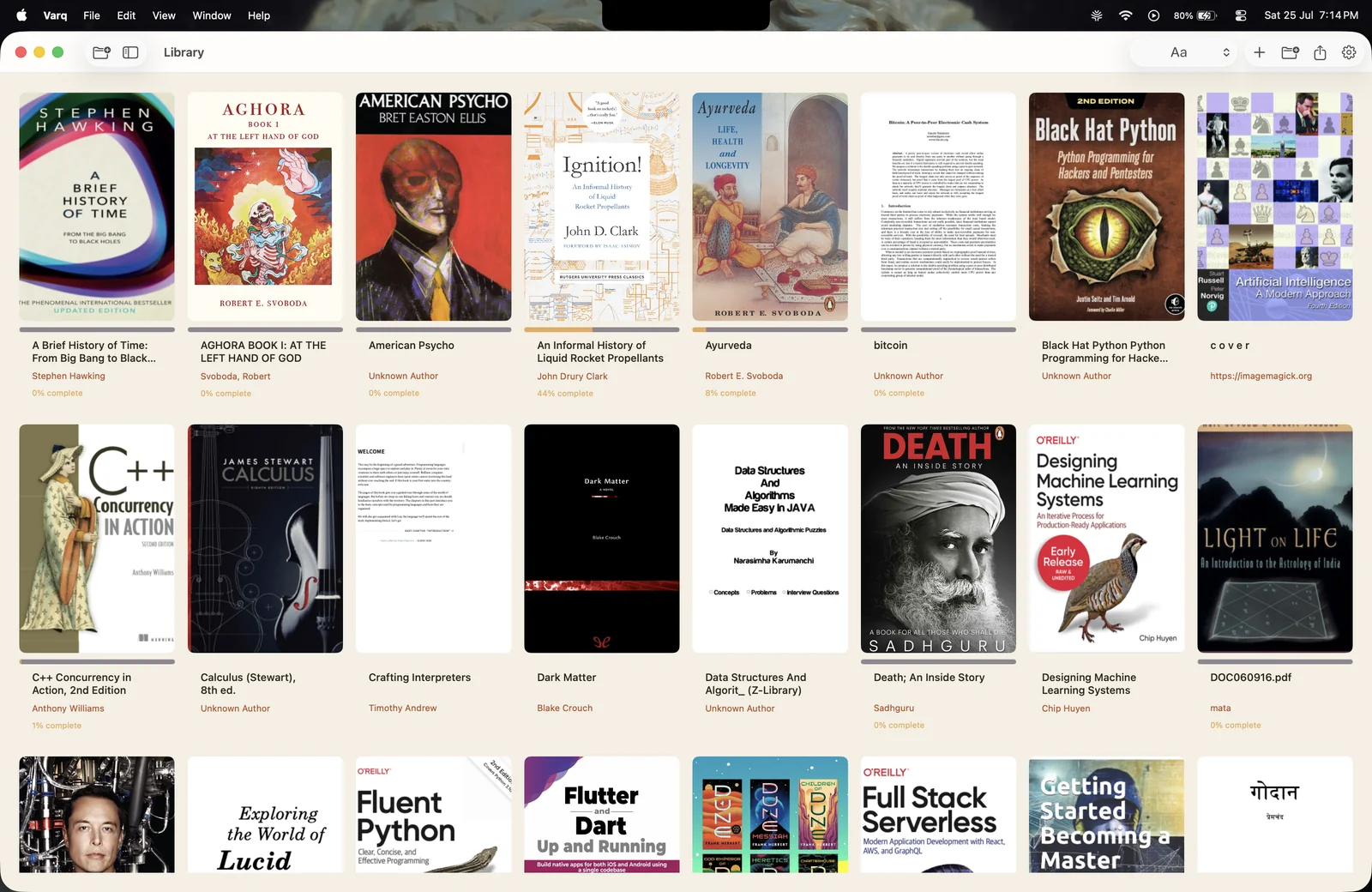
Your library, in every format — covers, metadata, collections, and reading progress in one native Mac app.
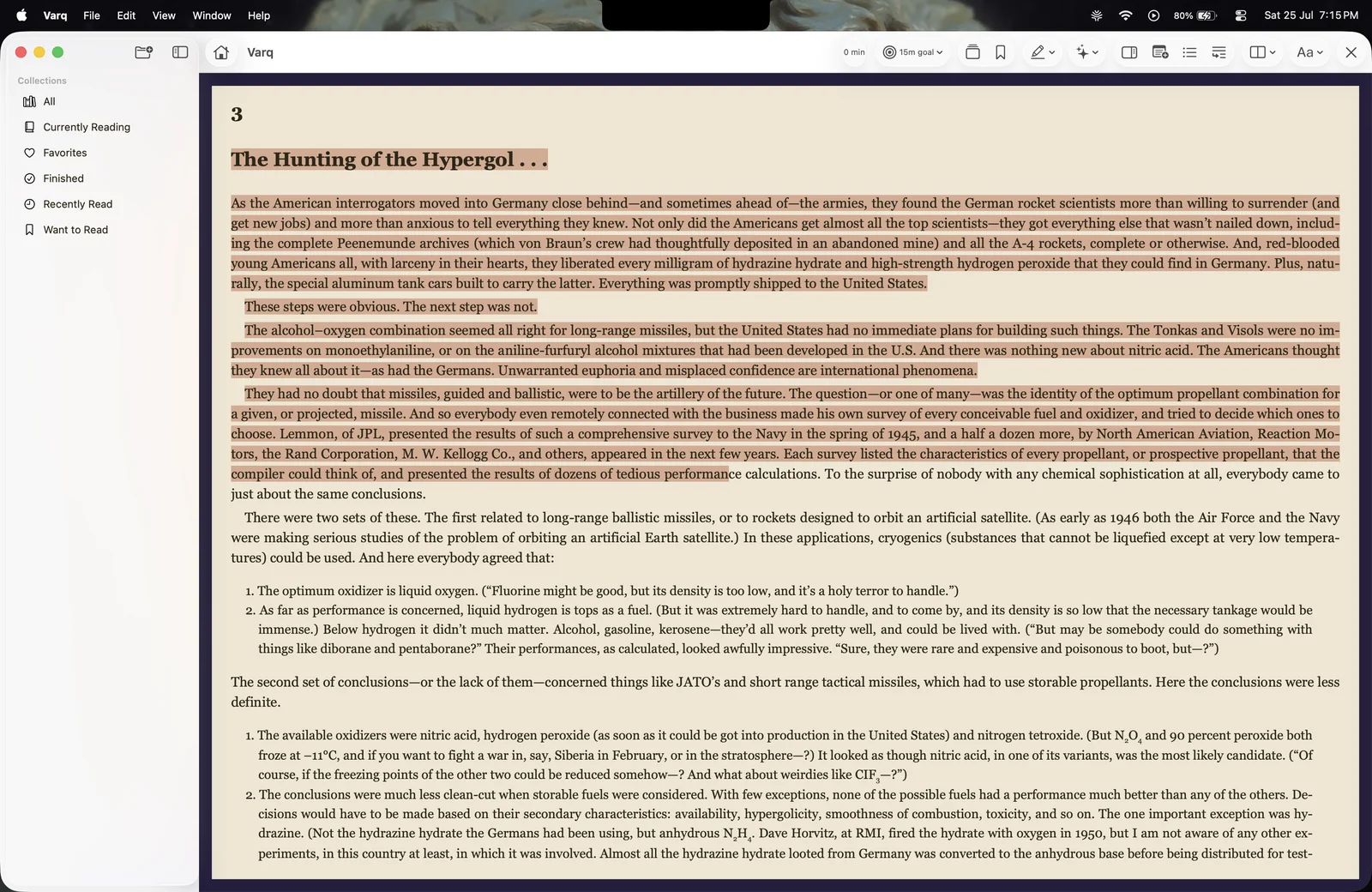
|
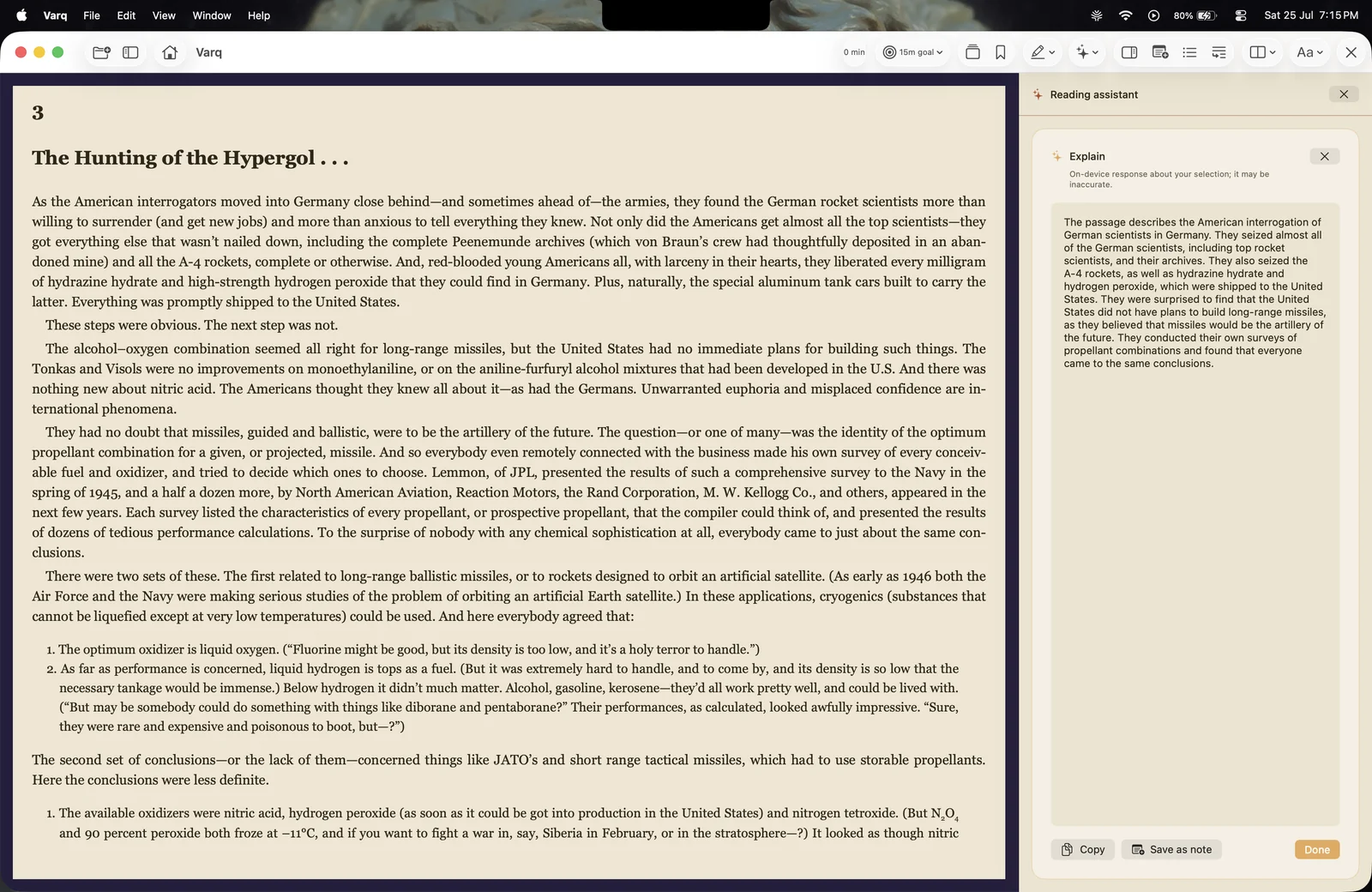
|
| Keep the lines that matter Persistent highlights and reading notes |
Make difficult pages clearer On-device reading aids on eligible Macs |
Actual pre-release Varq interface. Click any screenshot to view it full size.
- Import individual files or entire folders with drag and drop or the system file picker
- Read DRM-free EPUB, PDF, and CBZ files in one library
- Extract titles, authors, and covers automatically
- Detect duplicate files with content hashing
- Organize books into custom and smart collections
- Sort by title, author, date added, or recently read
- Resume each book from the exact place you left it
- Paginated reading with keyboard and trackpad navigation
- Adjustable font, text size, line height, margins, and EPUB page layout
- Light, Indigo, Black, and Monochrome app appearances
- Independent sepia reading tone for a warmer page at any time of day
- Table-of-contents navigation for EPUB books
- Right-to-left reading, one- or two-page spreads, and fit controls for CBZ comics
- Reading-session timer, estimated time remaining, and optional local daily goals
- Reduced-motion behavior and VoiceOver-friendly controls
- Persistent text highlights with brand and high-contrast color choices
- Reading notes attached to selected text or the current location
- One-click navigation back to saved annotations
- Annotation replay for reviewing highlights in sequence
- Sandboxed Obsidian Vault Export with stable Markdown and wikilinks
- Protect selected books with Touch ID or the macOS authentication fallback
- Encrypt managed book files at rest with AES-256-GCM
- Store encryption keys in the macOS Keychain
- Skip Private Books during Obsidian exports
- Require explicit per-book consent before using Private Book content with Local Intelligence
- Store the library, progress, annotations, collections, and preferences locally
On supported Macs running macOS 26 or later with Apple Intelligence enabled, Varq can produce Generated Reading Aids entirely on-device:
- Explain, simplify, or summarize a selected passage
- Generate discussion questions
- Recap the current EPUB chapter
- Explain readable text on a visible PDF or comic page with local OCR
- Copy a result or explicitly save it as a note—generated text is never saved silently
Core reading does not require Local Intelligence and remains available on macOS 15 or later.
| Format | Reader experience |
|---|---|
| EPUB | Reflowable, paginated reading; typography controls; table of contents; precise highlights and notes |
| Native PDFKit rendering; saved position; text highlights, notes, and visible-page OCR | |
| CBZ | Native image-sequence reader; left-to-right or right-to-left; single or dual-page layouts |
Varq reads DRM-free files. CBR, MOBI, AZW3, FB2, and DRM-protected books are not currently supported; see the roadmap for planned format work.
Coming soon. Watch this repository or follow the release roadmap for TestFlight and App Store updates.
- macOS 15 (Sequoia) or later
- Xcode 26 or later
- Git
git clone https://github.com/PratikRai0101/Varq.git
cd Varq
xcodebuild -resolvePackageDependencies \
  -project Varq.xcodeproj \
  -scheme Varq
open Varq.xcodeproj
In Xcode, select the Varq scheme, choose your development team if prompted, and press ⌘R.
To compile from the command line without a local signing identity:
xcodebuild -project Varq.xcodeproj \
  -scheme Varq \
  -destination 'platform=macOS' \
  CODE_SIGNING_ALLOWED=NO \
  build
After configuring development signing in Xcode, run the full test suite with:
xcodebuild -project Varq.xcodeproj \
  -scheme Varq \
  -destination 'platform=macOS' \
  test
Swift Package Manager resolves the only third-party package, ZIPFoundation, automatically.
- Launch Varq and drag an EPUB, PDF, or CBZ file—or a folder—into the library.
- Organize books into collections and choose your preferred sort order.
- Open a book, then tune its page tone, typography, and layout from the reader toolbar.
- Select text to highlight it, add a reading note, or request a Local Intelligence aid when available.
- Export public reading artifacts to your Obsidian vault, or mark sensitive books as private.
Varq has no account system, advertising, analytics, telemetry, or remote sync service. Imported books are copied into the app’s sandboxed managed library; reading data stays on your Mac. Local Intelligence uses Apple’s on-device Foundation Models framework and does not send book content to a model provider.
Read the full privacy policy.
Varq is a native Swift and SwiftUI application. Format-specific readers sit behind a shared reader-engine boundary, keeping UI and persistence independent from rendering details.
| Technology | Used for |
|---|---|
| SwiftUI | Native macOS interface and interaction |
| SwiftData | Local books, collections, progress, highlights, and notes |
| WebKit | Paginated EPUB content |
| PDFKit | Native PDF rendering and annotations |
| ZIPFoundation | EPUB and CBZ archive handling |
| CryptoKit, Keychain & LocalAuthentication | Encrypted Private Books and system authentication |
| Foundation Models | On-device Generated Reading Aids on eligible Macs |
| Vision | Local OCR for visible-page explanations |
The codebase follows MVVM: Views stay focused on presentation, ViewModels coordinate state, and testable Services own parsing, file access, encryption, export, and intelligence work. See the architecture notes for details.
The core reader, library, annotation, Private Book, export, and Local Intelligence flows are implemented. Varq is now in pre-release polish and distribution work:
- TestFlight beta with real readers
- Address beta feedback
- Mac App Store review and public release
Progress is tracked in the MVP backlog. Future work—including grounded chapter Q&A, Spotlight and App Intents, more formats, iCloud continuity, and an iOS companion—is ordered in the post-MVP roadmap.
| Document | Purpose |
|---|---|
| Product requirements | Product goals, audience, and supported scope |
| Architecture | Modules, boundaries, storage, and security decisions |
| Design system | Varq’s palette, typography, motion, and visual principles |
| Roadmap | Approved release sequence and privacy commitments |
| Backlog | Current implementation and release progress |
| App Store materials | Distribution copy and claim review |
Contributions and thoughtful issue reports are welcome.
- Read the contributing guide.
- Check the backlog and open issues.
- Read the design system before changing UI.
- Keep changes focused and include tests for Service or ViewModel behavior.
Please open an issue before starting a large feature so its scope and release fit can be agreed first.
Varq is available under the MIT License.
If Varq is useful to you, star the repository—it helps more Mac readers discover the project. A Star History chart will be added once the project has enough public history to make the chart useful and reliable.