Home
Welcome to the SWCon-Pyside wiki!
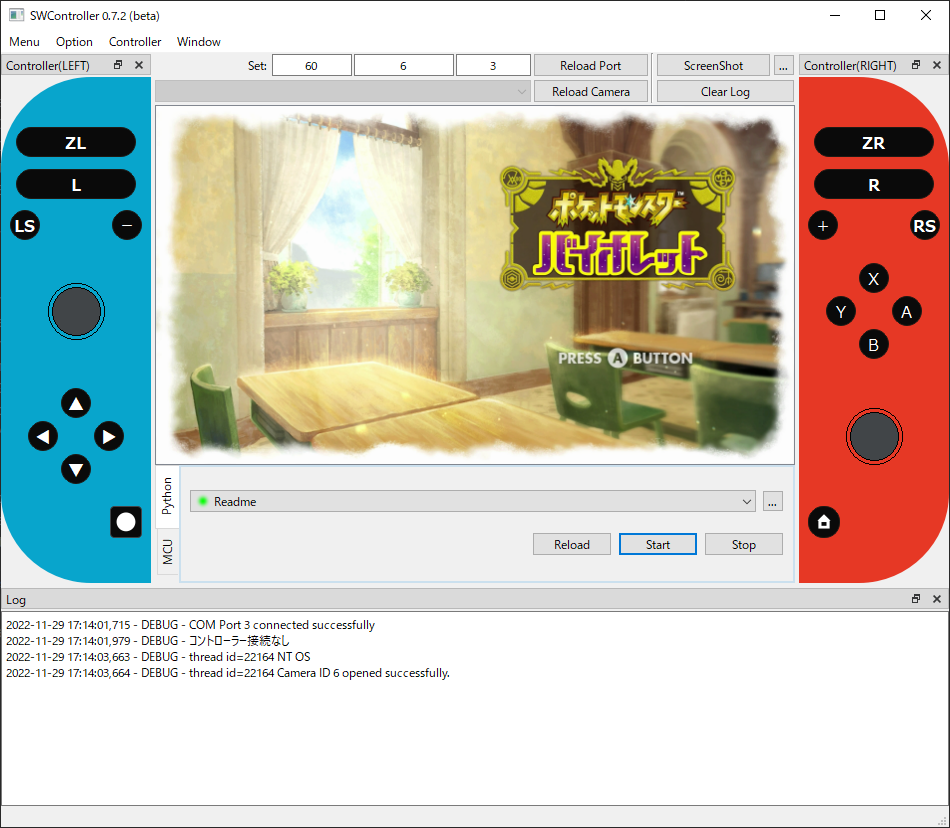
-
1秒間Aボタンを押下し、次の操作まで1秒間待機する
self.press(Button.A, duration=1, wait=1)
-
0.1秒間Bボタンを押下し、左スティックを上に倒す。次の操作まで0.1秒間待機する。
self.press([Button.A, Direction.UP], duration=0.1, wait=0.1)
Directionについて、角度・倒し方をより細かく指定することが可能です。
-
左スティックを45度方向に100%倒す
Direction(Stick.LEFT, angle=45, magnification=1)
-
右スティックを240度方向に50%倒す
Direction(Stick.RIGHT, angle=240, magnification=0.5)
| Button | |
|---|---|
| Y | |
| B | |
| A | |
| X | |
| L | |
| R | |
| ZL | |
| ZR | |
| MINUS | - |
| PLUS | + |
| LCLICK | 左スティック押し込み |
| RCLICK | 右スティック押し込み |
| HOME | ホームボタン |
| CAPTURE | スクリーンショットボタン |
| Direction | 左スティック | 右スティック | |
|---|---|---|---|
| UP | 上 | R_UP | 上 |
| RIGHT | 右 | R_RIGHT | 右 |
| DOWN | 下 | R_DOWN | 下 |
| LEFT | 左 | R_LEFT | 左 |
| UP_RIGHT | 右上 | R_UP_RIGHT | 右上 |
| DOWN_RIGHT | 右下 | R_DOWN_RIGHT | 右下 |
| DOWN_LEFT | 左下 | R_DOWN_LEFT | 左下 |
| UP_LEFT | 左上 | R_UP_LEFT | 左上 |
| Hat | |
|---|---|
| TOP | 上 |
| TOP_RIGHT | 右上 |
| RIGHT | 右 |
| BTM_RIGHT | 右下 |
| BTM | 下 |
| BTM_LEFT | 左下 |
| LEFT | 左 |
| TOP_LEFT | 左上 |
| CENTER | ニュートラル |