Guide to contributing code
- Learn about pull, push, add, commit, etc
- If merge conflict, the editor that pops up is vim <3
- So learn vim as well; the built-in tutorial takes 30 min
- Learn how branches work in git Git - Basic Branching and Merging
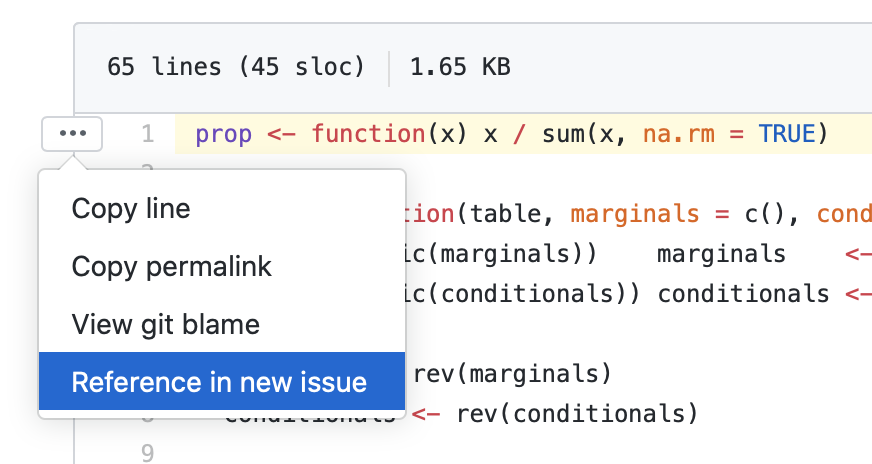
- Create an issue if there’s a question/bug (can directly create from code, too). Or pick an issue to work on (assign yourself to it)
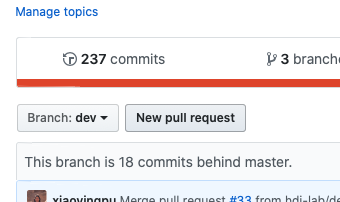
- Fetch & merge from the master branch every time before you start working on your branch
- Don’t forget to write tests for new code and write documentation.
- When you’re done, commit and push to the remote.
- Write issue number so that the issue closes, like “changes for issue #41”
- Check
- For debugging: check locally
devtools::check(remote = TRUE) - Check on Travis CI - Test and Deploy with Confidence and see if build passes.
- Review test coverage at codecov.io for the new code
- For debugging: check locally
- If you completed an issue on GitHub, submit a pull request, so that the changes get to be merged to the master branch
- Informative pull request title/message: add issue number, like
#14 - Xiaoying will merge those pull requests at the weekly meeting
- Informative pull request title/message: add issue number, like
- The basics: Writing an R package from scratch
- A longer intro, also part of a book: Introduction
- It’s important to reload the package every time you make changes to the packages source code, so reload with
Ctrl/Cmd + Shift + Lordevtools::load_all() - To fix some dependency complaints and to update documentation to the
NAMESPACEfile, dodevtools::document()
- Also remember to review or complete the documentation for the code you work on. R package documentation convention: Object documentation · R packages
- Examples of unit tests