


ROS 2 packages for the KUKA LBR, including communication to the real robot via the Fast Robot Interface (FRI) and Gazebo simulation support. Included are the iiwa7, iiwa14, med7, and med14.
| LBR IIWA 7 R800 | LBR IIWA 14 R820 | LBR Med 7 R800 | LBR Med 14 R820 |
|---|---|---|---|
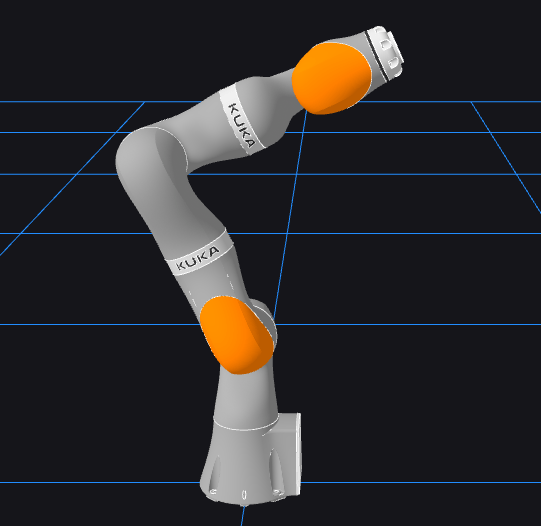 |
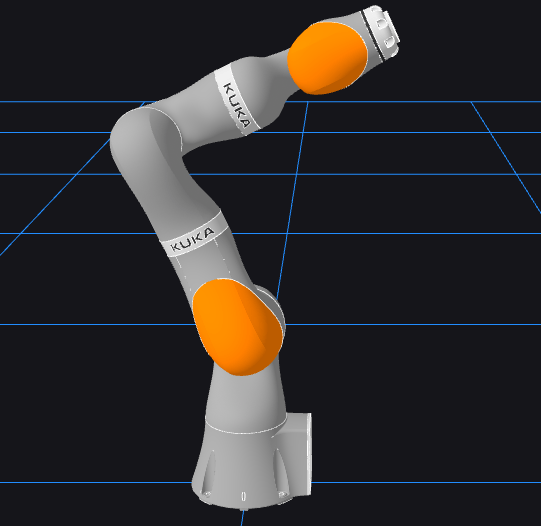 |
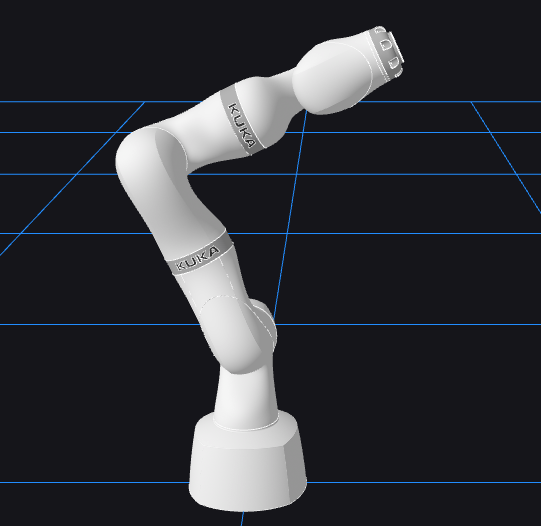 |
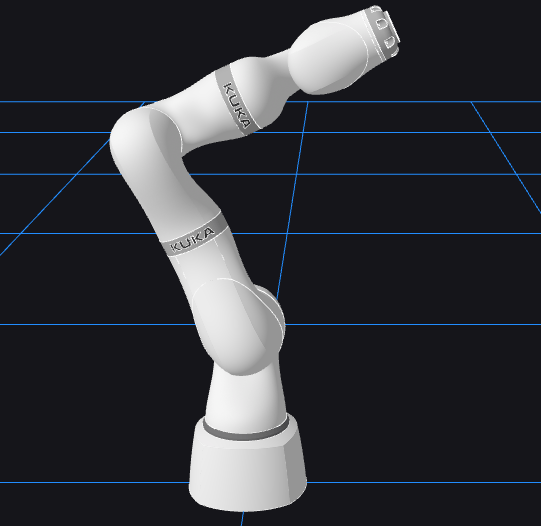 |
| OS | ROS Distribution | FRI Version | Build Status |
|---|---|---|---|
Ubuntu-22.04 |
humble |
1.11 |
 |
Ubuntu-22.04 |
humble |
1.14 |
 |
Ubuntu-22.04 |
humble |
1.15 |
 |
Ubuntu-22.04 |
humble |
1.16 |
 |
Ubuntu-22.04 |
humble |
2.5 |
 |
Ubuntu-22.04 |
humble |
2.7 |
 |
Full documentation available on Read the Docs.
-
Install ROS 2 development tools
sudo apt install ros-dev-tools
-
Create a workspace, clone, and install dependencies
source /opt/ros/humble/setup.bash
export FRI_CLIENT_VERSION=1.15
mkdir -p lbr-stack/src && cd lbr-stack
vcs import src --input https://raw.githubusercontent.com/lbr-stack/lbr_fri_ros2_stack/humble/lbr_fri_ros2_stack/repos-fri-${FRI_CLIENT_VERSION}.yaml
rosdep install --from-paths src -i -r -y
-
Build
colcon build --symlink-install
-
In terminal 1, launch a mock setup via
source install/setup.bash
ros2 launch lbr_bringup mock.launch.py \
    model:=iiwa7 # [iiwa7, iiwa14, med7, med14]
Tip
List all arguments for the launch file via ros2 launch lbr_bringup mock.launch.py -s
-
In terminal 2, visualize the setup via
source install/setup.bash
ros2 launch lbr_bringup rviz.launch.py \
    rviz_cfg_pkg:=lbr_bringup \
    rviz_cfg:=config/mock.rviz
Now, run the demos. To get started with the real robot, checkout the Hardware Setup.
-
The custom move_to_pose nodes can be launched in simulation mode via
ros2 launch lbr_bringup lbr_move_to_pose.launch.py model:=med14_robotiq_2f
-
The move_to_pose nodes can be launched in hardware mode via
ros2 launch lbr_bringup lbr_move_to_pose.launch.py mode:=hardware model:=med14_robotiq_2f
on the Peception PC (which doesn't have a realtime kernel) and
ros2 launch lbr_bringup lbr_and_robotiq_hardware.launch.py
on the robot PC (which is connected to the KUKA controller and the Robotiq controller and is running a realtime/low-latency kernel).
These launch files launch the robot description with the gripper attached to the end of the robot, the MoveIt services, and the controllers for the robot and gripper (either in sim or on hardware depending on which mode you chose).
-
Custom nodes can be found in the lbr_motion package. These nodes include:
- joint_servo_pub: which publishes joint servoing commands to "jog" the robot joints
- move_home_client: which publishes a request to send the robot to the home position
- move_home_server: which is a wrapper aroung MoveIt that commands the robot to move to the home position (all joint angles are 0)
- move_to_pose_client: which is a server that sends a request to move the robot to a specific end-effector pose
- move_top_pose_server: which is a wrapper around MoveIt that takes the end-effector pose request, finds an IK solution, and then senda a planning request to MoveIt to command the robot to that IK solution
- pose_pub: which publishes poses
- tf_tree_sub: which subscribes to the tf tree
- twist_servo_pub: which publishes a twist servo command to the robot, requesting that the end-effector pose be jogged by that amount. This is done in a collision free way using MoveIt.
Tip
The twist_servo_pub does not work when the robot is close to a singularity so using the joint_servo_pub to get the robot away from a singularity can fix this issue.
-
To do joint servoing or end-effector twist servoing the robot needs to be using the forward position controller. This requires a different setup from running the move_to_pose server which requires the robot to be using the position controller. As long as there is a topic being published on either the joint servo or twist servo topics, the robot will jog. Once the topic stops publishing the robot stops moving. Launch twist servoing in simulation via:
ros2 launch lbr_bringup lbr_servoing.launch.py
ros2 run lbr_motion twist_servo_pub
or
ros2 run lbr_motion joint_servo_pub
For hardware:
ros2 launch lbr_bringup lbr_and_robotiq_hardware.launch.py ctrl:='forward_position_controller'ros2 launch lbr_bringup lbr_servoing.launch.py mode:=hardware
ros2 run lbr_motion twist_servo_pub
or
ros2 run lbr_motion joint_servo_pub
If you enjoyed using this repository for your work, we would really appreciate ❤️ if you could leave a ⭐ and / or cite it, as it helps us to continue offering support.
@article{Huber2024,
  doi       = {10.21105/joss.06138},
  url       = {https://doi.org/10.21105/joss.06138},
  year      = {2024},
  publisher = {The Open Journal},
  volume    = {9},
  number    = {103},
  pages     = {6138},
  author    = {Martin Huber and Christopher E. Mower and Sebastien Ourselin and Tom Vercauteren and Christos Bergeles},
  title     = {LBR-Stack: ROS 2 and Python Integration of KUKA FRI for Med and IIWA Robots},
  journal   = {Journal of Open Source Software}
}
We would like to acknowledge all contributors 🚀
lbr_fri_ros2_stack
fri
We would further like to acknowledge following supporters:
| Logo | Notes |
|---|---|
 |
This work was supported by core and project funding from the Wellcome/EPSRC [WT203148/Z/16/Z; NS/A000049/1; WT101957; NS/A000027/1]. |
 |
This project has received funding from the European Union's Horizon 2020 research and innovation programme under grant agreement No 101016985 (FAROS project). |
 |
Built at RViMLab. |
 |
Built at CAI4CAI. |
 |
Built at King's College London. |