
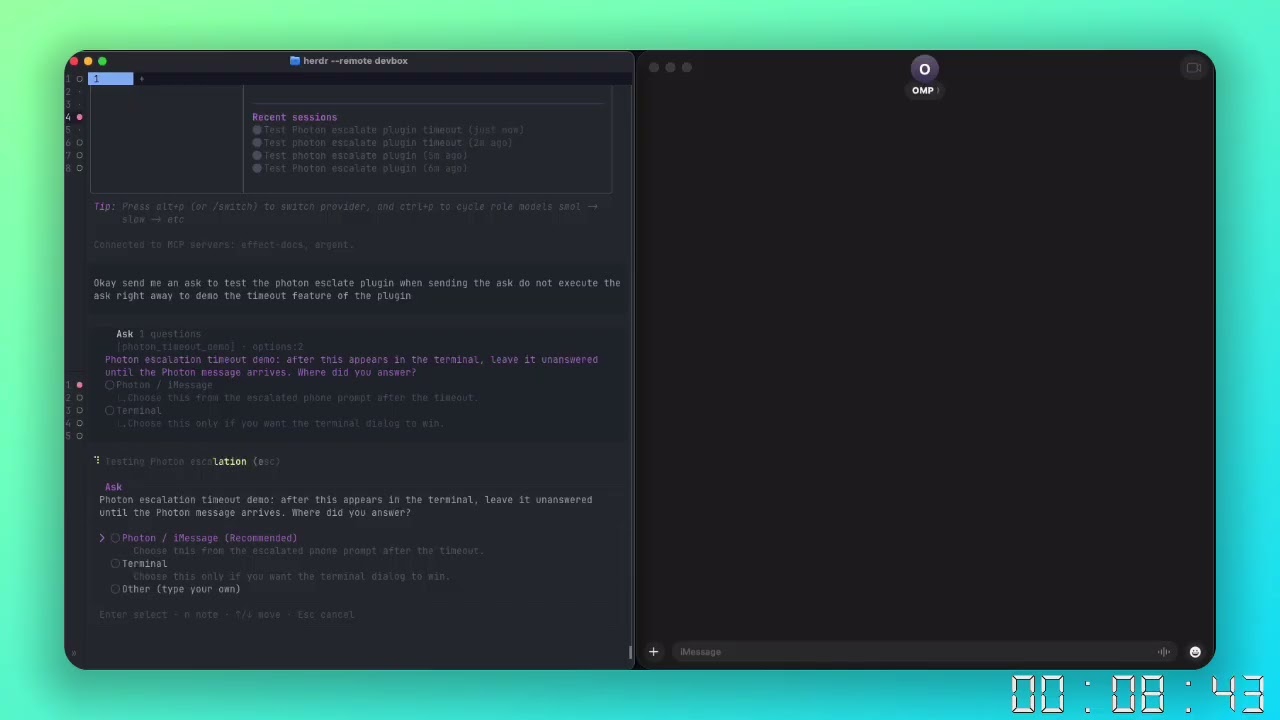
An Oh My Pi extension that escalates unanswered ask tool
dialogs to iMessage through Photon's spectrum-ts SDK.
The normal terminal dialog opens first. If it remains unanswered for the
configured delay, the extension sends each question as text followed by a native
iMessage poll. A phone answer is returned to the agent in OMP's native ask
result shape.
- Preserves OMP's native
askschema, renderer, and result format. - Supports single-choice and ordered multi-choice questions.
- Supports OMP's generated
Other…option through a free-text iMessage reply. - Requires a final
Submit/Start overconfirmation poll. - Cancels the phone flow when the terminal answers first.
- Leaves the terminal dialog available if Photon is unavailable.
- Optionally keeps an away session active so the next ask escalates immediately.
- Uses the active OMP profile's configuration directory.
- OMP 17.2.11 or later.
- Bun.
- A Photon project with the iMessage provider enabled.
- The destination phone or iMessage email must be allowed by the Photon project.
Phone numbers must use E.164 format, for example +15551234567.
Install directly from GitHub for the default OMP profile:
omp install github:ImArtisann/omp-photon-escalate --scope=user
omp config set ask.timeout 0
Confirm that OMP enabled the plugin:
omp plugin list --jsonCreate the default-profile configuration:
mkdir -p ~/.omp/agent
cat > ~/.omp/agent/photon-escalate.json <<'JSON'
{
    "enabled": true,
    "escalateAfterSeconds": 120,
    "nudgeIntervalSeconds": 1800,
    "stickyAwayMode": true,
    "phone": "+15551234567",
    "projectId": "your-photon-project-id",
    "projectSecret": "your-photon-project-secret",
    "labelPrefix": "omp"
}
JSON
chmod 600 ~/.omp/agent/photon-escalate.json
Replace phone with the allowed destination in E.164 format and replace the
Photon credentials. Add line when the Photon project exposes more than one
outbound iMessage line. See Configuration for every
setting, environment-based credentials, project overrides, and named-profile
paths.
OMP profiles isolate plugins, settings, sessions, and configuration. Install the extension separately for each profile that needs it:
OMP_PROFILE=planning omp install github:ImArtisann/omp-photon-escalate --scope=user
install -m 600 \
  ~/.omp/agent/photon-escalate.json \
  ~/.omp/profiles/planning/agent/photon-escalate.json
The extension resolves configuration through OMP's active agent directory, so
--profile planning reads the planning profile's copy rather than the default
profile's file.
escalateAfterSeconds controls when Photon sends the poll. The default is 120
seconds.
Keep OMP's native timeout disabled:
omp config set ask.timeout 0A nonzero ask.timeout can auto-answer the terminal dialog before Photon
escalation begins. It is not the Photon delay.
- The extension opens OMP's native terminal ask through
ctx.invokeTool. - A managed countdown starts in the same tool execution.
- When the countdown expires, Photon sends the question text and poll.
- Terminal and phone flows race; the winner aborts the other flow.
- Phone answers are converted into OMP's native result details.
The countdown intentionally lives in the registered tool wrapper rather than a
legacy HookAPI module. A legacy tool_call hook runs before tool execution and
cannot delegate to, resolve, or safely cancel the pending native ask. Hooks are
appropriate for telemetry here, not flow ownership.
bun install
bunx tsc --noEmit
The extension factory is src/main.ts, declared by omp.extensions in
package.json.
Spectrum stays on asynchronous ESM imports. The package ships a prebuilt Spectrum runtime whose Open Graph Scraper import is CommonJS-compatible.
Configuration may contain a Photon project secret and a personal destination. Keep credential-bearing files out of version control and restrict them to the current user:
chmod 600 ~/.omp/agent/photon-escalate.jsonThe project ignores .env and photon-escalate.json. Never commit either file.