Releases: FirefoxCSSThemers/WhiteSur-FirefoxTheme
4.0 is here.

The Long Awaited Release: 4.0
Change-log
- WhiteSur has been rebuilt in some parts. Slight broken elements might be observed.
- Visual improvements and lesser code, resulting in faster startups.
- Slightly sharper icons.
- Improved Dark Mode.
- Fixed Issue #3
- Fixed Issue #6
- Isn't cursed anymore.
WhiteSur-v4-Files.zip
Known bugs
- Few Proton Bugs, but they are hardly noticeable.
- The private window icon bug is back
DISCLAIMER
All information in the Service is provided "as is", with no guarantee of completeness, accuracy, timeliness or of the results obtained from the use of this information, and without warranty of any kind, express or implied, including, but not limited to warranties of performance, merchantability and fitness for a particular purpose.
The Company will not be liable to You or anyone else for any decision made or action taken in reliance on the information given by the Service or for any consequential, special or similar damages, even if advised of the possibility of such damages.
WhiteSur v3.0
🎉🎉WhiteSur Firefox Theme 3.0 has finally been released! 🎉🎉
A big thanks to all of yall who have helped in the development!
And a big thanks to @vinceliuice and his team of WhiteSur Developers, who have helped in the inspiration of the theme : )
Change-log
Version 3.0
- Smoother UI and Speed Improvements.
- Visual Refresh to icons.
- New Tracking-Protection Shield Icon
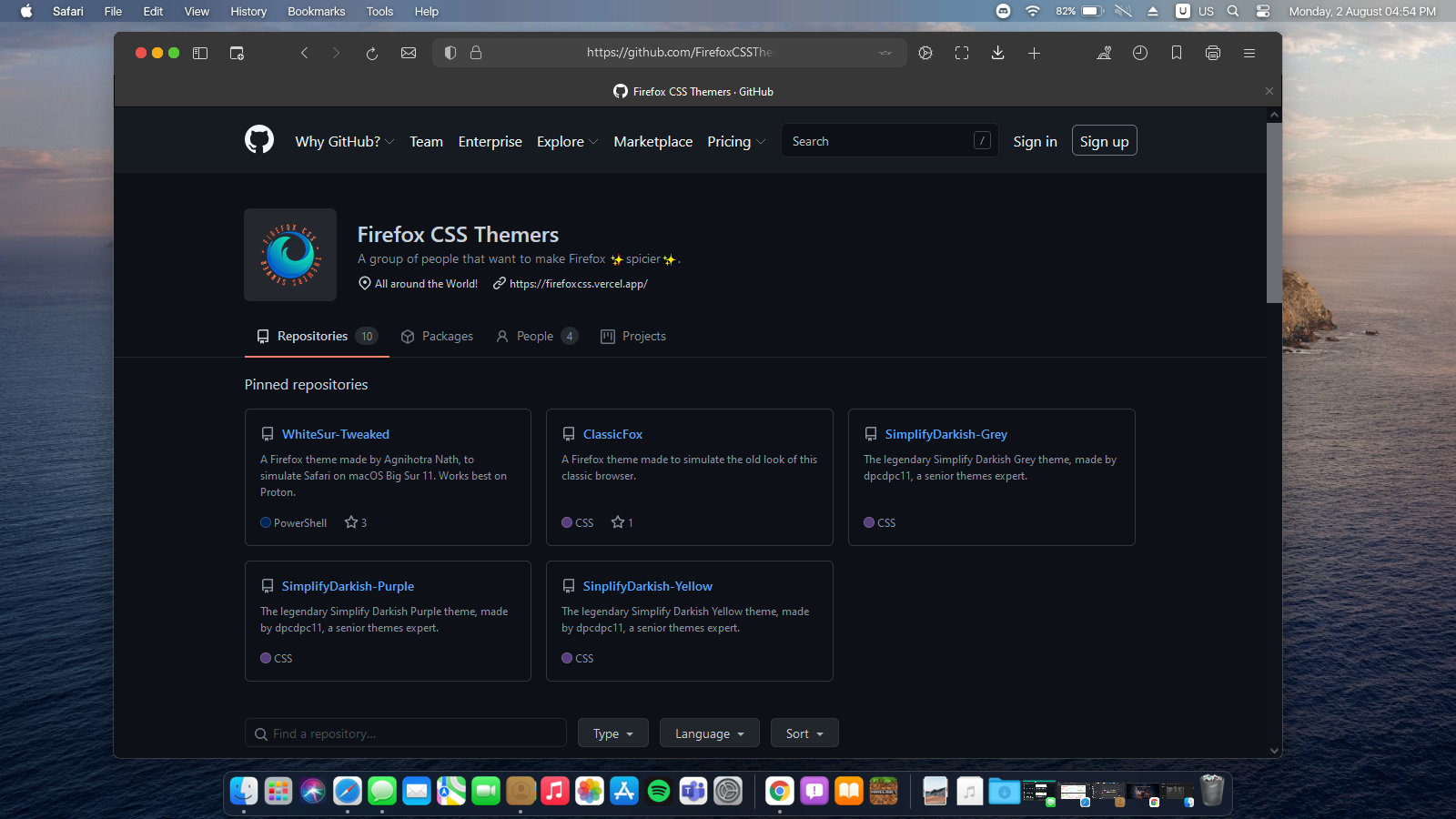
Known bugs
- Few Proton Bugs, but they are hardly noticeable.
- The private window icon bug is back
Installation Instructions
Manual Installation
Copy the
chromeandconfigurationfolders into your Firefox Profile directory. Here are the detailed install steps:
- Go to
about:supportin Firefox.- Search for Application Basics, find Profile Directory and click on Open Directory.
- Copy the folders mentioned above into the Profile folder (usually has
-releaseat the end).- This step is crucial. If you do it wrong, you can brick your Firefox installation.
- Go to
about:configin Firefox.- Search for
toolkit.legacyUserProfileCustomizations.stylesheetsand set it totrueby clicking on the arrow button.- Restart Firefox.
- You're done!
Automated Installation
- Run the installer according to your system architecture. x64 or x32.
Message to everyone
We want to thank all the people on our Discord server who supported us from the beginning. All of you are awesome ❤️!
DISCLAIMER
All information in the Service is provided "as is", with no guarantee of completeness, accuracy, timeliness or of the results obtained from the use of this information, and without warranty of any kind, express or implied, including, but not limited to warranties of performance, merchantability and fitness for a particular purpose.
The Company will not be liable to You or anyone else for any decision made or action taken in reliance on the information given by the Service or for any consequential, special or similar damages, even if advised of the possibility of such damages.
Contributors

Assets 3
WhiteSur v3.0 Beta-2 (Unstable)
Change-log
REMEMBER- THIS THEME IS STILL IN BETA, SO IT CAN EVEN BRICK YOUR OPERATING SYSTEM
Version 3.0 Beta-2
- Smoother UI and Speed Improvements.
- Visual Refresh to icons.
- New Tracking-Protection Shield Icon
Known bugs
- Few Proton Bugs, but they are hardly noticeable.
- The private window icon bug is back
Installation Instructions
Manual Installation
Copy the
chromeandconfigurationfolders into your Firefox Profile directory. Here are the detailed install steps:
- Go to
about:supportin Firefox.- Search for Application Basics, find Profile Directory and click on Open Directory.
- Copy the folders mentioned above into the Profile folder (usually has
-releaseat the end).- This step is crucial. If you do it wrong, you can brick your Firefox installation.
- Go to
about:configin Firefox.- Search for
toolkit.legacyUserProfileCustomizations.stylesheetsand set it totrueby clicking on the arrow button.- Restart Firefox.
- You're done!
Automated Installation
- Run the installer according to your system architecture. x64 or x32.
Message to everyone
We want to thank all the people on our Discord server who supported us from the beginning. All of you are awesome ❤️!
DISCLAIMER
All information in the Service is provided "as is", with no guarantee of completeness, accuracy, timeliness or of the results obtained from the use of this information, and without warranty of any kind, express or implied, including, but not limited to warranties of performance, merchantability and fitness for a particular purpose.
The Company will not be liable to You or anyone else for any decision made or action taken in reliance on the information given by the Service or for any consequential, special or similar damages, even if advised of the possibility of such damages.
WhiteSur v3.0 Beta (Unstable)
Change-log
REMEMBER- THIS THEME IS STILL IN BETA, SO IT CAN EVEN BRICK YOUR OPERATING SYSTEM
Version 3.0 Beta
- Smoother UI and Speed Improvements.
- Visual Refresh to icons.
- New Tracking-Protection Shield Icon
Known bugs
- Few Proton Bugs, but they are hardly noticeable.
Installation Instructions
Manual Installation
Copy the
chromeandconfigurationfolders into your Firefox Profile directory. Here are the detailed install steps:
- Go to
about:supportin Firefox.- Search for Application Basics, find Profile Directory and click on Open Directory.
- Copy the folders mentioned above into the Profile folder (usually has
-releaseat the end).- This step is crucial. If you do it wrong, you can brick your Firefox installation.
- Go to
about:configin Firefox.- Search for
toolkit.legacyUserProfileCustomizations.stylesheetsand set it totrueby clicking on the arrow button.- Restart Firefox.
- You're done!
Automated Installation
- Run the installer according to your system architecture. x64 or x32.
Message to everyone
We want to thank all the people on our Discord server who supported us from the beginning. All of you are awesome ❤️!
DISCLAIMER
All information in the Service is provided "as is", with no guarantee of completeness, accuracy, timeliness or of the results obtained from the use of this information, and without warranty of any kind, express or implied, including, but not limited to warranties of performance, merchantability and fitness for a particular purpose.
The Company will not be liable to You or anyone else for any decision made or action taken in reliance on the information given by the Service or for any consequential, special or similar damages, even if advised of the possibility of such damages.
WhiteSur v2.9 Beta (Public)
Change-log
Version 2.9
Known bugs
- Due to some reason, the giant private eye is still there. Reported by @Zaza-Canada
Installation Instructions
Manual Installation
Copy the
chromeandconfigurationfolders into your Firefox Profile directory. Here are the detailed install steps:
- Go to
about:supportin Firefox.- Search for Application Basics, find Profile Directory and click on Open Directory.
- Copy the folders mentioned above into the Profile folder (usually has
-releaseat the end).- This step is crucial. If you do it wrong, you can brick your Firefox installation.
- Go to
about:configin Firefox.- Search for
toolkit.legacyUserProfileCustomizations.stylesheetsand set it totrueby clicking on the arrow button.- Restart Firefox.
- You're done!
Automated Installation
- Run the installer according to your system architecture. x64 or x32.
Message to everyone
We want to thank all the people on our Discord server who supported us from the beginning. All of you are awesome ❤️!
DISCLAIMER
All information in the Service is provided "as is", with no guarantee of completeness, accuracy, timeliness or of the results obtained from the use of this information, and without warranty of any kind, express or implied, including, but not limited to warranties of performance, merchantability and fitness for a particular purpose.
The Company will not be liable to You or anyone else for any decision made or action taken in reliance on the information given by the Service or for any consequential, special or similar damages, even if advised of the possibility of such damages.
WhiteSur v2.75
Change-log
Version 2.75
- Smoother UI and Speed Improvements.
- Fully working for Proton now!
- Fixed an issue where an enlarged InPrivate Icon would show up at random positions in the titlebar.
Known bugs
- Few Proton Bugs, but they are hardly noticeable.
- The refresh button is still glitching.
Installation Instructions
Manual Installation
Copy the
chromeandconfigurationfolders into your Firefox Profile directory. Here are the detailed install steps:
- Go to
about:supportin Firefox.- Search for Application Basics, find Profile Directory and click on Open Directory.
- Copy the folders mentioned above into the Profile folder (usually has
-releaseat the end).- This step is crucial. If you do it wrong, you can brick your Firefox installation.
- Go to
about:configin Firefox.- Search for
toolkit.legacyUserProfileCustomizations.stylesheetsand set it totrueby clicking on the arrow button.- Restart Firefox.
- You're done!
Automated Installation
- Run the installer according to your system architecture. x64 or x32.
Message to everyone
We want to thank all the people on our Discord server who supported us from the beginning. All of you are awesome ❤️!
DISCLAIMER
All information in the Service is provided "as is", with no guarantee of completeness, accuracy, timeliness or of the results obtained from the use of this information, and without warranty of any kind, express or implied, including, but not limited to warranties of performance, merchantability and fitness for a particular purpose.
The Company will not be liable to You or anyone else for any decision made or action taken in reliance on the information given by the Service or for any consequential, special or similar damages, even if advised of the possibility of such damages.
WhiteSur v2.5
Change-log
Version 2.5
- Smoother UI and Speed Improvements.
- Fixed an issue where an enlarged InPrivate Icon would show up at random positions in the titlebar.
Known bugs
- Few Proton Bugs, but they are hardly noticeable.
- The refresh button is still glitching.
Installation Instructions
Manual Installation
Copy the
chromeandconfigurationfolders into your Firefox Profile directory. Here are the detailed install steps:
- Go to
about:supportin Firefox.- Search for Application Basics, find Profile Directory and click on Open Directory.
- Copy the folders mentioned above into the Profile folder (usually has
-releaseat the end).- This step is crucial. If you do it wrong, you can brick your Firefox installation.
- Go to
about:configin Firefox.- Search for
toolkit.legacyUserProfileCustomizations.stylesheetsand set it totrueby clicking on the arrow button.- Restart Firefox.
- You're done!
Automated Installation
- Run the installer according to your system architecture. x64 or x32.
Message to everyone
We want to thank all the people on our Discord server who supported us from the beginning. All of you are awesome ❤️!
DISCLAIMER
All information in the Service is provided "as is", with no guarantee of completeness, accuracy, timeliness or of the results obtained from the use of this information, and without warranty of any kind, express or implied, including, but not limited to warranties of performance, merchantability and fitness for a particular purpose.
The Company will not be liable to You or anyone else for any decision made or action taken in reliance on the information given by the Service or for any consequential, special or similar damages, even if advised of the possibility of such damages.
Official release of v2.0 Stable
Change-log
Version 2.0
- Smoother UI and Speed Improvements.
- Caption buttons are universally fixed for Windows, macOS and Arch-Linux. Thanks to @Dhterech for code suggestions. It can be found on the
README.mdof this repository.
Known bugs
- Few Proton Bugs, but they are hardly noticeable.
- The refresh button is still glitching.
Installation Instructions
Manual Installation
Copy the
chromeandconfigurationfolders into your Firefox Profile directory. Here are the detailed install steps:
- Go to
about:supportin Firefox.- Search for Application Basics, find Profile Directory and click on Open Directory.
- Copy the folders mentioned above into the Profile folder (usually has
-releaseat the end).- This step is crucial. If you do it wrong, you can brick your Firefox installation.
- Go to
about:configin Firefox.- Search for
toolkit.legacyUserProfileCustomizations.stylesheetsand set it totrueby clicking on the arrow button.- Restart Firefox.
- You're done!
Automated Installation
- Run the installer according to your system architecture. x64 or x32.
Message to everyone
We want to thank al the people on our Discord server who supported us from the beggining. All of you are awesome ❤️!
DISCLAIMER
All information in the Service is provided "as is", with no guarantee of completeness, accuracy, timeliness or of the results obtained from the use of this information, and without warranty of any kind, express or implied, including, but not limited to warranties of performance, merchantability and fitness for a particular purpose.
The Company will not be liable to You or anyone else for any decision made or action taken in reliance on the information given by the Service or for any consequential, special or similar damages, even if advised of the possibility of such damages.
First release (Manual Installation)

Changelog
Version 1.0
- First release.
- Manual Installation.
Known bugs
- The refresh button is still glitching.
Installation Instructions
Copy the
chromeandconfigurationfolders into your Firefox Profile directory. Here are the detailed install steps:
- Go to
about:supportin Firefox.- Search for Application Basics, find Profile Directory and click on Open Directory.
- Copy the folders mentioned above into the Profile folder (usually has
-releaseat the end).- This step is crucial. If you do it wrong, you can brick your Firefox installation.
- Go to
about:configin Firefox.- Search for
toolkit.legacyUserProfileCustomizations.stylesheetsand set it totrueby clicking on the arrow button.- Restart Firefox.
- You're done!
DISCLAIMER
All information in the Service is provided "as is", with no guarantee of completeness, accuracy, timeliness or of the results obtained from the use of this information, and without warranty of any kind, express or implied, including, but not limited to warranties of performance, merchantability and fitness for a particular purpose.
The Company will not be liable to You or anyone else for any decision made or action taken in reliance on the information given by the Service or for any consequential, special or similar damages, even if advised of the possibility of such damages.
WhiteSur Beta Release 1
Changelog
Version 1.0
- First release.
- Manual Installation.
Version 1.1
- Finished Automated Install script. If you encounter any issues with it, make sure to fill in an issue. Also, note that it may be a bit unstable. Thanks for your conributions!
Known bugs
- Remember this theme is still in beta, so it can cause unexpected crashes on your browser.
- The refresh button is still glitching.
Installation Instructions
Manual Installation
Copy the
chromeandconfigurationfolders into your Firefox Profile directory. Here are the detailed install steps:
- Go to
about:supportin Firefox.- Search for Application Basics, find Profile Directory and click on Open Directory.
- Copy the folders mentioned above into the Profile folder (usually has
-releaseat the end).- This step is crucial. If you do it wrong, you can brick your Firefox installation.
- Go to
about:configin Firefox.- Search for
toolkit.legacyUserProfileCustomizations.stylesheetsand set it totrueby clicking on the arrow button.- Restart Firefox.
- You're done!
Automated Installation
Just download and run the installer for your Operating System architecture (
installer32.batfor 32-bit machines;installer64for 64-bit machines).
Message to everyone
We want to thank al the people on our Discord server who supported us from the beggining. All of you are awesome ❤️!
DISCLAIMER
All information in the Service is provided "as is", with no guarantee of completeness, accuracy, timeliness or of the results obtained from the use of this information, and without warranty of any kind, express or implied, including, but not limited to warranties of performance, merchantability and fitness for a particular purpose.
The Company will not be liable to You or anyone else for any decision made or action taken in reliance on the information given by the Service or for any consequential, special or similar damages, even if advised of the possibility of such damages.