
The easiest way to add buttons with Leaflet — so simple it fits in a gif:
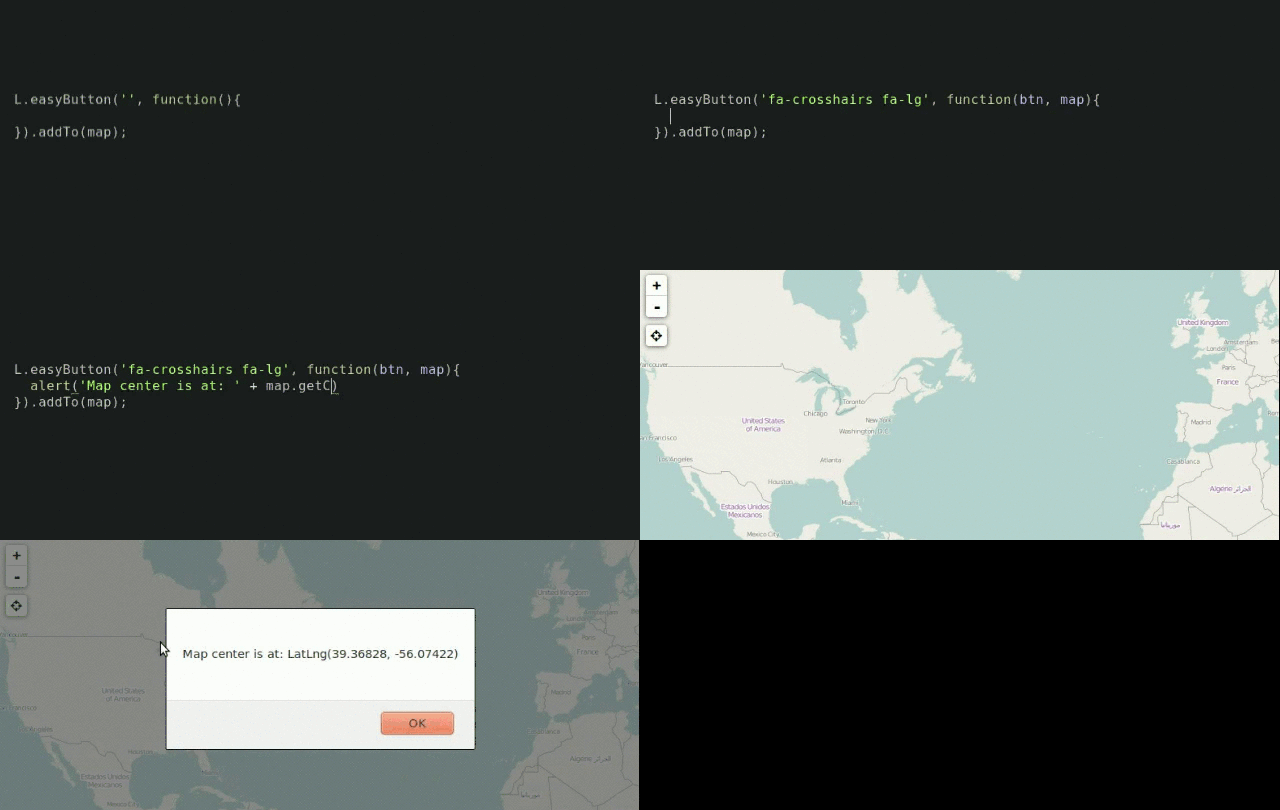
These use YOUR_LEAFLET_MAP as a placeholder;
remember to change it to the variable name of your map.
open a popup
var helloPopup = L.popup().setContent('Hello World!');

L.easyButton('fa-globe', function(btn, map){
    helloPopup.setLatLng(map.getCenter()).openOn(map);
}).addTo( YOUR_LEAFLET_MAP );set the map's center and use an img for the icon
L.easyButton('<img src="/path/to/img/of/penguin.png">', function(btn, map){
    var antarctica = [-77,70];
    map.setView(antarctica);
}).addTo( YOUR_LEAFLET_MAP );change the button's function and appearance
var stateChangingButton = L.easyButton({
    states: [{
            stateName: 'zoom-to-forest',        // name the state
            icon:      'fa-tree',               // and define its properties
            title:     'zoom to a forest',      // like its title
            onClick: function(btn, map) {       // and its callback
                map.setView([46.25,-121.8],10);
                btn.state('zoom-to-school');    // change state on click!
            }
        }, {
            stateName: 'zoom-to-school',
            icon:      'fa-university',
            title:     'zoom to a school',
            onClick: function(btn, map) {
                map.setView([42.3748204,-71.1161913],16);
                btn.state('zoom-to-forest');
            }
    }]
});

stateChangingButton.addTo( YOUR_LEAFLET_MAP );EasyButton version 2.x.x and up expect Leaflet 1.x.x or higher;
for Leaflet 0.7.x use EasyButton 1.3.x.
<link rel="stylesheet" href="https://cdn.jsdelivr.net/npm/leaflet-easybutton@2/src/easy-button.css">
<script src="https://cdn.jsdelivr.net/npm/leaflet-easybutton@2/src/easy-button.js"></script>
npm install --save leaflet-easybutton
bower install --save Leaflet.EasyButton
If you haven't already, make sure to install/include the icon library of your choice (your lib should have its own instructions) — EasyButton should work with anything!