


-
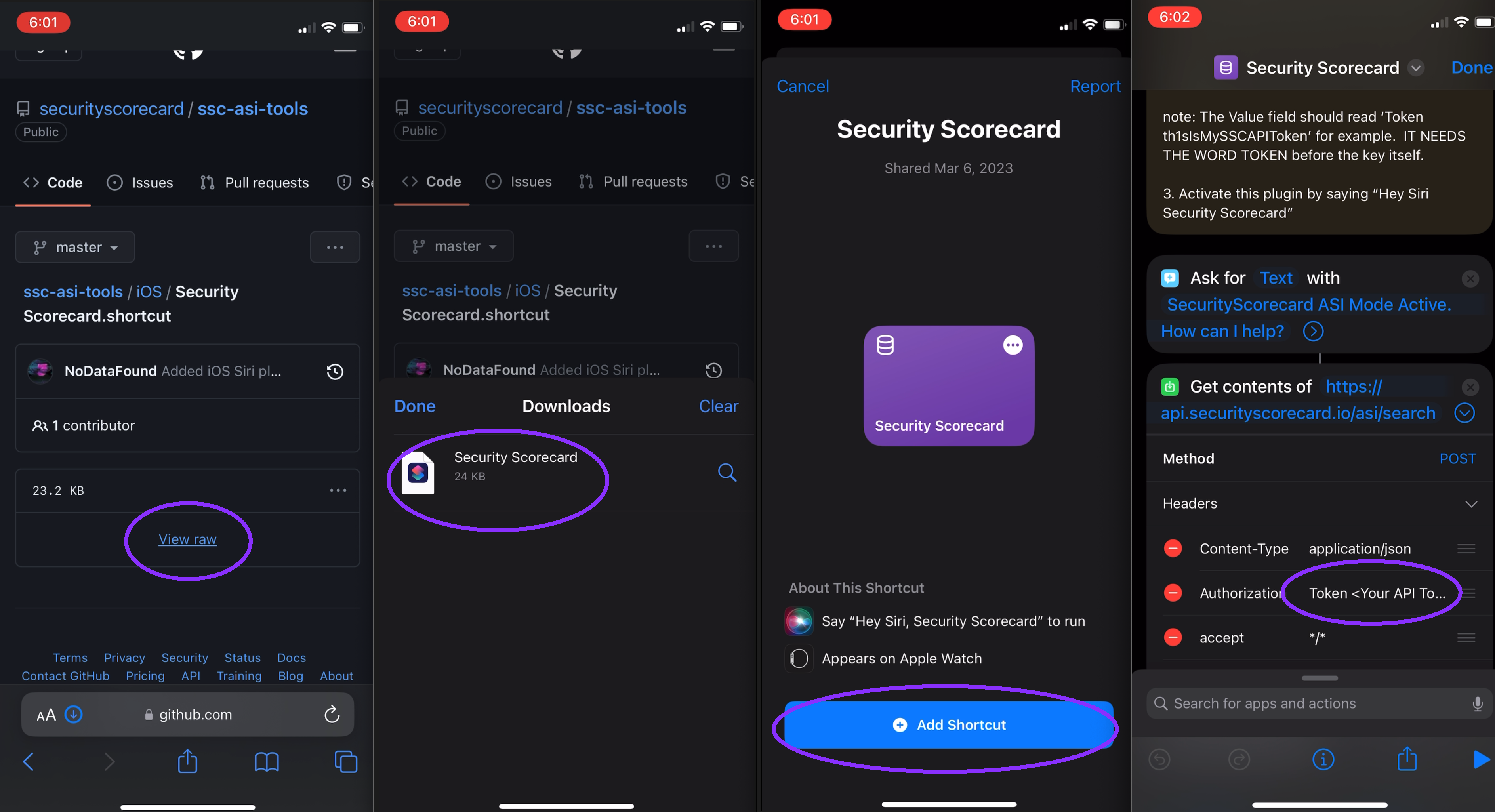
From your iOS device, download the plugin & open it.
-
Obtain ASI API Token
- Visit: https://platform.securityscorecard.io/#/my-settings/api to generate an API token
-
Replace
<Your API Token>in the authorization header with the token from step 2.
NOTE
    The Value field should read ‘Token th1sIsMySSCAPIToken’ for example.
    IT NEEDS THE WORD TOKEN before the key itself.
Installation Video
RPReplay-Final1678147347.MP4
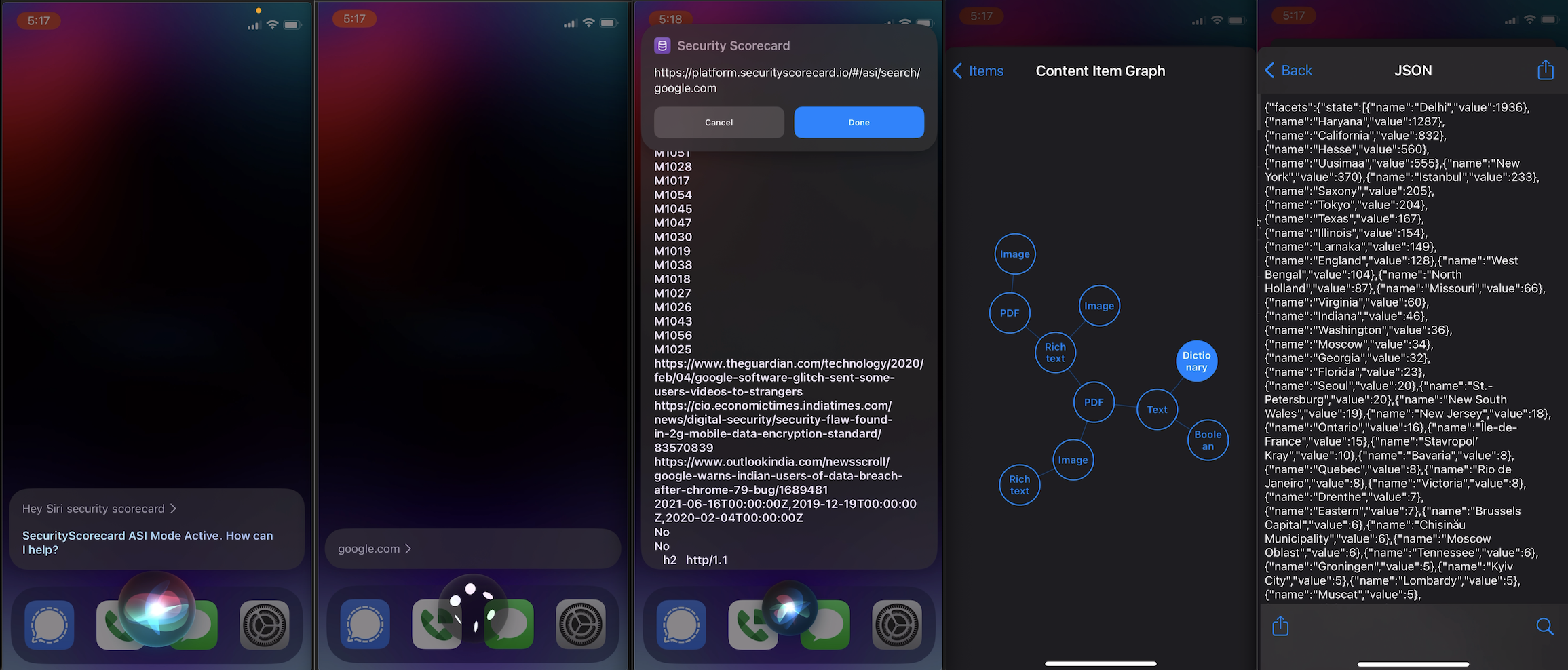
Activate this plugin by saying “𝗛𝗲𝘆 𝗦𝗶𝗿𝗶, 𝗦𝗲𝗰𝘂𝗿𝗶𝘁𝘆 𝗦𝗰𝗼𝗿𝗲𝗰𝗮𝗿𝗱”
NOTE
Once Siri is listening after “𝗛𝗲𝘆 𝗦𝗶𝗿𝗶, 𝗦𝗲𝗰𝘂𝗿𝗶𝘁𝘆 𝗦𝗰𝗼𝗿𝗲𝗰𝗮𝗿𝗱”:

Simply say any attribute value like an IP address `8.8.8.8` or domain `google.com`
Usage example video