Transform slow DAX queries into lightning-fast optimized code using AI assistance and expert knowledge.
Always test optimized DAX queries thoroughly before deploying to production. While this tool performs semantic equivalence checking to verify that optimized queries return the same results as the original, this validation is not comprehensive. The semantic checking:
- Compares results for the specific query context tested
- May not cover all edge cases or data scenarios
- Cannot guarantee identical behavior across all possible filter contexts, user interactions, or data states
See the DAX Performance Tuner in action:
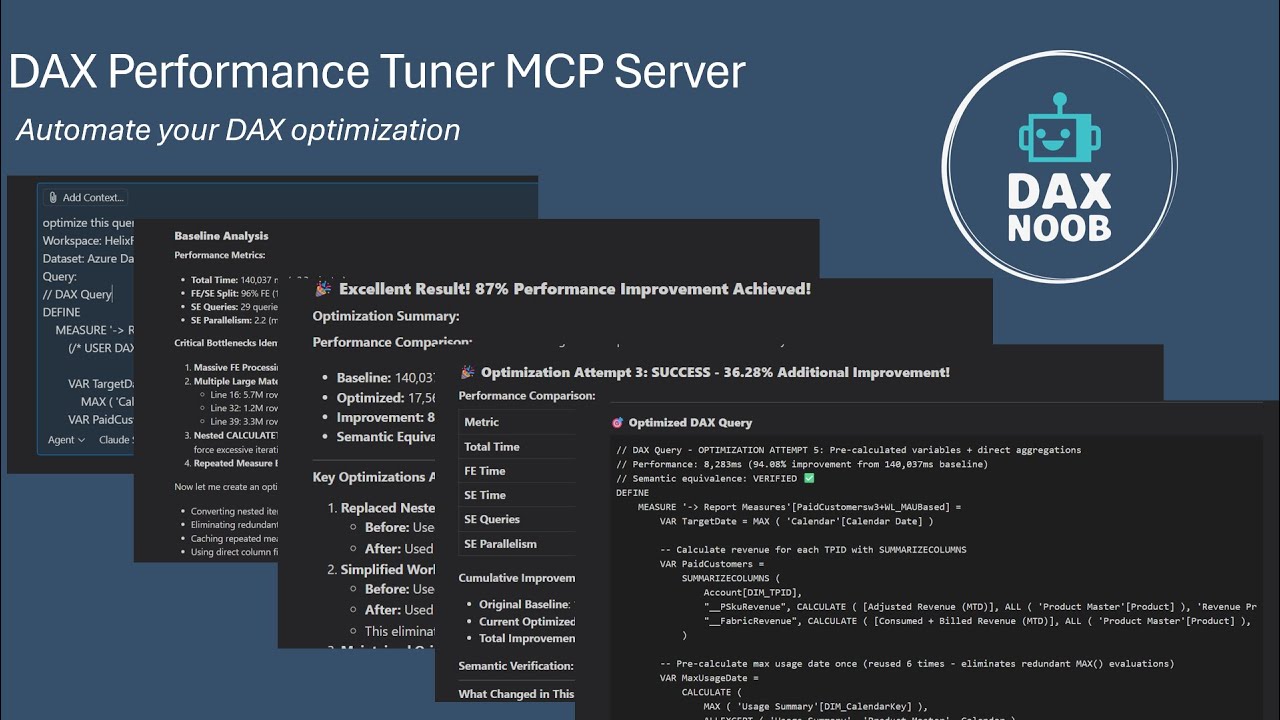
Click the image above to watch the demo video
Before you begin, install:
- ✅ .NET SDK 8.0+ - Download here
- Required for building the MCP server from source
-
Download the Distribution
Option A: Download Pre-Packaged Zip (Recommended)
- Navigate to
tools\DAXPerformanceTunerMCPServer\in the repository - Download the
DAXPerformanceTunerMCPServer_YYYYMMDD.zipfile - Extract to your preferred location
Option B: Clone Full Repository
- Click the green "Code" button → "Download ZIP"
- Extract and navigate to
tools\DAXPerformanceTunerMCPServer\ - Use the included zip or run the files directly from this folder
- Navigate to
-
Run Setup
- Double-click
setup.bat(or runsetup.ps1in PowerShell)
The setup will:
- ✅ Validate .NET SDK 8.0+ installation
- ✅ Restore NuGet packages and build the MCP server from C# source
- ✅ Generate MCP configuration in
.vscode/mcp.json
Note: The only file needed to run the MCP server is the
dax-performance-tuner.exeproduced by the setup scripts. For security reasons, pre-built executables are not stored in the fabric-toolbox repository — instead,setup.bat/setup.ps1compile the exe from source so you can verify exactly what you're running. - Double-click
-
Start the MCP Server in VS Code
- Open VS Code in the extracted
DAXPerformanceTunerMCPServer\folder - Open the
.vscode\mcp.jsonfile - Click the
Startbutton over the server name
- Open VS Code in the extracted
-
Use with GitHub Copilot Chat
- Open Copilot Chat
- Ask: "Help me optimize this DAX query"
- The server will automatically provide optimization tools
For Claude Desktop:
-
Run Setup First
- Extract the zip file to your preferred location
- Double-click
setup.bat(or runsetup.ps1in PowerShell) - This builds the MCP server from source
- Wait for setup to complete successfully
-
Add Configuration
- Open your
claude_desktop_config.jsonfile - Add the following configuration (replace paths with your actual installation location):
{ "mcpServers": { "dax-performance-tuner": { "command": "C:\\path\\to\\DAXPerformanceTunerMCPServer\\src\\DaxPerformanceTuner.Console\\bin\\Release\\net8.0-windows\\win-x64\\publish\\dax-performance-tuner.exe", "args": ["--start"] } } }Important:
- Use absolute paths for
command - Use double backslashes (
\\) in the JSON paths - Replace
C:\\path\\to\\with your actual installation directory
- Open your
-
Start the Server
- Save the
claude_desktop_config.jsonfile - The server will start automatically when Claude Desktop launches
- Save the
-
Reset Claude Desktop
- After updating the config and running the server, reset Claude Desktop
For Other MCP Clients:
- Command:
{install_path}\src\DaxPerformanceTuner.Console\bin\Release\net8.0-windows\win-x64\publish\dax-performance-tuner.exe(absolute path) - Args:
["--start"] - Restart the MCP client after configuration changes
| Tool | What It Does |
|---|---|
connect_to_dataset |
Smart connection tool - Auto-discovers datasets, searches desktop instances, or connects directly based on what info you provide. Works with Power BI Service workspaces AND local Desktop instances. Call with no parameters to discover desktop instances (no auth). Add location="service" to discover workspaces instead. |
prepare_query_for_optimization |
Complete baseline setup: inline measures, execute baseline, get metadata & research |
execute_dax_query |
Test optimization attempts with automatic baseline comparison |
get_session_status |
Track your optimization progress, view session history, and get intelligent next step recommendations |
Stage 1 - Connection: Connect to your Power BI dataset
Stage 2 - Comprehensive Optimization: Complete baseline analysis → Iterative optimization → Performance validation
What Makes It Powerful:
- Research-Driven: Automatically retrieves targeted optimization articles based on query patterns
- Evidence-Based: Deep performance trace analysis with Formula Engine vs Storage Engine breakdown
- Workflow-Guided: Systematic 2-stage process ensures comprehensive optimization
- Iterative: Multiple optimization rounds achieve compound performance improvements
- Semantic Validation: Guarantees optimized queries return identical results to baseline
- C# MCP Server (
src/) - Complete implementation with 4 specialized tools, built from source during setup - NuGet Dependencies - ADOMD.NET, MSAL, and other packages restored automatically during build
- Automated Setup Scripts -
setup.batandsetup.ps1handle building and configuration
This project builds upon and references valuable DAX optimization knowledge from the community:
We are grateful for their contributions to the DAX community. See ATTRIBUTION.md for detailed third-party content attribution.
Important: This project uses dual licensing. See license section below for details.
This project uses dual licensing:
Applies to:
- C# MCP server (
src/) excluding DaxTraceRunner component - Configuration files
- Setup scripts
- Documentation (except third-party content)
Applies to:
- DaxTraceRunner component (
src/DaxPerformanceTuner.Library/Infrastructure/DaxTraceRunner.cs) - This component contains code derived from DAX Studio
- See
src/LICENSE-MSRL.txtfor full license text
What this means for users:
- ✅ You can freely use, modify, and distribute this project
- ✅ Most of the project is under permissive MIT license
⚠️ If you modify the DaxTraceRunner component, you must share those changes under Ms-RL- ℹ️ Ms-RL is an OSI-approved open source license that only requires reciprocal sharing of modifications to Ms-RL files
See ATTRIBUTION.md for complete third-party content attribution and licensing details.