Get started with Draft in three easy steps:
- Install CLI tools for Helm, Kubectl, Minikube and Draft
- Boot Minikube and install Draft
- Deploy your first application
This video will show you how to set up Draft with Azure Container Services and Azure Container Registry.
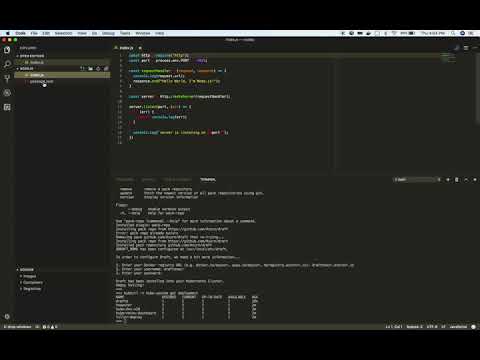
In order to get started, you will need to fetch the following:
- the latest release of minikube
- the latest release of kubectl
- the latest release of Helm
All of the dependencies can be installed by the following:
$ brew cask install minikubeAfterwards, fetch the latest release of Draft.
Installing Draft via Homebrew can be done using
$ brew tap azure/draft
$ brew install draft
Canary releases of the Draft client can be found at the following links:
It can also be installed with
$ brew install draft-canaryAlternative downloads:
Unpack the Draft binary and add it to your PATH.
At this point, you can boot up minikube!
$ minikube start
Starting local Kubernetes v1.7.3 cluster...
Starting VM...
oving files into cluster...
Setting up certs...
Starting cluster components...
Connecting to cluster...
Setting up kubeconfig...
Kubectl is now configured to use the cluster.
Now that the cluster is up and ready, minikube automatically configures kubectl, the command line tool for Kubernetes, on your machine with the appropriate authentication and endpoint information.
$ kubectl cluster-info
Kubernetes master is running at https://192.168.99.100:8443

To further debug and diagnose cluster problems, use 'kubectl cluster-info dump'.Now that we have minikube running, we can go ahead and enable the registry add-on. The registry add-on is used to store the built docker container within the cluster.
You can enable the add-on with
$ minikube addons enable registryInstall Helm, a Kubernetes Package Manager, in your cluster. Helm manages the lifecycle of an application in Kubernetes, and it is also how Draft deploys an application to Kubernetes.
Installing Helm and setting it up is quite simple:
$ helm initWait for Helm to come up and be in a Ready state. You can use kubectl -n kube-system get deploy tiller-deploy --watch to wait for tiller to come up.
Now that all the dependencies are set up, we can set up Draft by running this command:
$ draft init --auto-acceptDraft will read your local kube configuration and notice that it is pointing at minikube. It will then install Draftd (the Draft server) communicating with the installed registry add-on and Tiller (Helm server) instance.
Once you've completed the above steps, you're ready to climb aboard and explore the Getting Started Guide - you'll soon be sailing!