S/MIME thoughts #744

Replies: 4 comments

-
|
Beta Was this translation helpful? Give feedback.

-
|
Dear Michal, Thanks a lot for your reply.
However, if I logout from webmail and back in, it asks for the cert pwd again. So, unless one uses that option to stay logged in, every day, the first message they sign digitally, they have to put the S/MIME cert pwd, when sending that first digitally signed email. That's what, imho, is a bit strange. I don't think other webmails do that. Thunderbird doesnt. It never asks for my cert pwd again and again. Of course, I understand it's different, as it's an app installed on my PC. I can test Gmail if you want, I doubt it asks for the pwd again, if I logout, logon again and try to send a digitally signed message once more.
For me to be able to encrypt emails, documentation says: "When you receive a signed message, you can verify the signature. When the signature is valid. Group-Office will automatically save the public certificate which can be used to send encrypted messages." *** So, it seems to imply that just by viewing the certificate (how ,clicking on the attachment?) it will get person's public certificate part. Is that it? I remember having to add the person as a contact, no? Thanks. |
Beta Was this translation helpful? Give feedback.
-
|
Hi Flavio,
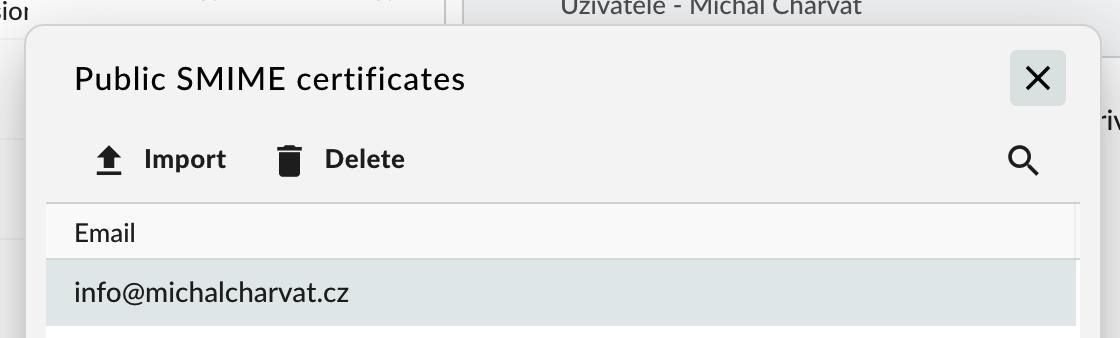
Public certificates could be also managed via Public SMIME certificates dialog |

Beta Was this translation helpful? Give feedback.
-
|
Dear Michal, Thanks a lot for your reply.
My worry is not really myself. I barely sign digitally. I did it more to make a faq for my customers and give them that possibility. My goal was more to help, perhaps, improve GO. If it's by design, no worries. I just think, Id have to check, that most webmails don't do it this way, requiring you to retype the pwd of the certificate if you log out. I always like to do the benchmarking, compare with other webmails. Does Office 365 do this, Gmail, Zimbra, etc.? To help decide. In any way, no worries, if you guys think it's best this way, no problem. Maybe document this a bit clearer. You will be asked for the certificate pwd again, if you log out and on to your account.
I'd, perhaps, change it to "When you receive a signed message, you can verify the signature., by clicking on a link that appears in the email header". Nothing really needed, just would be even clearer. So the answer is, that's it, no need to add person to contacts, just click on the link. Thanks! |
Beta Was this translation helpful? Give feedback.


Uh oh!
There was an error while loading. Please reload this page.
-
Guys,
I was testing S/MIME to make a FAQ, having obtained a free cert at the only place that still offers free S/MIME (Italian Actalis).
I understand I can mark the checkbox to "always sign digitally" but if that's not desired, seems a bit too much work to have to manually type in the pwd over and over again each time I login again to webmail.
I understand this could be security related, but I don't think other clients work this way. Thunderbird doesn't. It asks for the pwd just once, when you import the S/MIME cert.
"When you receive a signed message, you can verify the signature. When the signature is valid. Group-Office will automatically save the public certificate which can be used to send encrypted messages."
Do I need to just verify it (clicking on it, I guess?), really or add the sender, who sent me a message signed digitally, to my contacts?
Thanks.
Beta Was this translation helpful? Give feedback.
All reactions